CONNECTIONS FOR YOUR TV
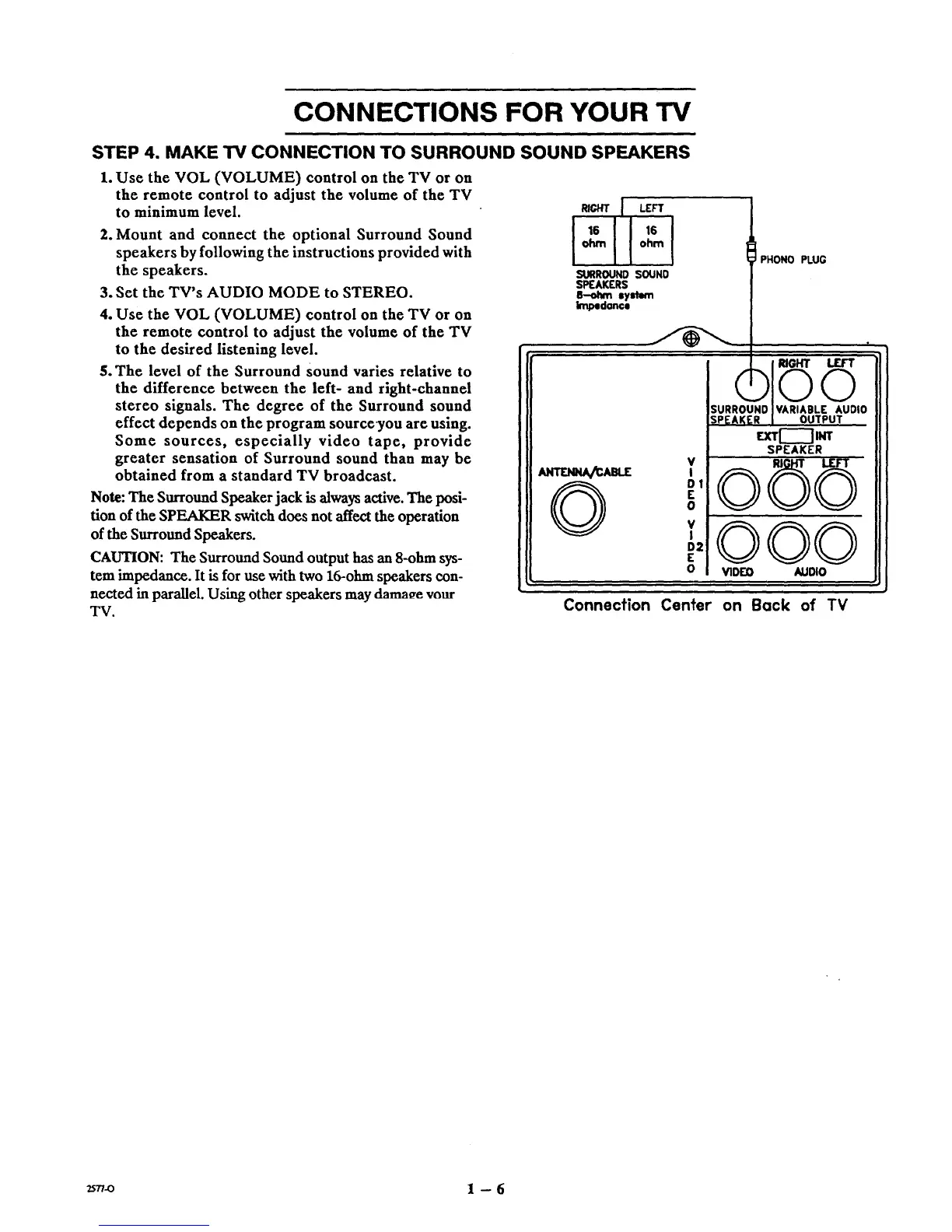
STEP 4. MAKE TV CONNECTION TO SURROUND SOUND SPEAKERS
1. Use the VOL (VOLUME) control on the TV or on
the remote control to adjust the volume of the TV
to minimum level.
2. Mount and connect the optional Surround Sound
speakers by following the instructions provided with
the speakers.
3. Set the TV's AUDIO MODE to STEREO.
4. Use the VOL (VOLUME) control on the TV or on
the remote control to adjust the volume of the TV
to the desired listening level.
5. The level of the Surround Sound varies relative to
the difference between the left- and right-channel
stereo signals. The degree of the Surround sound
effect depends on the program source-you are using.
Some sources, especially video tape, provide
greater sensation of Surround sound than may be
obtained from a standard TV broadcast.
Note: The Surround Speaker jack is always active. The posi-
tion of the SPEAKER switch does not affect the operation
of the Surround Speakers.
CAUTION: The Surround Sound output has an 8-ohm sys-
tem impedance. It is for use with two 16-ohm speakers con-
nected in parallel. Using other speakers may damage your
TV.
RIGHT I LEFT
I°"mI
SURROUND SOUND
SPEAKERS
B-ohm syslem
Impedance
ANT-rJdHA_ABLE
PHONO PLUG
V
I
DI
E
0
V
I
D2
E
0
EXT[----] INT
SPEAKER
®5©
©©©
VIDEO AUDIO
Connection Center on Back of TV
25.-o 1 -- 6



 To Next Page