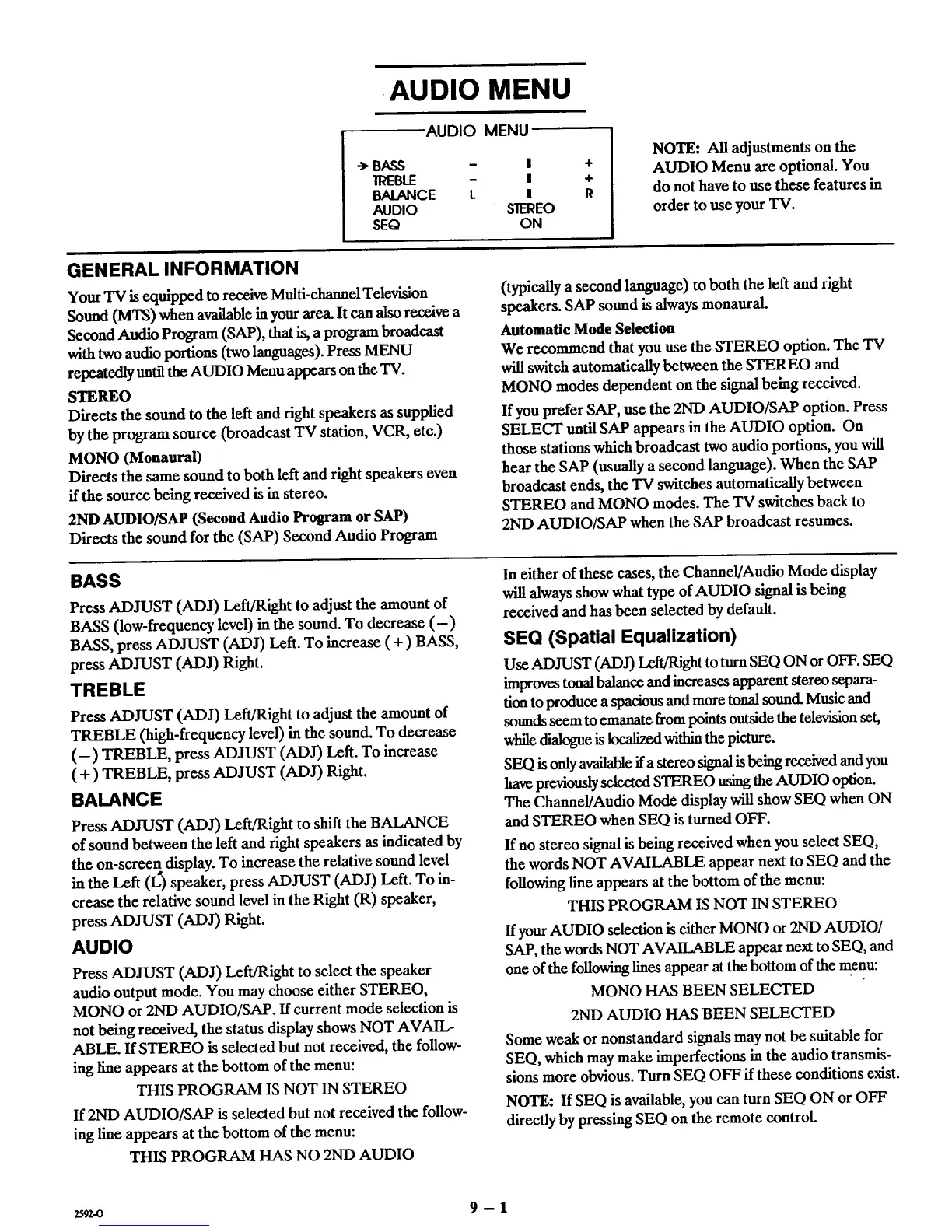
.AUDIO MENU
AUDIO MENU
-> BASS - I
]REBLE - I
BALANCE L I
AUDIO S]EREO
SEQ ON
+
4-
R
NOTE: All adjustments on the
AUDIO Menu arc optional. You
do not have to use these features in
order to use your TV.
GENERAL INFORMATION
Your "IV is equipped to receive Multi-channel Tele "vtsion
Sound (MTS) when available in your area. It can also receive a
Second Audio Program (SAP), that is, a program broadcast
with two audio portions (two languages). Press MENU
repeatedly until the AUDIO Menu appears on the TV.
STEREO
Directs the sound to the left and fight speakers as supplied
by the program source (broadcast TV station, VCR, etc.)
MONO (Monaural)
Directs the same sound to both left and right speakers even
if the source being received is in stereo.
2ND AUDIO/SAP (Second Audio Program or SAP)
Directs the sound for the (SAP) Second Audio Program
(typically a second language) to both the left and right
speakers. SAP sound is always monaural.
Automatic Mode Selection
We recommend that you use the STEREO option. The TV
will switch automatically between the STEREO and
MONO modes dependent on the signal being received.
If you prefer SAP, use the 2ND AUDIO/SAP option. Press
SELECT until SAP appears in the AUDIO option. On
those stations which broadcast two audio portions, you will
hear the SAP (usually a second language). When the SAP
broadcast ends, the TV switches automatically between
STEREO and MONO modes. The TV switches back to
2ND AUDIO/SAP when the SAP broadcast resumes.
BASS
Press ADJUST (ADJ) Left/Right to adjust the amount of
BASS (low-frequency level) in the sound. To decrease (-)
BASS, press ADJUST (ADJ) Left. To increase (+) BASS,
press ADJUST (ADJ) Right.
TREBLE
Press ADJUST (ADJ) Left/Right to adjust the amount of
TREBLE (high-frequency level) in the sound. To decrease
(-) TREBLE, press ADJUST (ADJ) Left. To increase
(+) TREBLE, press ADJUST (ADJ) Right.
BALANCE
Press ADJUST (ADJ) Left/Right to shift the BALANCE
of sound between the left and right speakers as indicated by
the on-screen display. To increase the relative sound level
in the Left (L) speaker, press ADJUST (ADJ) Left. To in-
crease the relative sound level in the Right (R) speaker,
press ADJUST (ADJ) Right.
AUDIO
Press ADJUST (ADJ) Left/Right to select the speaker
audio output mode. You may choose either STEREO,
MONO or 2ND AUDIO/SAP. If current mode selection is
not being received, the status display shows NOT AVAIL-
ABLE. If STEREO is selected but not received, the follow-
ing line appears at the bottom of the menu:
THIS PROGRAM IS NOT IN STEREO
If 2ND AUDIO/SAP is selected but not received the follow-
ing line appears at the bottom of the menu:
THIS PROGRAM HAS NO 2ND AUDIO
In either of these cases, the Channel/Audio Mode display
will always show what type of AUDIO signal is being
received and has been selected by default.
SEQ (Spatial Equalization)
Use ADJUST (ADJ) Left/Right to turn SEQ ON or OFF. SEQ
improves tonal balance and increases apparent stereo separa-
tion to produce a spacious and more tonal sound. Music and
sounds seem to emanate from points outside the television set,
while dialogue is localized within the picture.
SEQ is only available ifa stereo signal is being received and you
have previously selected STEREO using the AUDIO option.
The Channel/Audio Mode display will show SEQ when ON
and STEREO when SEQ is turned OFF.
If no stereo signal is being rece,ived when you select SEQ,
the words NOT AVAILABLE, appear next to SEQ and the
following line appears at the bottom of the menu:
THIS PROGRAM IS NOT IN STEREO
If your AUDIO selection is either MONO or 2ND AUDIO/
SAP, the words NOT AVAILABLE appear next to SEQ, and
one of the following lines appear at the bottom of the menu:
MONO HAS BEEN SELECTED
2ND AUDIO HAS BEEN SELECTED
Some weak or nonstandard signals may not be suitable for
SEQ, which may make imperfections in the audio transmis-
sions more obvious. Turn SEQ OFF if these conditions exist.
NOTE: If SEQ is available, you can turn SEQ ON or OFF
directly by pressing SEQ on the remote control.
zscz-o 9-1



 To Next Page