VIDEO MENU
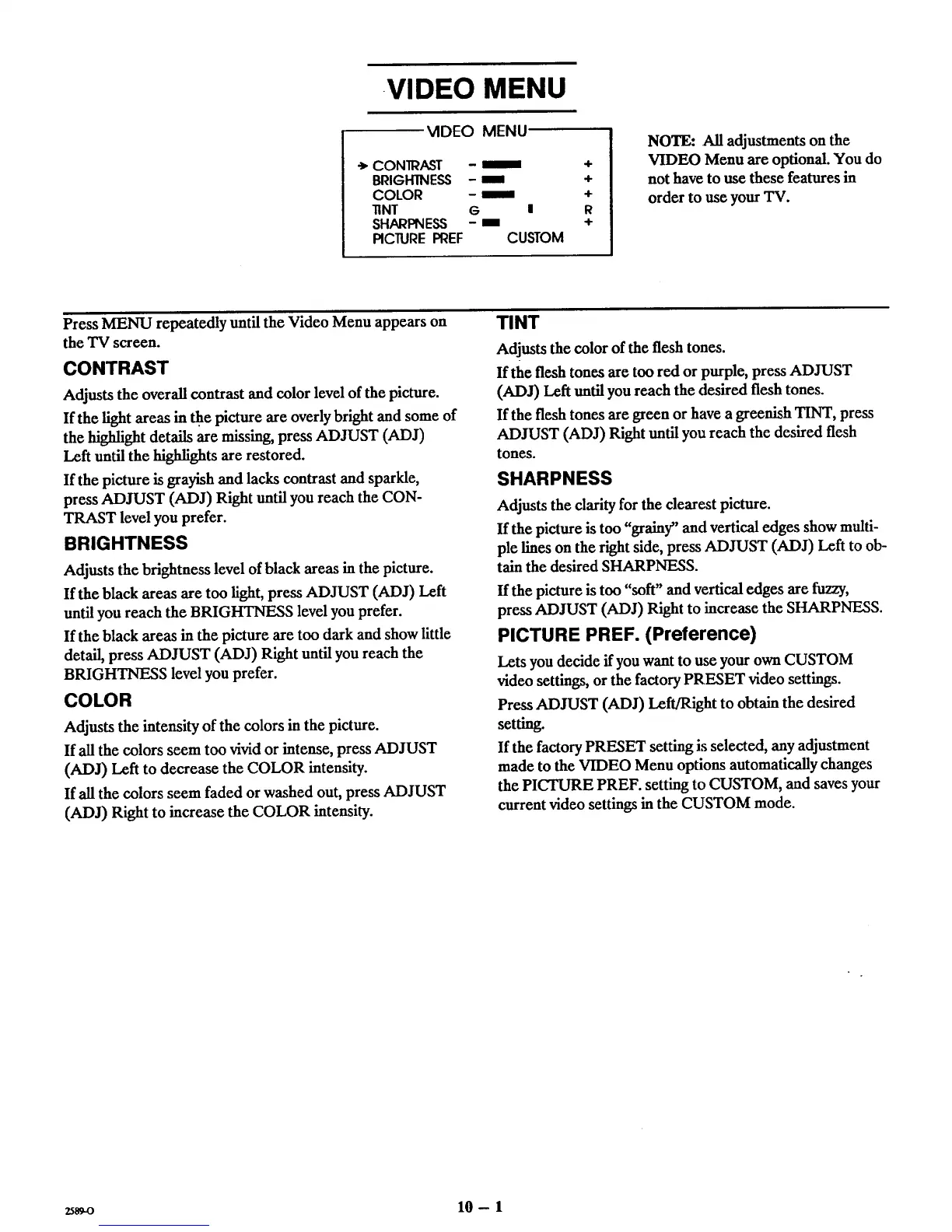
VIDEO MENU
e,CONIRAST - _ ÷
BRIGHTNESS - mmm +
COLOR - _" +
lINT G I R
SHARPNESS -mm +
PICTURE PREF CUSTOM
NOTE: All adjustments on the
VIDEO Menu are optional. You do
not have to use these features in
order to use your TV.
Press MENU repeatedly until the Video Menu appears on
the TV screen.
CONTRAST
Adjusts the overall contrast and color level of the picture.
If the light areas in _e picture axe overly bright and some of
the highlight details are missing, press ADJUST (ADJ)
Left until the highlights are restored.
If the picture is grayish and lacks contrast and sparkle,
press ADJUST (ADJ) Right until you reach the CON-
TRAST level you prefer.
BRIGHTNESS
Adjusts the brightness level of black areas in the picture.
If the black areas are too fight, press ADJUST (ADJ) Left
until you reach the BRIGHTNESS level you prefer.
If the black areas in the picture are too dark and show little
detail, press ADJUST (ADJ) Right until you reach the
BRIGHTNESS level you prefer.
COLOR
Adjusts the intensity of the colors in the picture.
If all the colors seem too vivid or intense, press ADJUST
(ADJ) Left to decrease the COLOR intensity.
If all the colors seem faded or washed out, press ADJUST
(ADJ) Right to increase the COLOR intensity.
TINT
Adjusts the color of the flesh tones.
If the flesh tones are too red or purple, press ADJUST
(ADJ) Left until you reach the desired flesh tones.
If the flesh tones are green or have a greenish TINT, press
ADJUST (ADJ) Right until you reach the desired flesh
tones.
SHARPNESS
Adjusts the clarity for the clearest picture.
If the picture is too "grainy" and vertical edges show multi-
ple lines on the right side, press ADJUST (ADJ) Left to ob-
tain the desired SHARPNESS.
If the picture is too "soft" and vertical edges are fuzzy,
press ADJUST (ADJ) Right to increase the SHARPNESS.
PICTURE PREF. (Preference)
Lets you decide if you want to use your own CUSTOM
video settings, or the factory PRESET video settings.
Press ADJUST (ADJ) Left/Right to obtain the desired
setting.
If the factory PRESET setting is selected, any adjustment
made to the VIDEO Menu options automatically changes
the PICTURE PREF. setting to CUSTOM, and saves your
current video settings in the CUSTOM mode.
2589-0 10- 1



 To Next Page