ON-SCREEN MENUS
SUMMARY OF MENU ITEMS (CONTINUED)
SOURCE Menu
ANT/CABLE: Selecting ANT/CABLE routes the AN-
TENNA/CABLE source to the TV for viewing. You see
program material from the signal source that is con-
netted to the ANTENNA/CABLE jack on the back of
the 'IV.
Selecting VIDEO 1: Routes the VIDEO 1 source to the
TV for viewing. You see program material from
the signal source that is connected to the VIDEO 1,
VIDEO/AUDIO LEFT-RIGHT jacks on the back of
the TV.
Selecting VIDEO 2: Routes the VIDEO 2 source to the
TV for viewing. You see program material from the sig-
nal source that is connected to the VIDEO 2,
VIDEO/AUDIO LEFT-RIGHT jacks on the back of
the TV.
BASIC MENU OPERATIONS
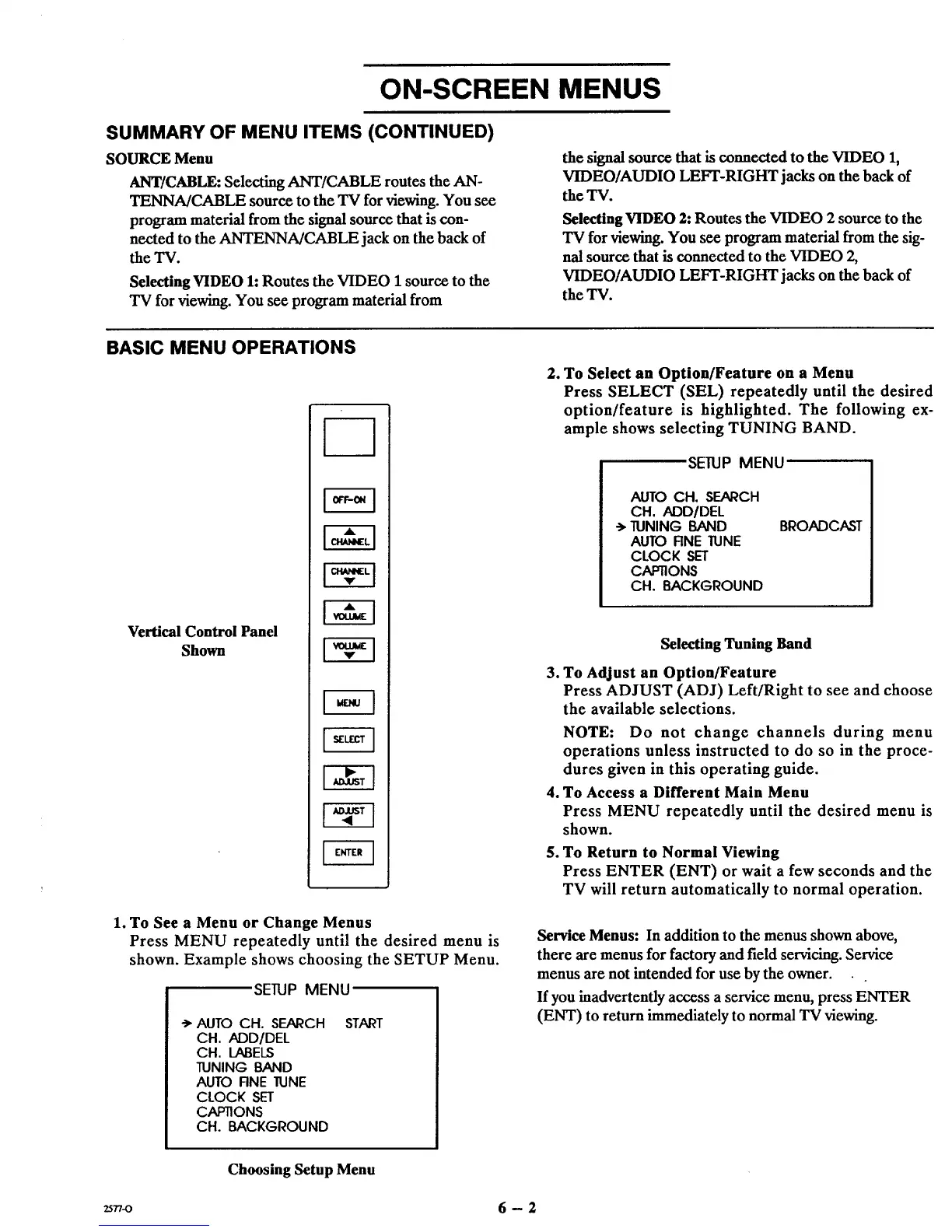
Vertical Control Panel
Shown
1. To See a Menu or Change Menus
Press MENU repeatedly until the desired menu is
shown. Example shows choosing the SETUP Menu.
SETUP MENU
* AUTO CH. SEARCH
CH. ADD/DEL
CH. LABELS
TUNING BAND
AUTO RNE JUNE
CLOCK SET
C,_J=rl]ONS
CH. BACKGROUND
START
2. To Select an Option/Feature on a Menu
Press SELECT (SEL) repeatedly until the desired
option/feature is highlighted. The following ex-
ample shows selecting TUNING BAND.
SETUP MENU
AUTO CH. SEARCH
CH. ADD/DEL
•'_ TUNING BAND
AUTO RNE ]LINE
CLOCK SET
CAPTIONS
CH. BACKGROUND
BROADCAST
o
1
.
Selecting Tuning Band
To Adjust an Option/Feature
Press ADJUST (ADJ) Left/Right to see and choose
the available selections.
NOTE: Do not change channels during menu
operations unless instructed to do so in the proce-
dures given in this operating guide.
To Access a Different Main Menu
Press MENU repeatedly until thc desired menu is
shown.
To Return to Normal Viewing
Press ENTER (ENT) or wait a few seconds and the
TV will return automatically to normal operation.
Service Menus: In addition to the menus shown above,
there are menus for factory and field servicing. Service
menus are not intended for use by the owner.
If you inadvertently access a service menu, press ENTER
(ENT) to return immediately to normal TV viewing.
Choosing Setup Menu
2577-0 6 -- 2



 To Next Page