THE FIRST TIME YOU OPERATE YOUR TV
STEP 1. CONNECT THE POWER
Plug your TV into an unswitched AC power source.
The switched AC outlets found on some video equipment
will not continue supplying power to the TV once the equip-
ment is turned off. If the power to the TV is interrupted,
you will have to set the clock in the TV to the current time.
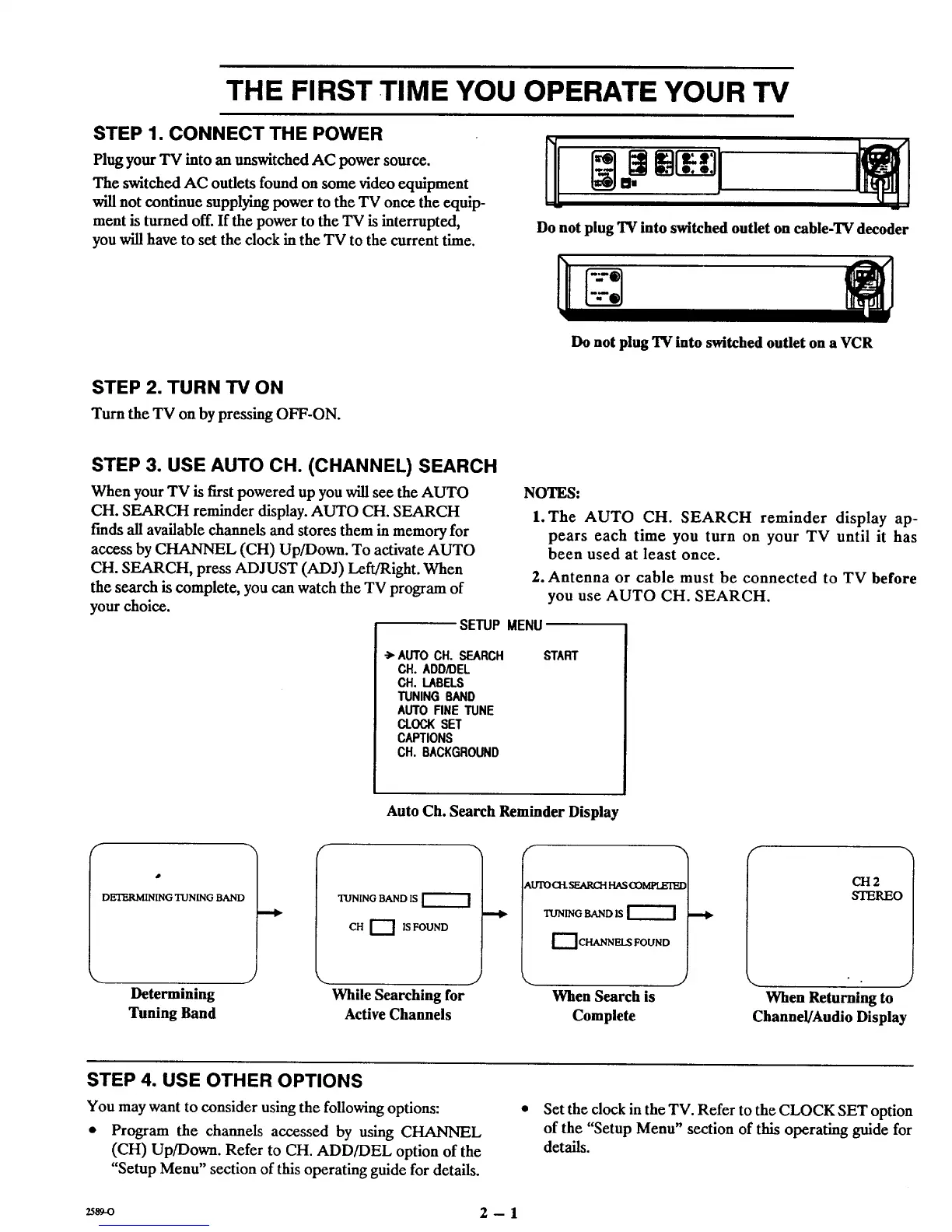
Do not plug TV into switched outlet on cable-TV decoder
Do not plug TV into switched outlet on a VCR
STEP 2. TURN TV ON
Turn the TV on by pressing OFF-ON.
STEP 3. USE AUTO CH. (CHANNEL) SEARCH
When your TV is first powered up you will see the AUTO
CH. SEARCH reminder display. AUTO CH. SEARCH
finds all available channels and stores them in memory for
access by CHANNEL (CH) Up/Down. To activate AUTO
CH. SEARCH, press ADJUST (ADJ) Left/Right. When
the search is complete, you can watch the TV program of
your choice.
NOTES:
l.The AUTO CH. SEARCH reminder display ap-
pears each time you turn on your TV until it has
been used at least once.
2. Antenna or cable must be connected to TV before
you use AUTO CH. SEARCH.
SETUP MENU
-> AUTO CH. SEARCH
CH. ADD/DEL
CH. LABELS
TUNING BAND
AUTO FINE TUNE
CLOCK SET
CAPTIONS
CH. BACKGROUND
START
f
DETERMINING TUNING BAND
Determining
Tuning Band
Auto Ch. Search Reminder Display
TUNING BAND IS
CH r--I IS FOUND
_.UTOCH.SEAKCHHASCOMPI.ETE£
TUNING BAND IS
DCHANNELS FOUND
J
While Searching for
Active Channels
Y
When Search is
Complete
CH2
STEREO
• j
When Returning to
Channel/Audio Display
STEP 4. USE OTHER OPTIONS
You may want to consider using the following options:
• Program the channels accessed by using CHANNEL
(CH) Up/Down. Refer to CH. ADD/DEL option of the
"Setup Menu" section of this operating guide for details.
• Set the clock in the TV. Refer to the CLOCK SET option
of the "Setup Menu" section of this operating guide for
details.
2ss9_ 2 -- 1



 To Next Page