45
Level Adjustments
Tone Level Adjustments
The tone generating circuit of the console generates the alert, paging, and warning tones.
The alert tones are adjusted with the R67 (TONE) potentiometer. The maximum output
level is limited by the input audio AGC circuit. The alert and paging tones are also sent to
the operator select/unselect speaker and are adjusted with a potentiometer.
The function tone and paging audio level is adjusted with R62 (MUTE). For systems with
tone control channels, R62 should be adjusted so the function tone level is 10 dB below
the high level guard tone. This is the factory setting when a unit is equipped from the
factory with tone remote control capability. For systems without a tone control channel,
R62 only adjusts the paging level and may be set as desired. Paging, alert, and warning
tones may be monitored on the Unselect or Select Speakers as determined by JP10. The
level of the monitor signal may be adjusted with R104.
Transmit Audio Adjustment
Adjust the transmit audio on the Dual Channel Card after other audio adjustments have
been made. The TXA or TXB test points do not reflect the actual transmitted level and line
loses. Measurements must be done at the transmit audio pair of wires or even better yet,
while monitoring the transmitted signal level or deviation. Cause the Console to generate a
steady 1000 Hz test (alert) tone on the channel. Use the TX adjustment on the back panel
to adjust the transmit audio of the appropriate channel to the desired output level.
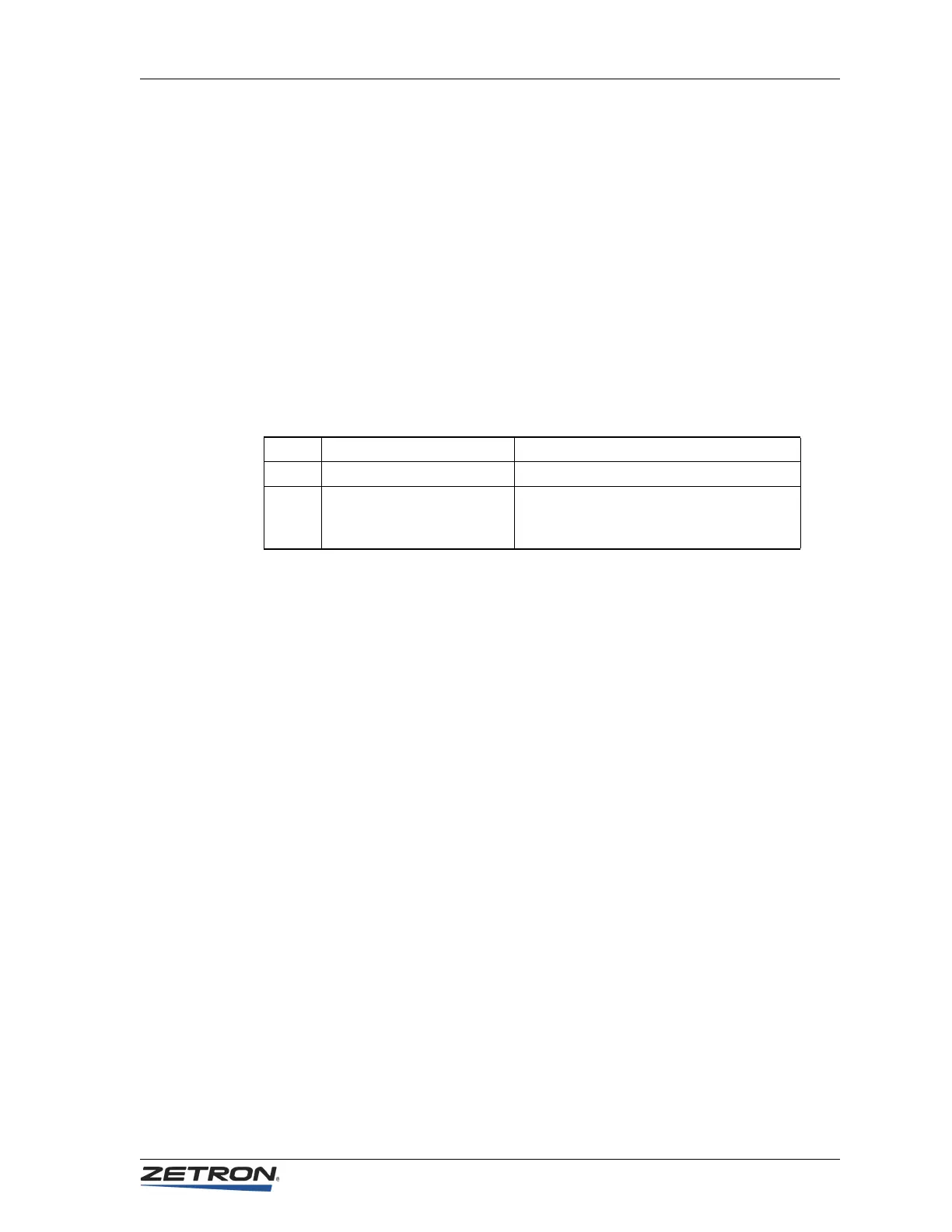
R67 TONE Adjust alert signal level
R62 MUTE Adjust TX paging and function tone levels
R104 PAGE/ALERT/WARNING
MONITOR (beep)
Adjust paging, alert, and warning audio
level heard over the speakers by the
operator


 To Next Page