
 Need help?
Do you have a question about the ZETRON 4010 and is the answer not in the manual?
Terms and conditions for the Zetron software license agreement.
Zetron's warranty coverage for products and accessories.
Zetron's limitations of liability for product purchase and use.
FCC and Industry Canada compliance information for the device.
Essential safety precautions for installation and servicing the equipment.
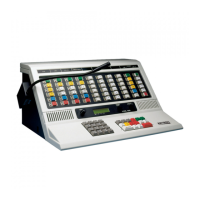
Overview of the Model 4010 Radio Dispatch Console's capabilities.
List of related manuals for Model 4010 operation and service.
Technical specifications for the Model 4010 console.
General overview of the Model 4010 console's features.
Detailed description of the console's system architecture.
Step-by-step process for installing the Model 4010 console.
How the Model 4010 console operates after installation.
General overview of the console installation process.
Critical information and considerations before installation.
Steps for physically mounting the console.
Details regarding primary and auxiliary power connections.
Proper procedures for grounding the system components.
Understanding and configuring slot assignments for cards.
Jumper and switch settings for console configuration.
Procedures for configuring dual channel cards.
Detailed wiring instructions for connecting channels.
Configuration details for the punch-down block.
Setup and configuration of the protected punch-down block.
Overview and configuration of console inputs and outputs.
Description and connection of auxiliary audio signals.
Procedure for replacing button labels on the console.
Connecting the Model 4115B console expander.
Setting the loop address for expansion panels.
Steps for initial system startup and verification.
Procedures for bringing the system online.
Procedures for adjusting audio levels on the console.
Installation instructions for the gooseneck microphone.
Installation instructions for the desk microphone.
Installation instructions for the footswitch.
Installation instructions for the headset jackbox.
Installation of the secondary headset jack box.
Steps for installing the secondary headset jack box.
Physical mounting instructions for the jack box.
Jumper configuration for the secondary headset jack box.
Configuration of mouthpiece muting functionality.
Wiring the headset jack box to the console.
Daisy-chaining multiple jack boxes.
Wiring the footswitch to the jack box.
Programming audio routing for headset devices.
Interface for using headset with console and phone.
General overview of the TRHI.
Connecting the TRHI unit.
Programming the TRHI for proper audio routing.
Methods for controlling off-hook status.
Installation and configuration of the phone patch card.
Steps for installing the phone patch card.
Programming the phone patch card functions.
Adjusting audio levels for the phone patch card.
Adding auxiliary inputs and outputs to the console.
Steps for installing the auxiliary I/O card.
Configuration and settings for auxiliary outputs.
Description and configuration of auxiliary inputs.
Jumper settings for configuring auxiliary outputs.
Programming auxiliary I/O functions via CPSW.
Pinout details for auxiliary I/O signals.
Punch-down block signal assignments for auxiliary I/O.
Adapter for tone remote control functionality.
Steps for installing the tone remote system adapter.
Adjusting settings for the tone remote system adapter.
Configuration of high-level guard tone duration.
Configuration and disabling of notch filters.
Features and configuration of audio delay.
Daughter board for DC remote control.
Steps for installing the DC remote daughter board.
Calibrating DC current levels.
Programming DC remote functions.
Configuration of the LOTL indicator option.
Daughter board for tone LOTL indication.
Steps for installing the tone LOTL daughter board.
Decoder for channel Automatic Number Identification (ANI).
Steps for installing the channel ANI decoder.
Verifying the installation of the ANI decoder.
Configuration settings for ANI decoders.
Specific jumper and switch settings for ANI decoders.
Option for parallel console status communication.
Installing the parallel status option cable.
Terminating channel cards for parallel status.
Programming the parallel status option.
Decoder for GE-STAR signaling information.
Overview of the GE-STAR signaling method.
Setting up the GE-STAR decoder board.
How decoding errors are indicated.
Format of decoded GE-STAR IDs.
Installation of T2-2R base stations with the console.
First method for T2-2R base station installation.
Second method for T2-2R base station installation.
Installation of the PTT handset and cradle.
Introduction to the Console Programming System (CPSW).
Compatibility of CPSW versions with firmware.
Compatibility between CPS and CPSW.
Steps for installing the CPSW software.
Steps for uninstalling the CPSW software.
Overview of the CPSW software menu options.
Guide on how to use the CPSW software.
Procedures for launching the CPSW application.
Setting up the CPSW application, including serial port.
Procedures for loading configuration files.
Downloading configuration settings from a console.
Loading configuration settings from a file.
Modifying console configuration settings.
Configuring overall system parameters.
Setting up individual radio channels.
Configuring paging formats and leading digits.
Defining custom two-tone pages.
Steps for configuring custom call settings.
Steps for deleting custom call settings.
Configuring board inputs and outputs.
Setting main board I/O as spare or auxiliary.
Enabling and naming auxiliary inputs and outputs.
Configuring the transmit timeout duration.
Configuring the priority marker beep.
Steps to configure the priority marker settings.
Setting custom High Level Guard Tone duration.
Configuring settings for individual console positions.
Arranging button panels for a console position.
Defining functions for console keys.
Moving or swapping key definitions.
Copying key definitions between keys.
Defining a new key function and parameters.
Mapping console keys to spare inputs.
Adjusting audio levels and speaker muting.
Configuring ANI display mode and addresses.
Configuring the console display format.
Accessing miscellaneous configuration settings.
Selecting the transmit audio source for soft keys.
Setting display mode for instant select keys.
Setting the duration for the call light indicator.
Selecting the dynamic microphone source.
Enabling parallel remote status display.
Saving the current configuration to disk.
Transferring configuration settings to a console.
Lists and diagrams of Model 4010 console components.
Diagram showing the layout of the dual channel card.
Diagram of the main control board.
Details on control board connectors and fuse.
Diagram of the display board.
Diagrams of tone remote adapters.
Reference material for using CPSW programming.
Definitions for DC and tone remote control functions.
Procedures for achieving Motorola/GE DC control currents.
Specifications for various paging formats.
Key functions and their definable parameters.
Functions related to specific channels.
Keys for adjusting volume and mute settings.
Function for connecting channels.
Function to end telephone calls.
Controls auxiliary output for standby transmitter.
Controls ANI source light indication.
Function for site intercom communication.
Disables private line to hear audio.
Activates auxiliary output for phone hook.
Function to place phone calls on hold.
Additional channel functions.
Toggles the Wild Card I function.
Toggles the Wild Card II function.
Customizes channel cards with tones or currents.
Transmits the last channel that received audio.
Transmits the last selected channel that received audio.
Transmits the last unselected channel with audio.
Disables private line for audio monitoring.
Communicates with the radio site via audio.
Generates alert tones.
Mutes audio from unselected channels.
Resets the selected channel's audio level.
Selects predefined radio channels.
Keys all group members with a single key.
Sends a priority marker beep.
Selects multiple channels simultaneously.
Toggles audio routing between speaker and headset.
Resets diagnostic messages displayed on the console.
Setting the console's clock and date.
Diagnostic test for channel operability.
Reviews decoded ANI information stored in memory.
Selects the console channel based on ANI.
Functions related to sending pages.
Assigns single or multiple pages to a page stack.
Terminates manual page entry and adds to stack.
Aborts page entry or clears page stacks.
Transmits the page stack.
Allows review of instant-call pages before sending.
Enables burst tone by selecting a frequency.
Uses keys to transfer functions to save space.
Describes uses of auxiliary input/output ports.
Function of outputs 7 and 8 in RSC mode.
Assigning inputs to keys and LEDs.
Interlocking multiple auxiliary outputs.
Toggling auxiliary output state with a key.
Activating auxiliary output while key is pressed.
Configuration of spare outputs.
Lists and diagrams of Model 4010 console components.
Diagram showing the layout of the dual channel card.
Diagram of the main control board.
Details on control board connectors and fuse.
Diagram of the display board.
Diagrams of tone remote adapters.
Reference material for using CPSW programming.
Definitions for DC and tone remote control functions.
Procedures for achieving Motorola/GE DC control currents.
Specifications for various paging formats.
Key functions and their definable parameters.
Functions related to specific channels.
Keys for adjusting volume and mute settings.
Function for connecting channels.
Function to end telephone calls.
Controls auxiliary output for standby transmitter.
Controls ANI source light indication.
Function for site intercom communication.
Disables private line to hear audio.
Activates auxiliary output for phone hook.
Function to place phone calls on hold.
Additional channel functions.
Toggles the Wild Card I function.
Toggles the Wild Card II function.
Customizes channel cards with tones or currents.
Transmits the last channel that received audio.
Transmits the last selected channel that received audio.
Transmits the last unselected channel with audio.
Disables private line for audio monitoring.
Communicates with the radio site via audio.
Generates alert tones.
Mutes audio from unselected channels.
Resets the selected channel's audio level.
Selects predefined radio channels.
Keys all group members with a single key.
Sends a priority marker beep.
Selects multiple channels simultaneously.
Toggles audio routing between speaker and headset.
Resets diagnostic messages displayed on the console.
Setting the console's clock and date.
Diagnostic test for channel operability.
Reviews decoded ANI information stored in memory.
Selects the console channel based on ANI.
Functions related to sending pages.
Assigns single or multiple pages to a page stack.
Terminates manual page entry and adds to stack.
Aborts page entry or clears page stacks.
Transmits the page stack.
Allows review of instant-call pages before sending.
Enables burst tone by selecting a frequency.
Uses keys to transfer functions to save space.
Describes uses of auxiliary input/output ports.
Function of outputs 7 and 8 in RSC mode.
Assigning inputs to keys and LEDs.
Interlocking multiple auxiliary outputs.
Toggling auxiliary output state with a key.
Activating auxiliary output while key is pressed.
Configuration of spare outputs.
Procedures for checking and replacing the backup battery.
Instructions for upgrading the console firmware.
Adjusting the contrast and bias on the display board.
Troubleshooting for the PROGRAM mode display.
Troubleshooting CPS data errors.
Resolving audio issues on older consoles.
Troubleshooting erratic behavior on older units.
 General
| Brand | ZETRON |
|---|---|
| Model | 4010 |
| Category | Music Mixer |
| Language | English |

 To Next Page


