93
CPSW Menu Structure
♦ To configure the priority marker
1. Click Edit, System Configuration, Priority Marker.
2. Set the Priority Marker Frequency (600 to 2000 Hz). This sets the tone
frequency of the beep.
3. Set the Priority Marker Duration (50 to 2000 ms). This sets the duration of the
beep.
4. Set the Priority Marker Interval (1 to 300 sec). This sets how often the beep will
sound.
5. Set the Priority Marker Amplitude (1 to 100 percent). This sets the volume of
the beep.
6. Click OK.
Custom HLGT Duration
This setting allows you to configure the High Level Guard Tone duration to be used by
enabled tone channels in the system. This custom duration can be enabled on a per-tone-
channel basis by the option bit switch on the back of the card, as described in Tone
Control, HLGT Duration on page 29.
♦ To configure the custom HLGT duration
1. Click Edit, System Configuration, Custom HLGT Duration.
2. Move the slider to the desired duration (in milliseconds) or click inside the number
box and type in the precise value. This parameter is adjustable from 10 to 630 ms
in increments of 10ms, with a default setting of 120 ms.
3. Click OK.
Position Settings
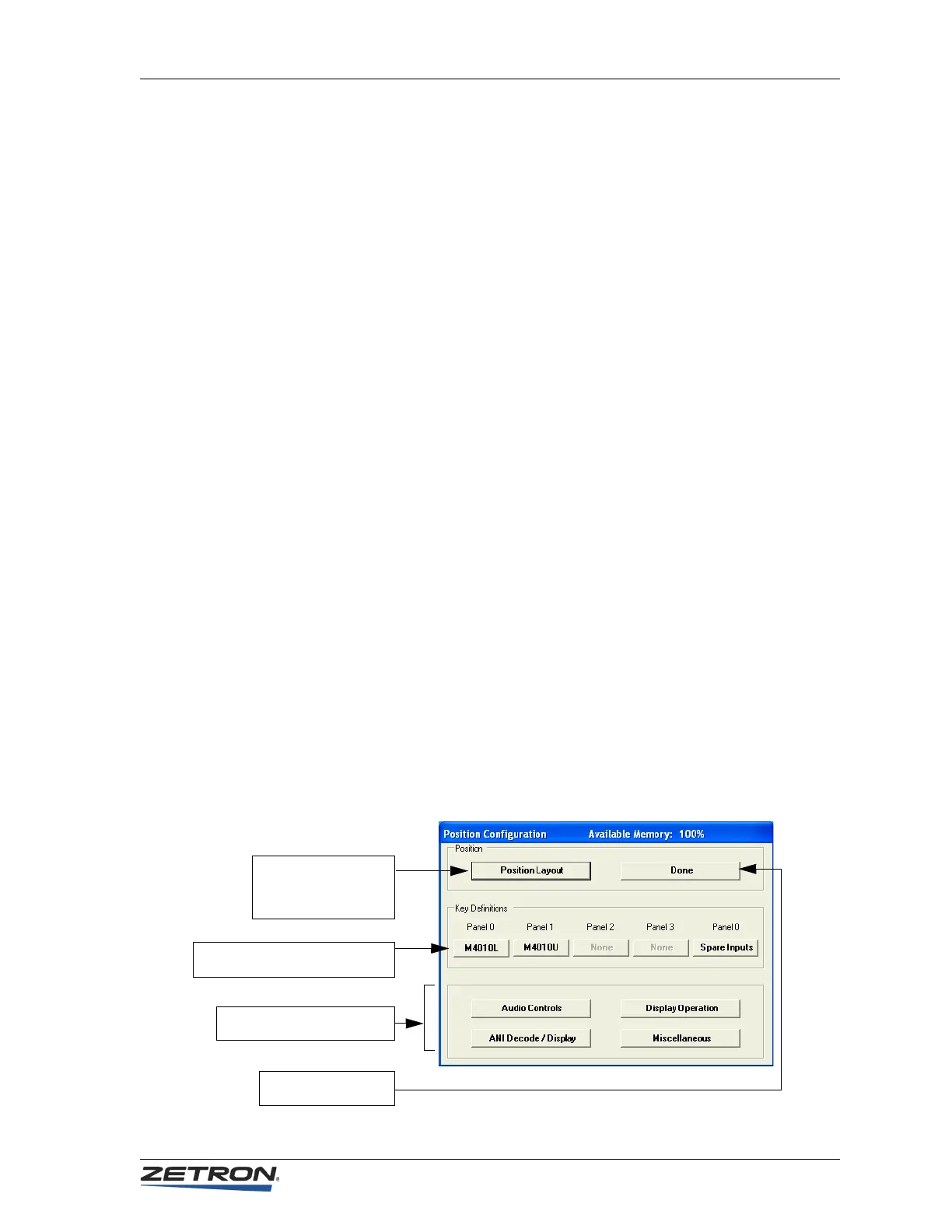
To configure position settings, click Edit, Position Configuration. A dialog box will
appear, as shown in the following figure.
Click the Position Layout
button to configure the
types of panels at the
position indicated.
Click a panel button to configure the
keys or spare inputs for that panel
When done configuring
positions, click Done
Click these buttons to configure
preferences for each position.


 To Next Page