49
Desk Microphone
Desk Microphone
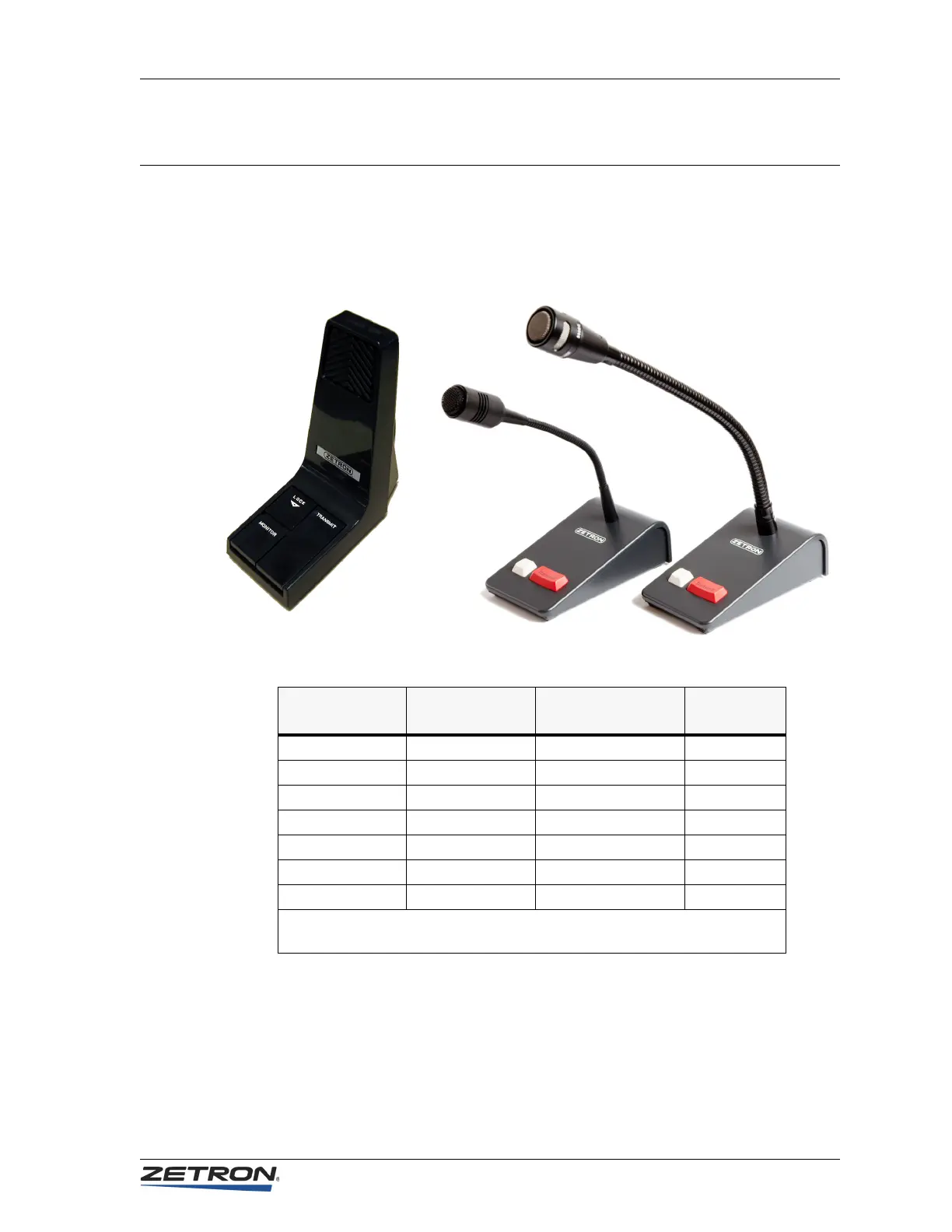
Zetron desktop microphones are wired directly to the consoles. Identify which
microphone you have in Figure 8 and wire it to the console’s P1 Aux Audio connector
pins as identified in Table 12. P1 Aux Audio is located at the rear of the console.
Figure 8: Zetron Desktop Microphones
Table 12: Desktop Microphone Wiring
To select the desk microphone as the audio source, use the Miscellaneous menu in CPSW
to modify the system configuration (Edit, Position Configuration, Miscellaneous).
Signal
Rigid Desktop
Microphone
Flexible Desktop
Microphone
Aux Audio
Connector
Ground/Shield — Green Pin 6
Audio + Yellow Blue Pin 7
Audio – Bare wire* White/Blue Pin 8
PTT + Red White/Brown Pin 9
PTT – Bare wire* Brown Pin 10
Mon + Black White/Orange Pin 11
Mon – — Orange Pin 12
* For the rigid desktop microphone, connect the bare wire to either pin 8 or 10
and use a jumper to connect pin 8 and 10.
Rigid Style Flexible Style


 To Next Page