MultiBio700- User Manual
eSSL Pvt. Ltd. Page 50
otherwise, the matching is not successful. The valid value scope is 65─120. The higher
the threshold, the lower the FAR and the higher the FRR are, and vice versa.
The recommended thresholds are as follows:
Exposure: This parameter is used to set the exposure value of the camera.
Gain: This parameter is used to set the gain value of the camera.
Quality: This parameter is used to set a quality threshold for the face images obtained.
The device accepts the face images and processes them by adopting the face algorithm
when their quality is higher than the threshold; otherwise, it filters these face images.
Note: Improper adjustment of the Exposure, Gain and Quality parameters may severely
affect the performance of the device. Please adjust the Exposure parameter only under
the guidance of the after-sales service personnel from our company.
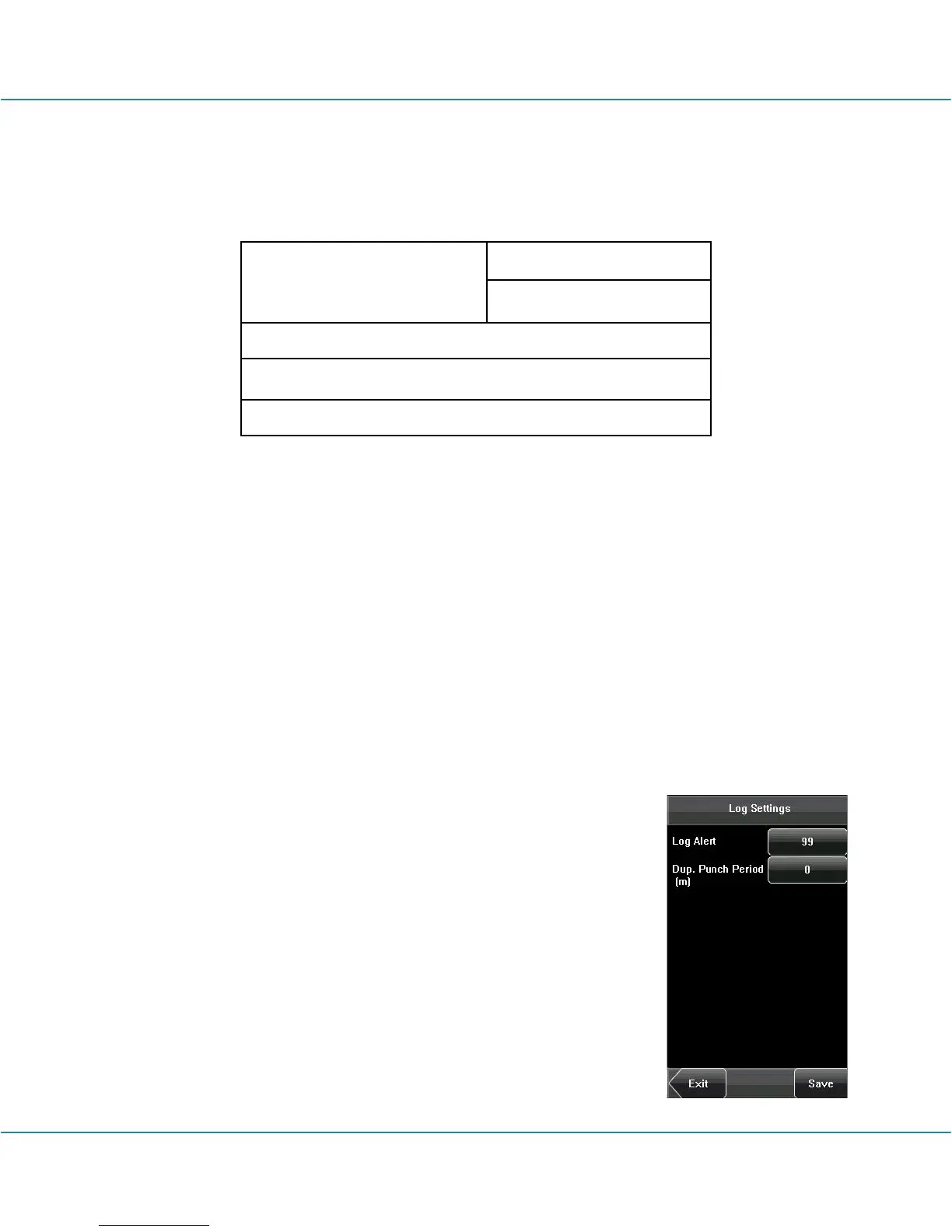
6.5 Log Settings
Log Alert: When the available space is insufficient to store the
specified number of attendance records, the device will
automatically generate an alarm (Value scope: 1-99).
Dup. Punch Period (m): If a user’s attendance record already
exists and the user punches in again within the specified period
(unit: minute), the second attendance record will not be stored
(Value scope: 1-60 minutes).



 To Next Page