MultiBio700- User Manual
eSSL Pvt. Ltd. Page 19
2. Main Menu
There are two types of rights respectively granted to two types of users: the Ordinary
users and administrators. Ordinary users are only granted the rights of face,
fingerprint, password or card verification, while administrators are granted access to the
main menu for various operations apart from having all the privileges granted to
ordinary users.
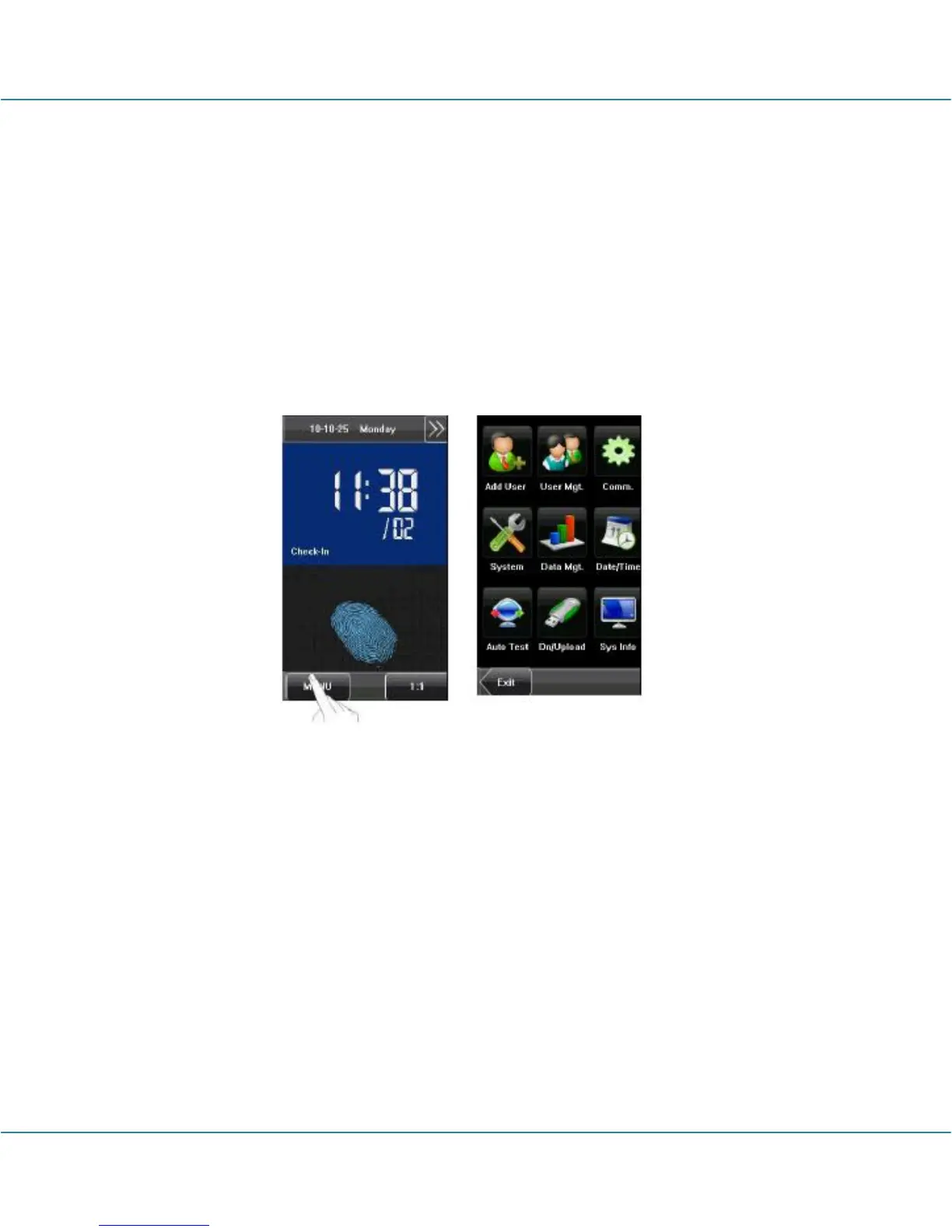
Press [Menu] on the initial interface to access the main menu, as shown in the following
figure:
The main menu includes nine sub menus:
Add User: Through this submenu, you can add a new user and input the information on
the device, including the user ID, name, fingerprint, face, card, password, rights, group
No. and user access.
User Mgt.: Through this submenu, you can browse the user information stored on the
device, including the user ID, name, fingerprint, face, card, password, rights, group No.
and user access. Here you can also add, modify or delete a user’s information.
Comm.: Through this submenu, you can set related parameters for communication
between the device and PC, including the IP address, gateway, subnet mask, baud
rate, device No. and communication password.



 To Next Page