MultiBio700- User Manual
eSSL Pvt. Ltd. Page 64
8. Date/Time Setting
8.1 Set Date/Time
The date and time of the device must be set accurately to
ensure the accuracy of attendance time.
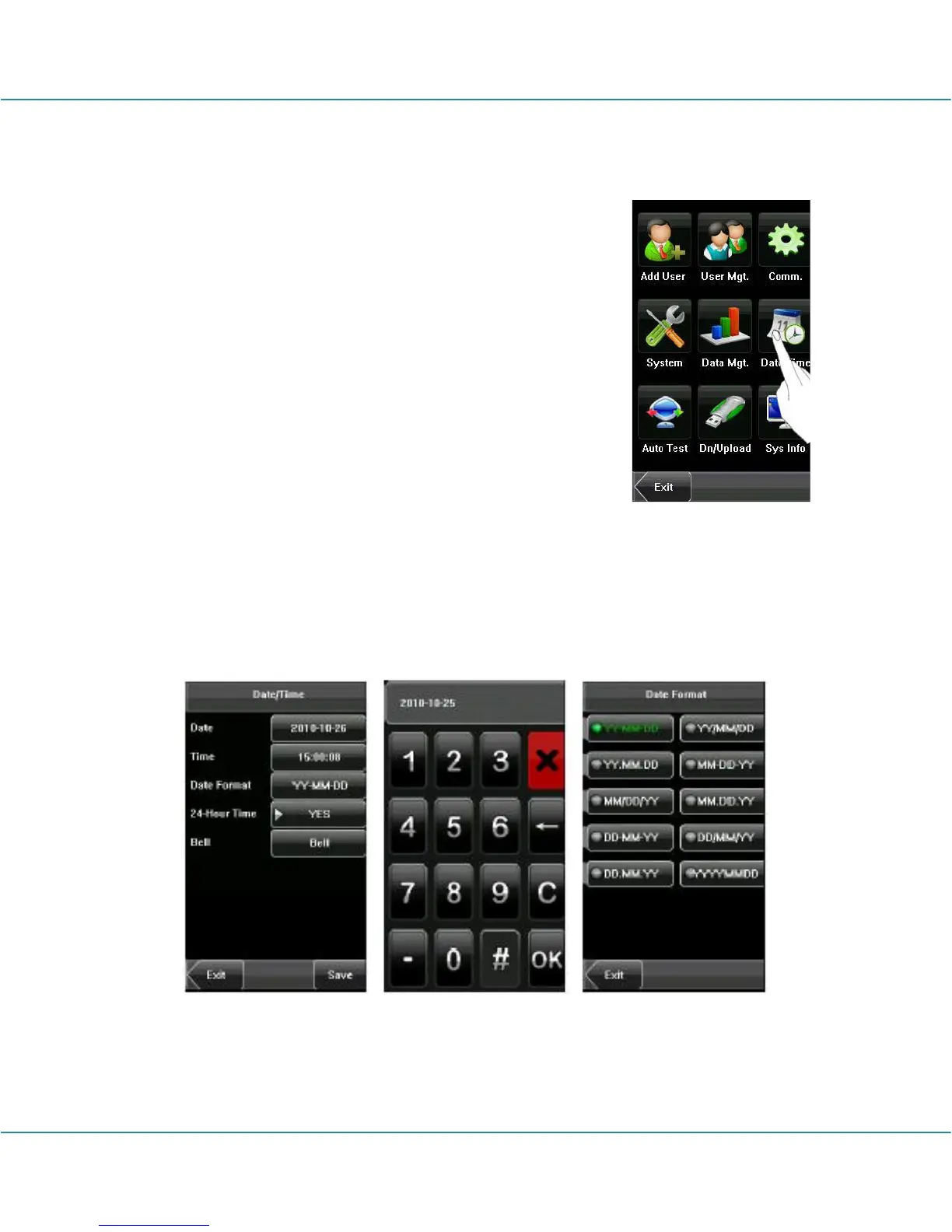
1. Press [Menu] on the initial interface to display the main
menu interface.
2. Press [Time/Date] on the main menu interface to display
the time setting interface.
3. Select the desired date and time by pressing the
parameter. For the time format, there are 10 formats to
select from. Both 12-hour and 24-hour time systems are
supported.
4. Press [Save] to save the current information and return to the previous interface.
Press [Exit] to return to the previous interface without saving the current information.



 To Next Page