MultiBio700- User Manual
eSSL Pvt. Ltd. Page 65
8.2 Bell Setting ★
Lots of companies need to ring their bells to signal the start and end of work shifts, and
they usually manually ring their bells or use electric bells. To lower costs and facilitate
management, we integrated the time bell function into the device. You can set the alarm
time and duration for ringing the bell based on your requirements, so that the device will
automatically play the selected ring tone and triggers the relay at the alarm time, and
stop playing the ring tone after the set duration.
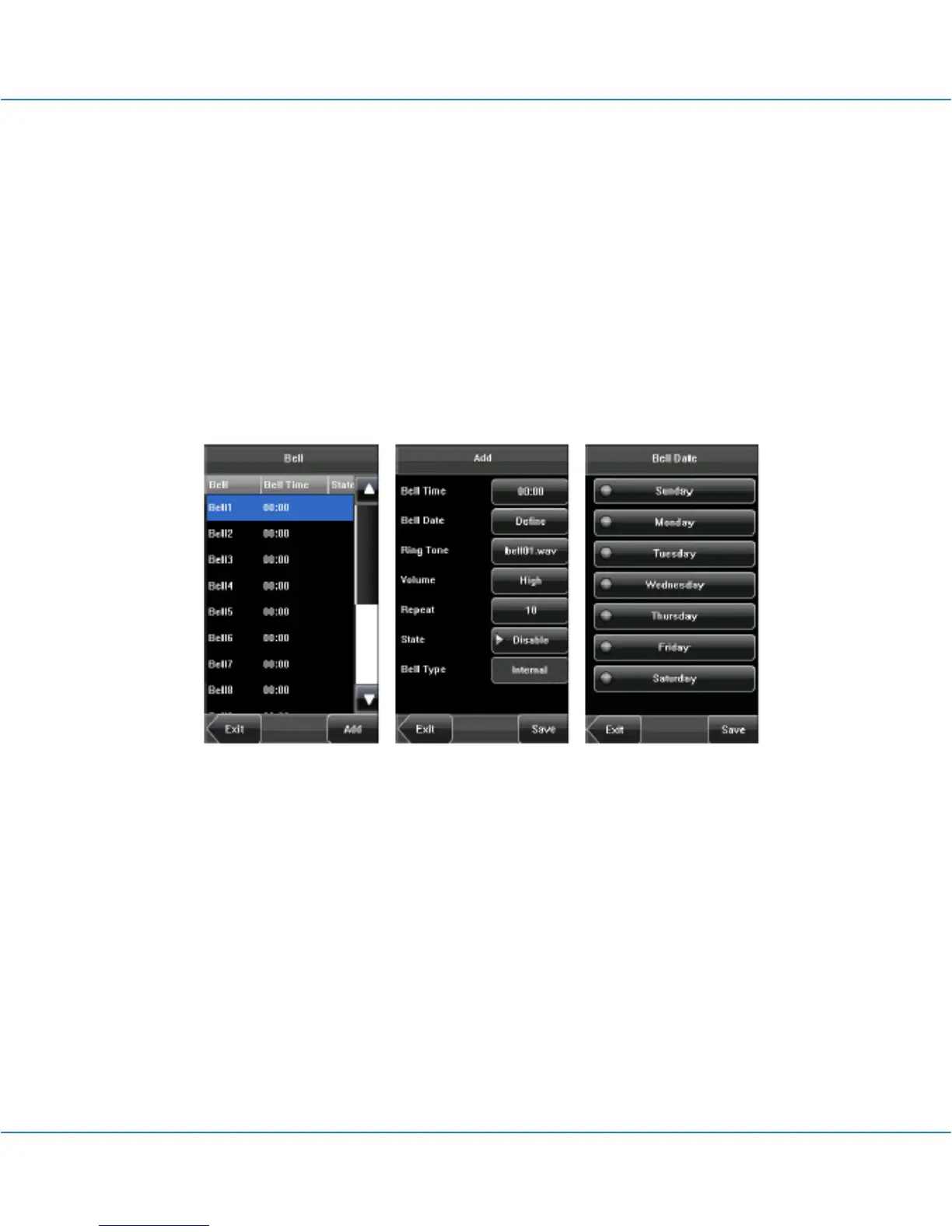
Press [Bell] on the [Date/Time] menu to display the bell setting interface, as shown in
figure below.
1. Add a bell
1) The displayed bell setting interface lists all the bells. Click [Add] to display the [Add]
interface.
2) On the [Add] interface, set the following parameters:
Bell Time: This parameter is used to set a time point when the device automatically
plays a bell ring tone every day.
Bell Date: This parameter is used to set which day the device automatically plays a bell
ring tone.
Ring Tone: This parameter is used to set the bell ring tone.
Volume: This parameter is used to set the volume of ring tone.



 To Next Page