Product Manual - ZMORPH i500 back to table of content
>>
60
Service instructions
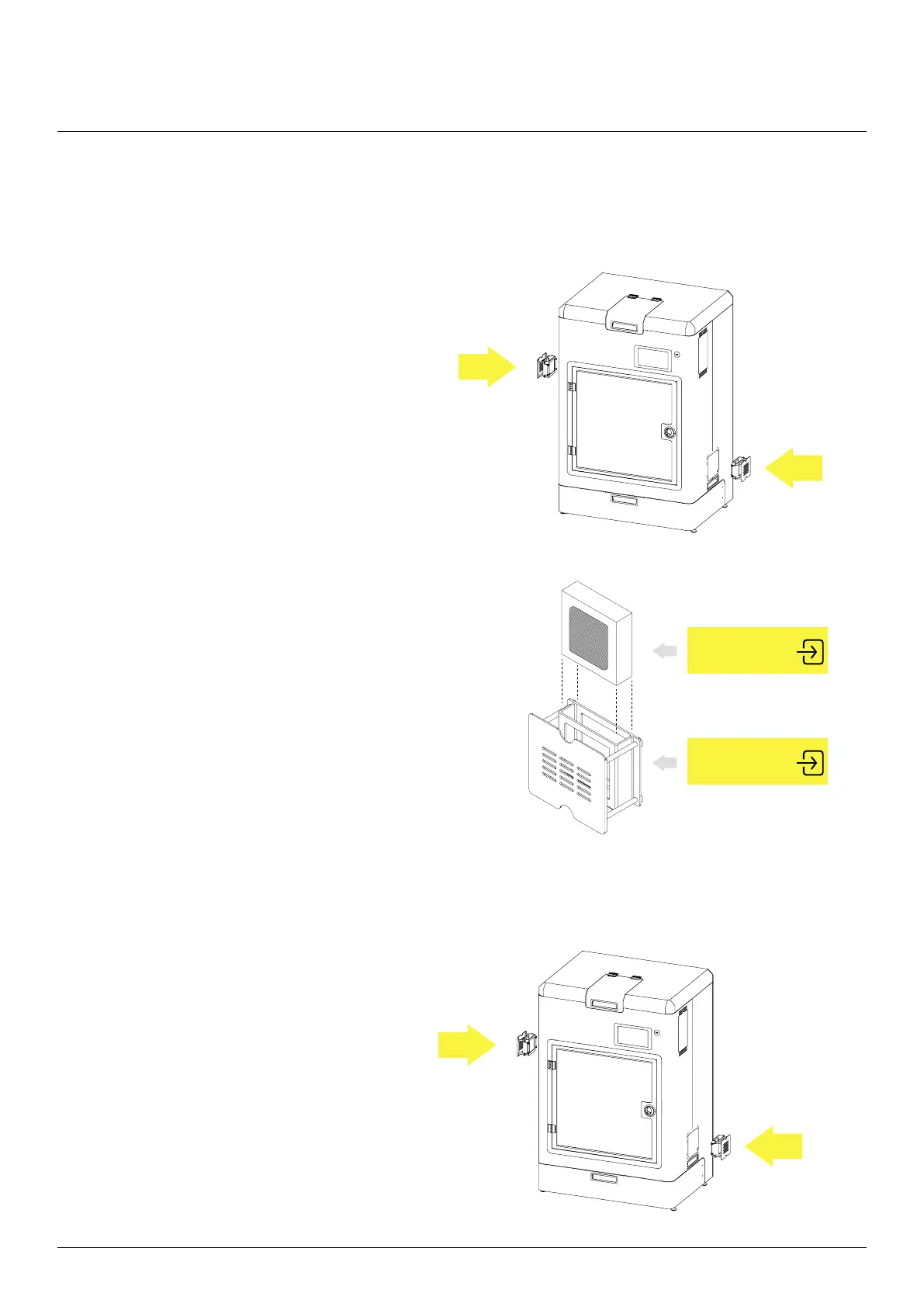
11.3.5 HEPA/Carbon and Dust lter replacement
Remove the left HEPA/Carbon lter and left
G4 lter from the machine.
Remove the old HEPA/Carbon or G4 lters.
Install the lters in appropriate holders. For
more information check the signs on the holders
and the inserts wrapping.
For the HEPA/Carbon lter make sure that the
Carbon lter is on the outside.
Attach the ltration system back to the machine.
HEPA/carbon lter
Dust lter (G4)
HEPA/carbon lter
Dust lter (G4)
FILTRATION - INPUT
[DUST FILTER]
FILTRATION - INPUT
[DUST FILTER]



 To Next Page