Product Manual - ZMORPH i500 back to table of content
>>
63
Firmware upgrades
13.2 Updating rmware
How to update the rmware on Zmorph i500:
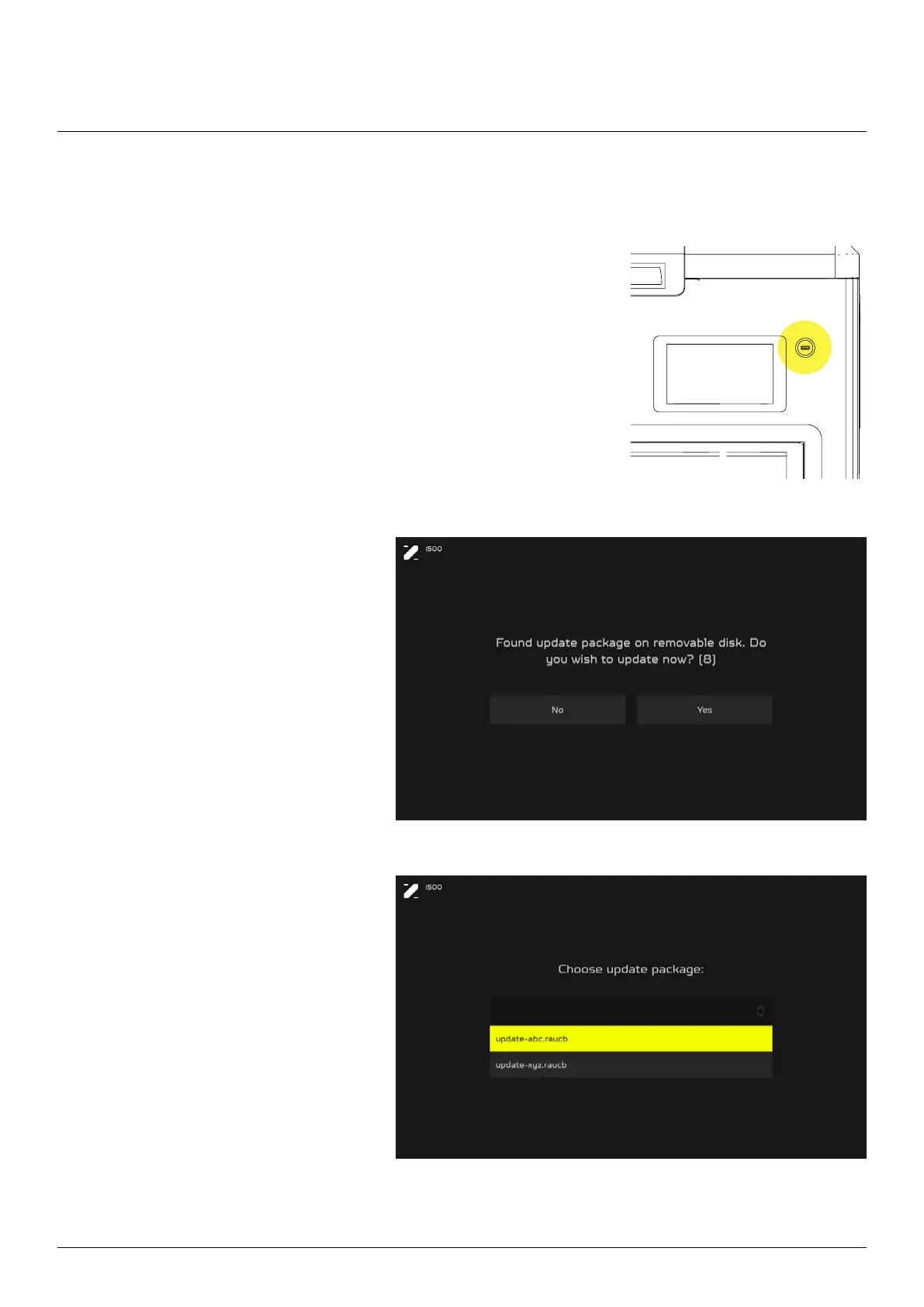
1. Create a catalog “updates” on a USB ash drive and drag the
Zmorph update le (.raucb format) into it. You can download the
update le at the Zmorph Knowledge Base: zmorph3d.com/support .
2. The machine should be turned o. Insert the USB ash drive into
the USB slot (near the right top corner of the LCD screen).
4. Select the update le from the
list and press “OK” to conrm the
update.
3. Turn on the machine, after that
an update screen will pop up.
Select “Yes” to proceed with the
update procedure (if you don’t
manage to do it in 10 seconds, the
machine will skip the update menu,
in this case, reboot the machine to
repeat the update procedure).



 To Next Page