Product Manual - ZMORPH i500 back to table of content
>>
38
Maintenance
10.4 Calibration
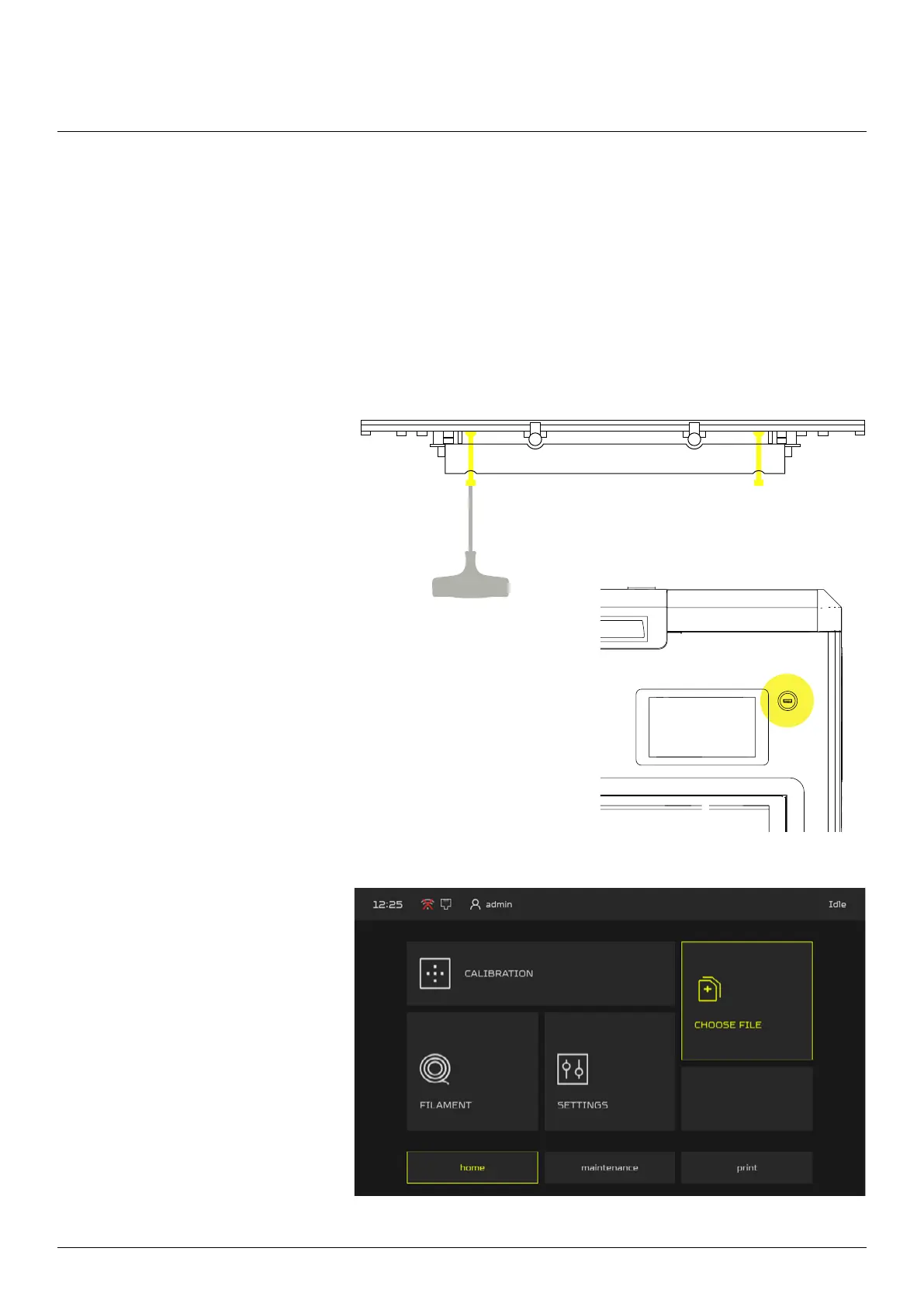
1. During the bed leveling adjust
the bed screws with the 3mm
Allen Key. There are 4 adjusting
screws. The right rear screw
shouldn’t be adjusted.
2. Connect the USB ash drive (included with the machine) to
the front USB slot. Before the operation please make sure the
bed is empty and the nozzle is clean.
3. On the HOME screen go to the
CHOOSE FILE menu and select
“USB memory”.
To perform the platform calibration:
10.4.1 Platform Calibration
Platform Calibration allows to set proper level of the heated bed surface.



 To Next Page