Product Manual - ZMORPH i500 back to table of content
>>
39
Maintenance
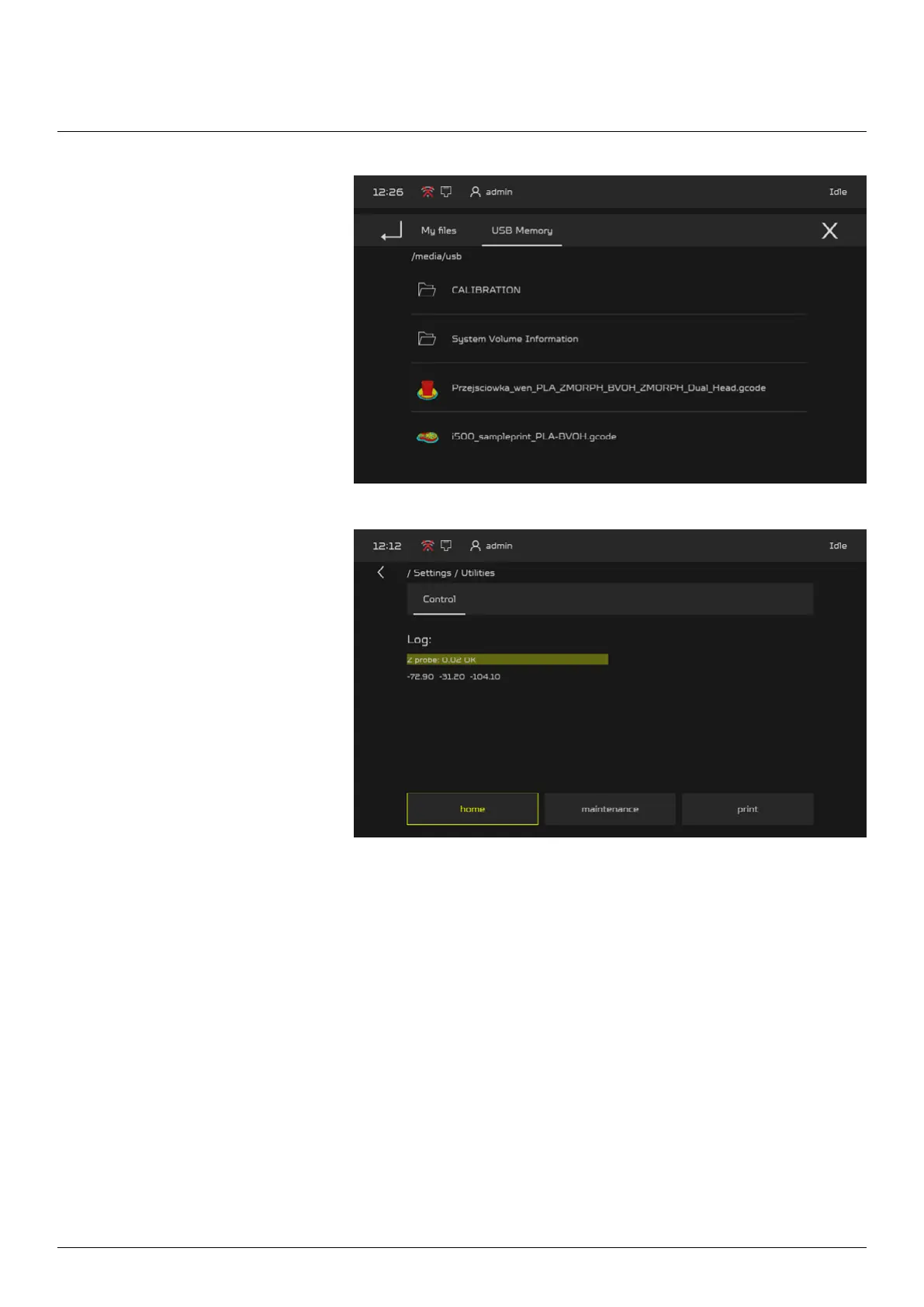
4. Go to the Calibration folder and
select the “bed leveling.gcode”
le. Press “START” button, the
gcode (the calibration procedure)
will start.
5. Once the procedure is started,
quickly go to the “HOME” >
“SETTINGS” > “UTILITIES”.
Machine will return the nozzle
height above the bed in each
corner
6. First the Extruder will check the right rear corner, the “Z probe” value visible on the UTILITIES screen
will be the base height for the other bed corners, write it down.
7. Next the extruder will check the front left corner 3 times with an interval of three seconds. With each
interval check the “Z probe” value and adjust it to match the base value from the rear right corner.
8. Do the same thing for the rest of the corners.
9. Finally the Extruder will end on the rear right corner. Check the “Z probe” base value if it is the same. If
it has changed, then start the procedure once more, the dierence between measuring points shouldn’t
be bigger than 0.05mm.



 To Next Page