Product Manual - ZMORPH i500 back to table of content
>>
40
Maintenance
3. Once done connect the USB ash drive (included with the machine) to the front USB slot. Before the
operation please make sure the bed is empty and the nozzle is clean.
4. From main menu go to the “choose le” tab and select “USB memory”. Go to the Calibration folder
and select the “XY calibration.gcode” le. At next start the gcode (the XY calibration procedure will start).
Please note, the XY calibration require both laments loaded.
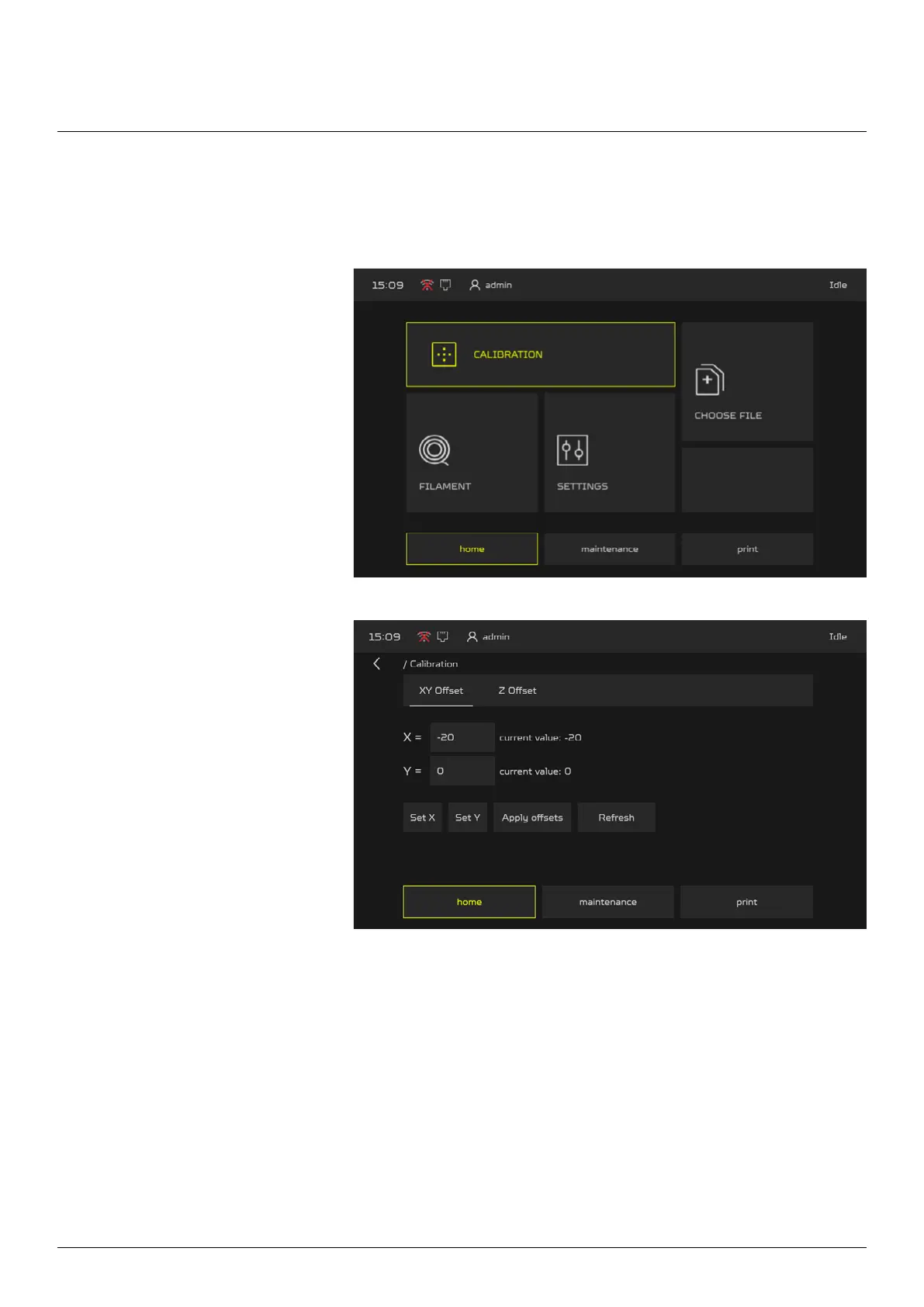
1. The calibration begin with
providing the X and Y oset into
the machine. From main menu go
to the CALIBRATION menu.
2. select “XY Oset”. Set X
oset at -20 and Y oset to 0,
next press the Set X and Set Y
buttons, once done press Apply
Osets.
10.4.2 Nozzle Calibration
Nozzle Calibration allows to set the oset of the nozzles in X and Y axes.



 To Next Page