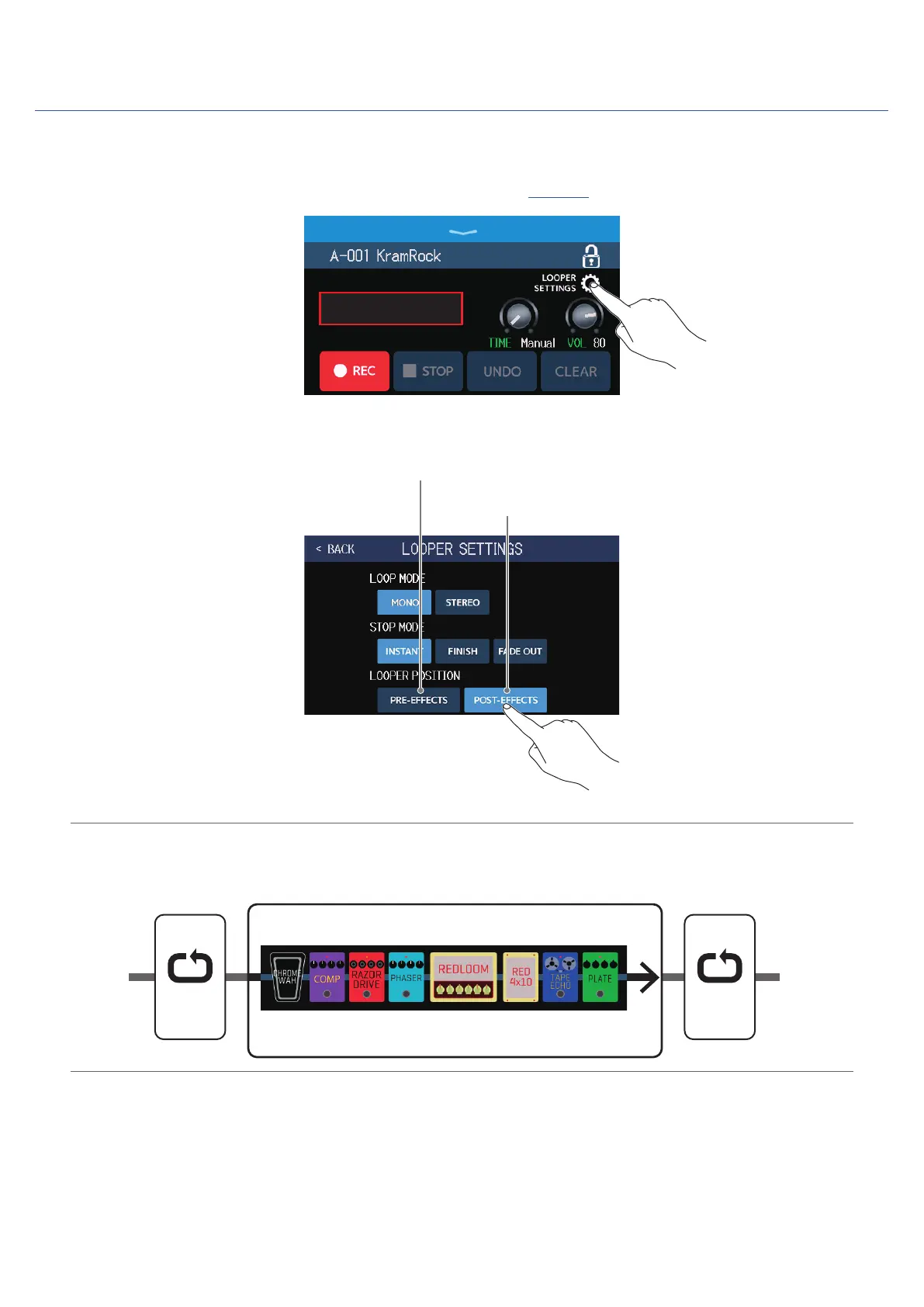
Changing the looper position
The looper position can be changed.
1.
Touch LOOPER SETTINGS on the Looper Control Screen (
→
page 27).
READY
2.
Touch the desired looper position.
Place looper before effects
Place looper after effects
HINT
By placing the looper before the effects, the sound of a looped performance can be altered to craft the sound
without continuing to play.
1 2 3 4 5
Patch memory
IN OUT
Effects and amp
Looper
PRE-
EFFECTS
Looper
POST-
EFFECTS
36



 To Next Page