Adding effects
Effects can be added to patch memories as desired.
NOTE
Up to 9 effects can be combined freely using the
G6
. (
→
“Number of effects in patch memories” on page 43)
1.
Select the patch memory in which you want to add an effect.
2.
Touch on the Menu Screen.
3.
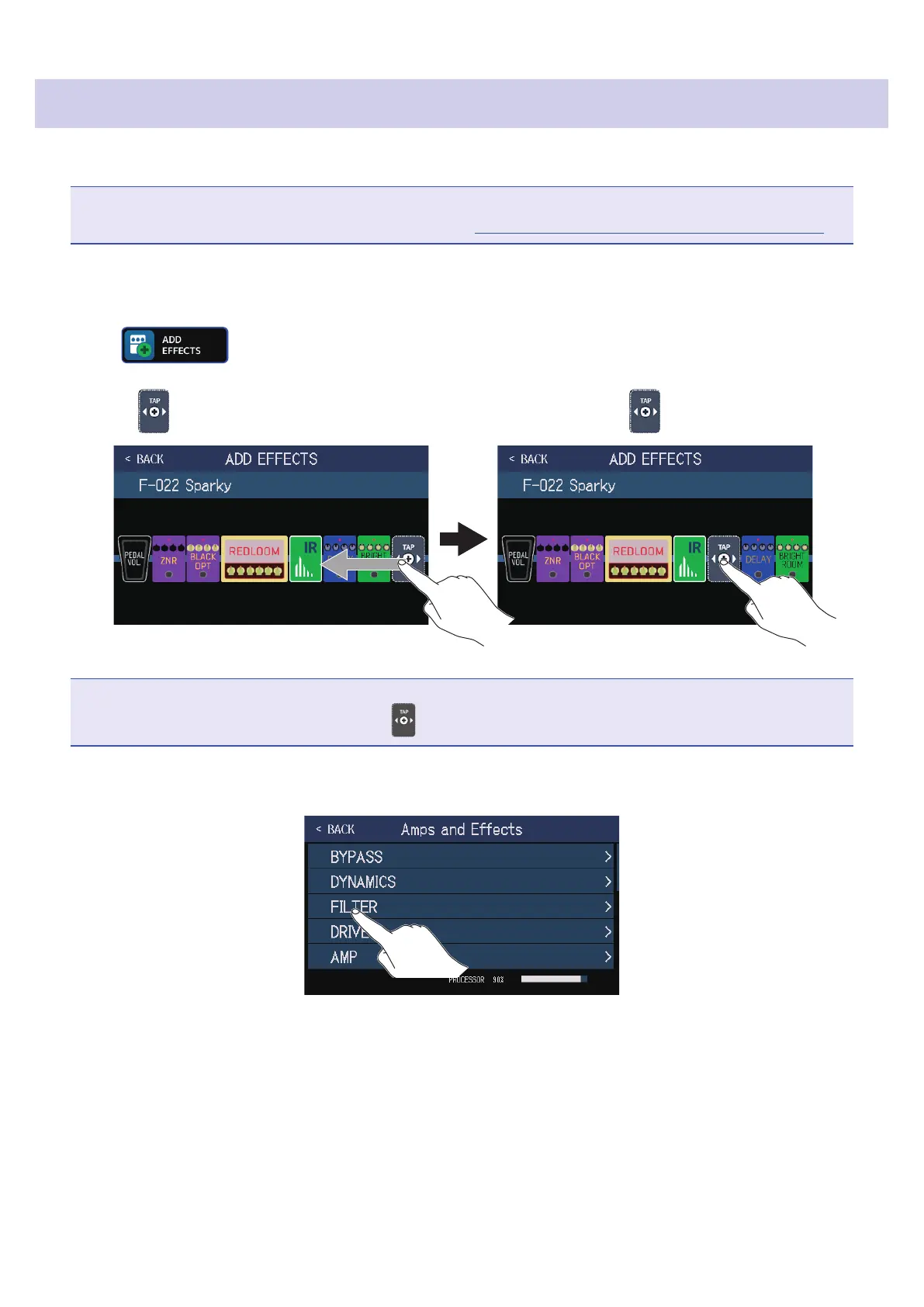
Drag the to the position where you want to add an effect. Then, touch .
NOTE
If the maximum number of effects are in use, will not be shown.
4.
Touch the category of the effect that you want to add.
47



 To Next Page