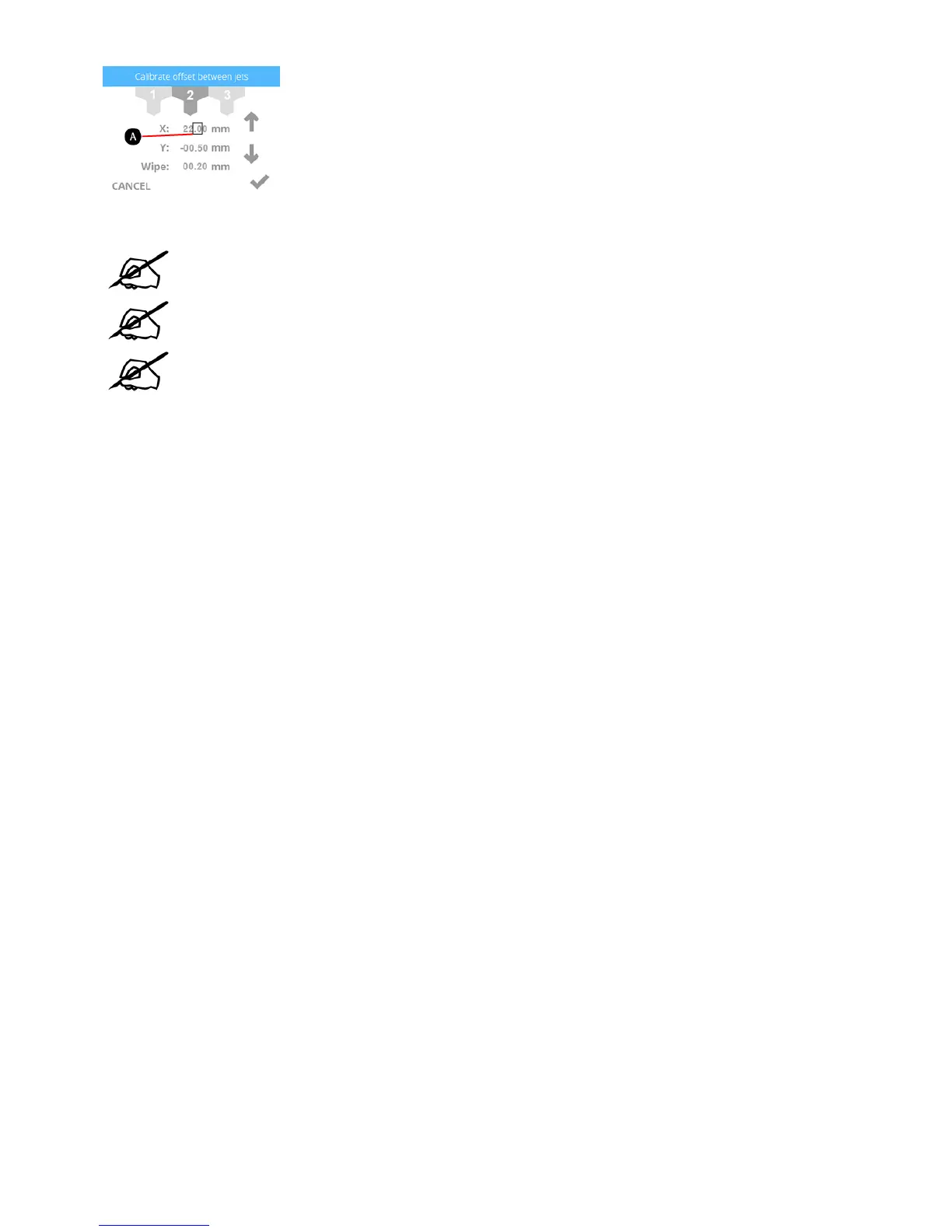
Press the up arrow three times to increase the value to 22.30 mm.10.
NOTE: Pressing the up arrow increases (+) the value. Pressing the down arrow
decreases (-) the value. Pressing the value repeatedly will scroll through the digits
left-to-right.
NOTE: You can also select the Y-axis settings and adjust those settings the same way.
NOTE: If a value of 1 mm or larger are required, press the value until the first digit to
the left of the decimal is highlighted and press the up arrow accordingly.
Once finished adjusting the settings, select the checkmark to continue.11.
Remove the original calibration print from the print pad. Reprint the calibration file and verify that the arrows align properly on the X-axis and Y-axis.12.










 To Next Page