9
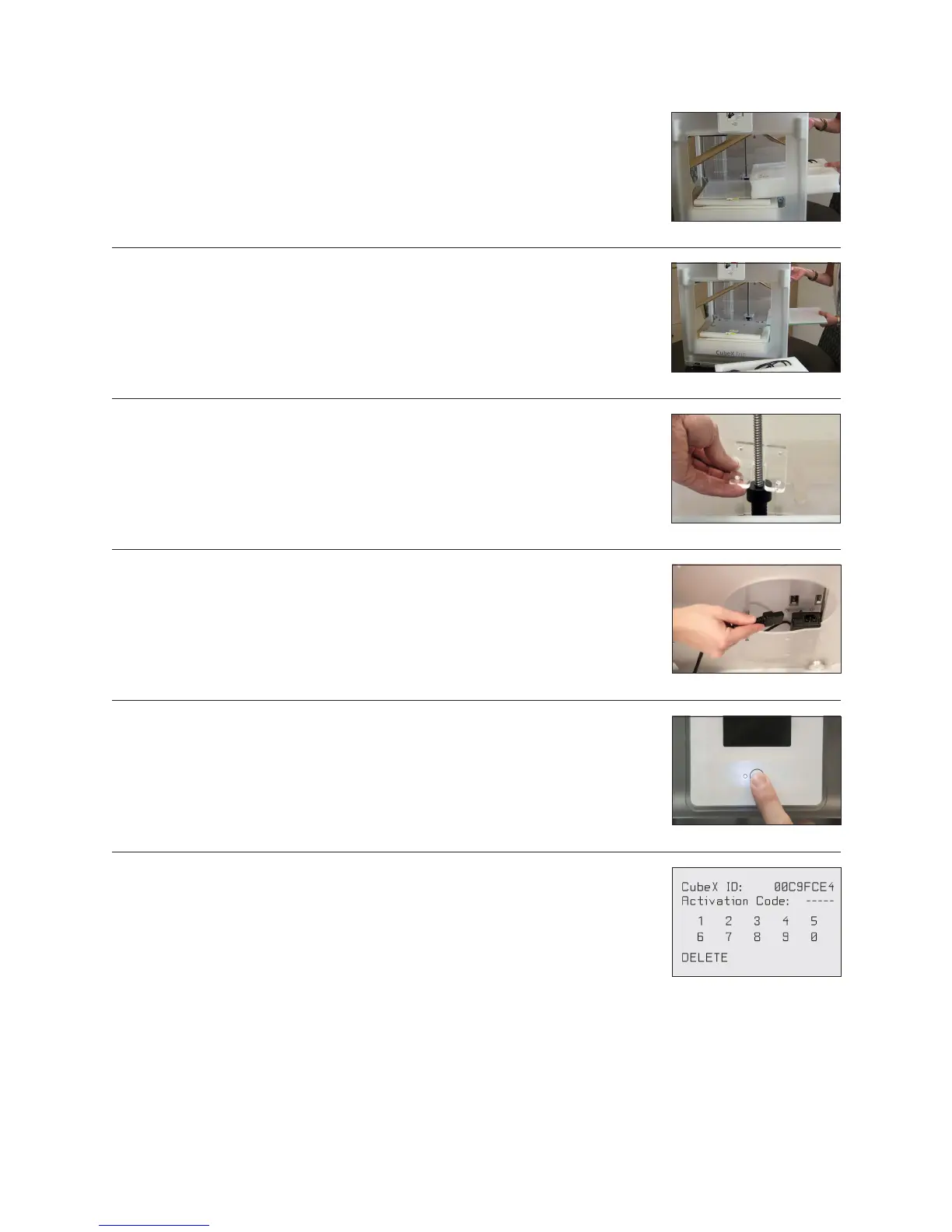
7. Lift the cardboard piece from the foam package and remove the foam package. This
package includes your power cord, Cube Stick glue and the jet wiper. (Fig. 7)
Fig. 9
Fig. 7
Fig. 8
Fig. 10
Fig. 11
Fig. 12
8. Remove print pad from CubeX. (Fig. 8)
9. Using the 4 x 100 hex screwdriver (located in tool kit), remove plexiglass Z-Axis
guard by unbolting the 4 screws holding it in place and remove plexiglass and bolts.
(Fig. 9)
10. To power on, plug the power cord into the power supply located underneath the
printer base. Lift the right side of the printer to gain access to the power supply. (Fig.
10)
11. The LED on the control panel should light up indicating the printer has power.
Remove the “Warning” label from the touchscreen. (Fig. 11)
12. Press the Control button, the CubeX Activation Screen will appear. You will need to
register and activate your CubeX to unlock the printer. (Fig. 12)










 To Next Page