Selecting Material
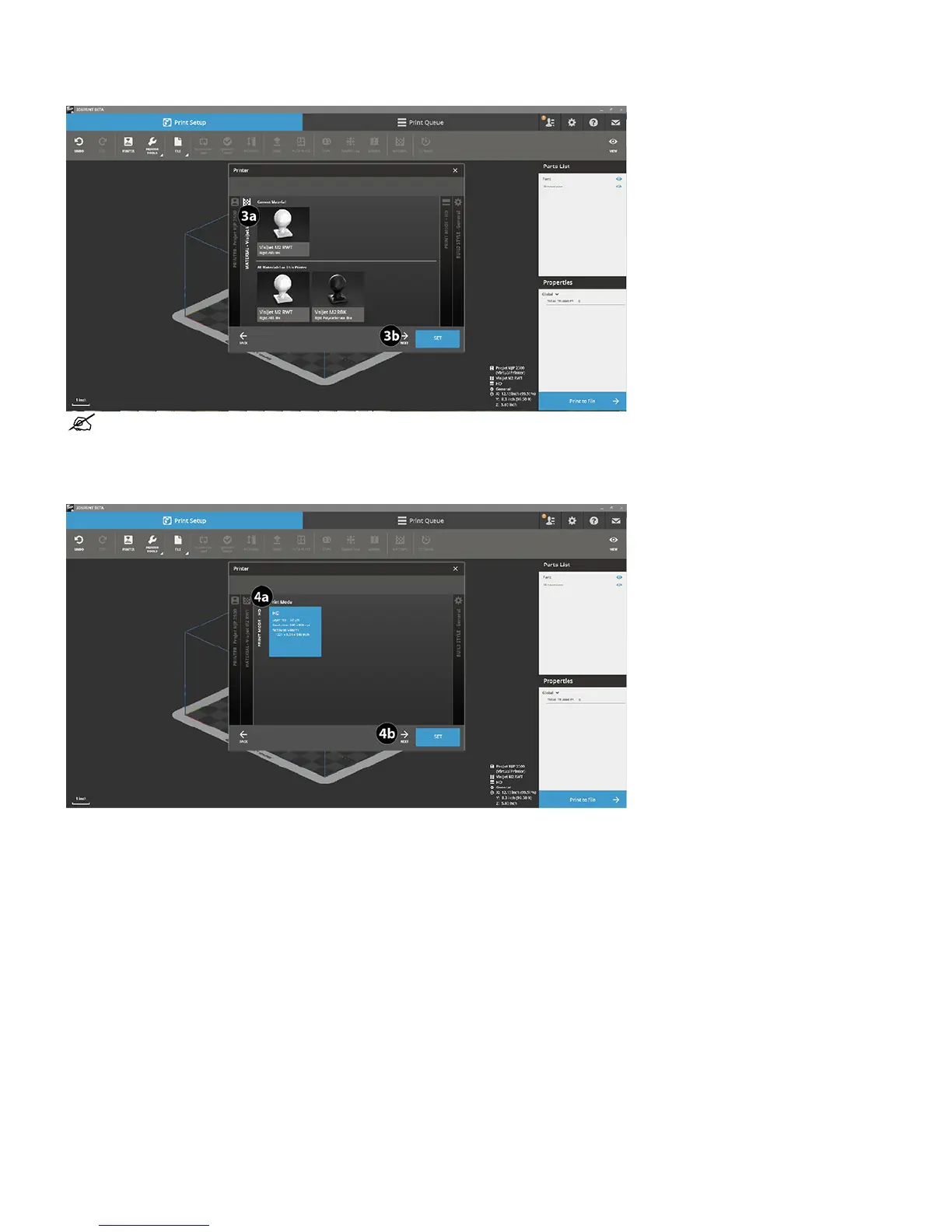
1. At this point you must select the desired material your part will be printed with. Double Click desired material (3a) and select Next (3b).
NOTE: If you need to change the material from what is currently installed in the printer, you will need to perform an MCO (Material
Changeover). See instructions to perform an MCO in the Cleaning and Maintenance Section of this manual.
Selecting Print Mode
1. The next option to select is the print mode. Available print modes will automatically populate after your select your material. Click on desired mode (4a) and
select Next (4b).
Selecting Build Style
1. The next thing you must select is the Build Style. Currently the only build style available is General. But as more become available you can choose from the
various styles. For now select General and Next.










 To Next Page