CONFIRM JETS
Jet Check Routine
Perform this procedure to confirm that all printhead jets are working properly if:
You are installing the printer for the first time, or
The machine has not recently completed a print, or
Completed prints appear to be missing material (support or part material)
Items Needed:
Pastel office paper (up to 6 sheets)
Tape
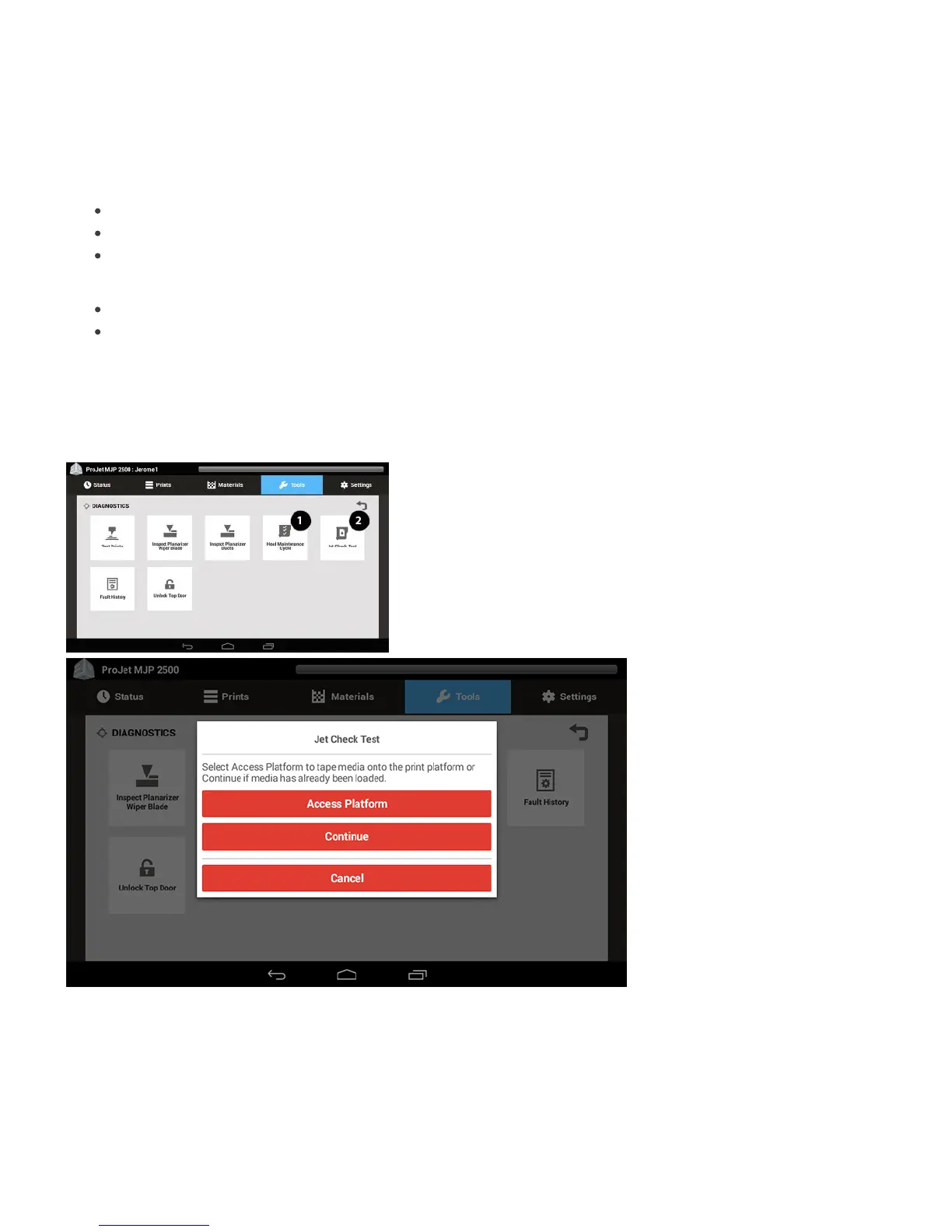
Purge the printhead by selecting Tools > Diagnostics > Head Maintenance Cycle (1) through the UI.1.
Select Head Maintenance Cycle two additional times.2.
Next select Jet Check Test (2),3.
Select OK.4.
Select Access Platform in order to add the media to the print platform, or select Continue if this step has already been performed.5.




 To Next Page