MCO - MATERIAL CHANGEOVER PROCEDURE
For successful build jobs, when a user wants to switch from one part material to another, a Material Changeover (MCO) must be performed.
NOTE: Please ensure you have replaced the waste bag with a new empty one PRIOR to starting the Material Changeover Procedure. Also,
ensure you have the required materials for the material change – two MCO Cleaner 2500 cartridges, two new part material cartridges and plus
enough support material for head maintenance cycles.
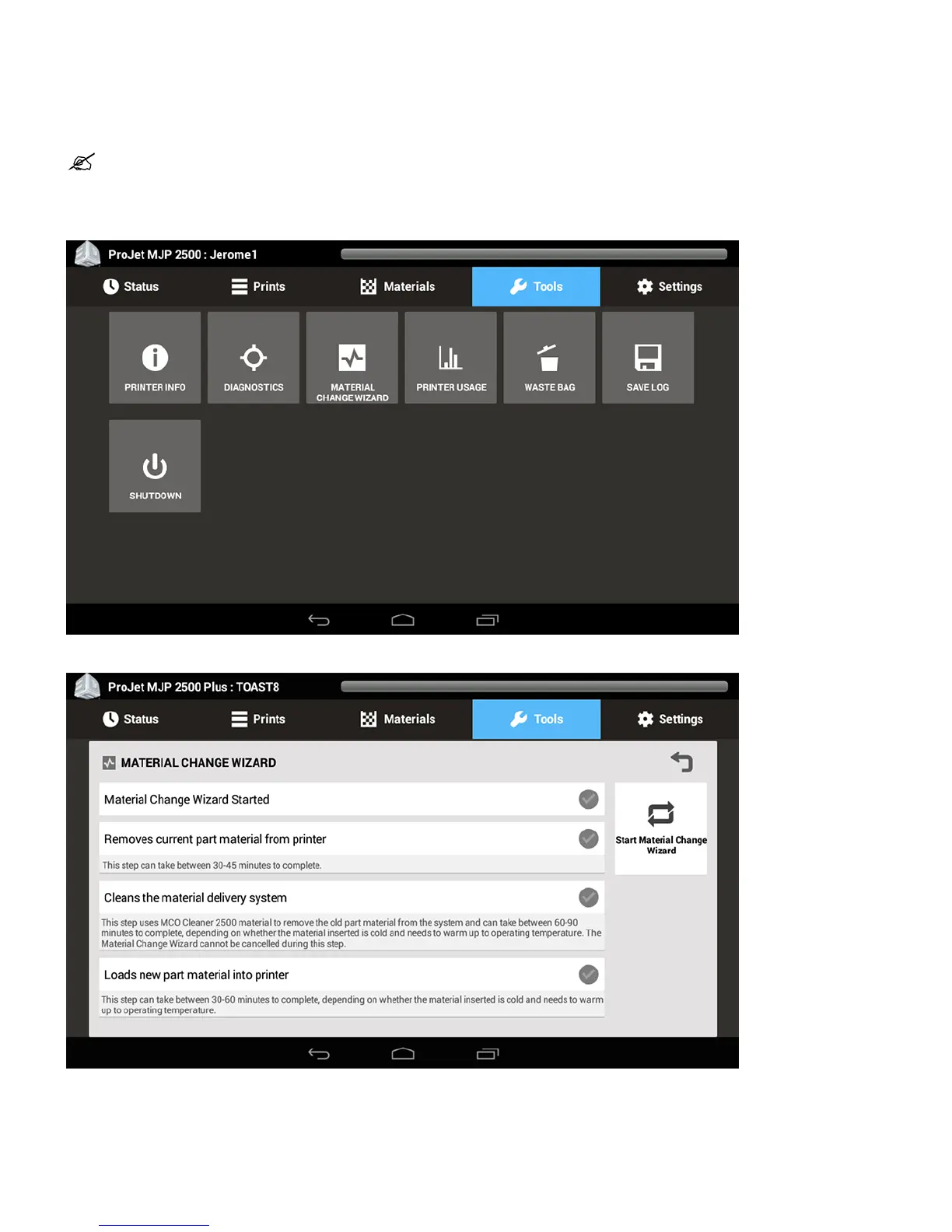
Ensure printer is in Ready state. Select Tools > Material Change Wizard from the UI.1.
Select Start Material Changeover from the right.2.
Verify you have the required material on hand to start the material changeover procedure.3.
To start material changeover select Yes.4.




 To Next Page