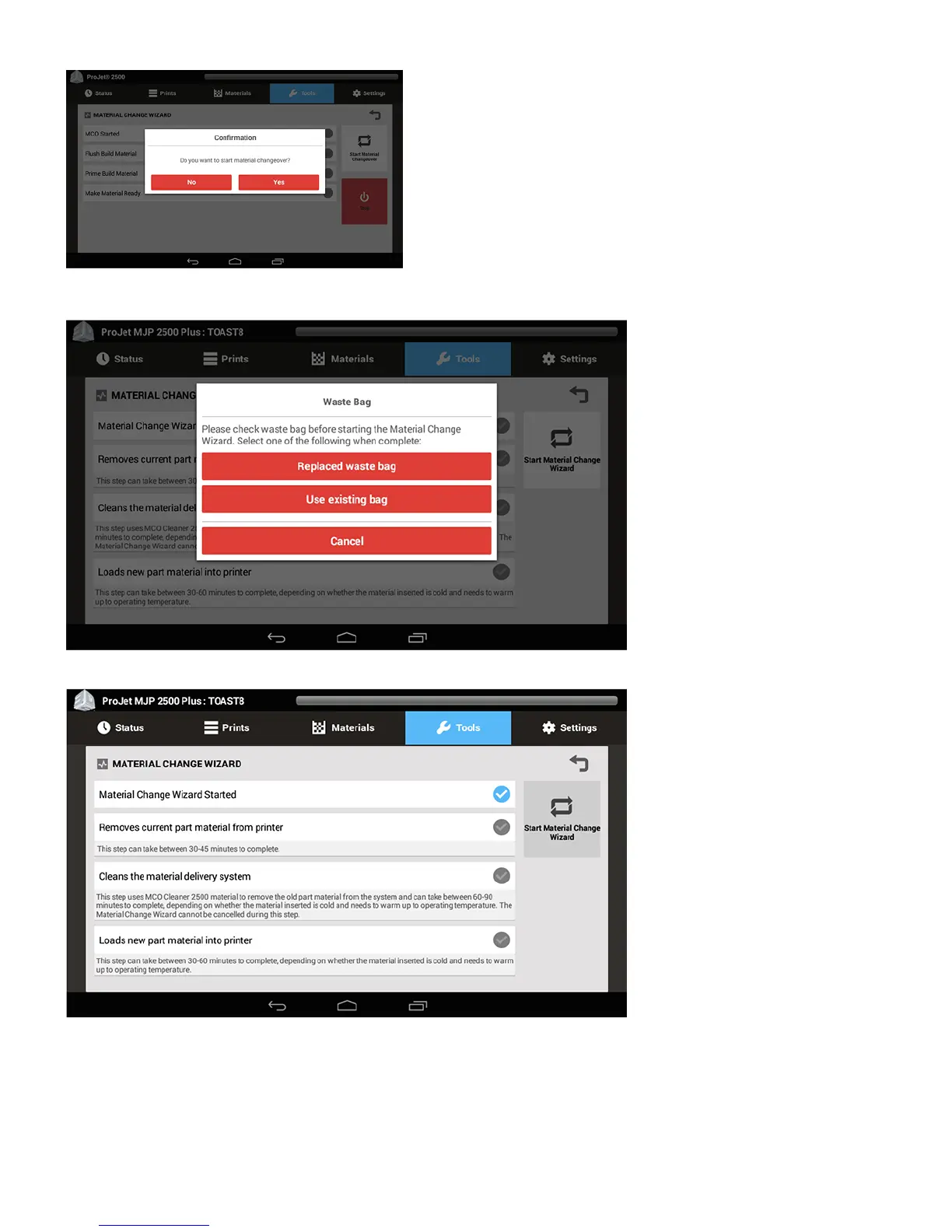
The next step is to replace the waste bag before MCO process begins. If waste bag needs to be changed, select Replaced Waste Bag, after bag has been5.
replaced. If the waste bag is empty already, select Use Existing Bag.
The next screen shows that the Material Change Wizard has started.6.
When the next pop up comes up, remove current part material cartridges and close the MDM drawer, select OK.7.



 To Next Page