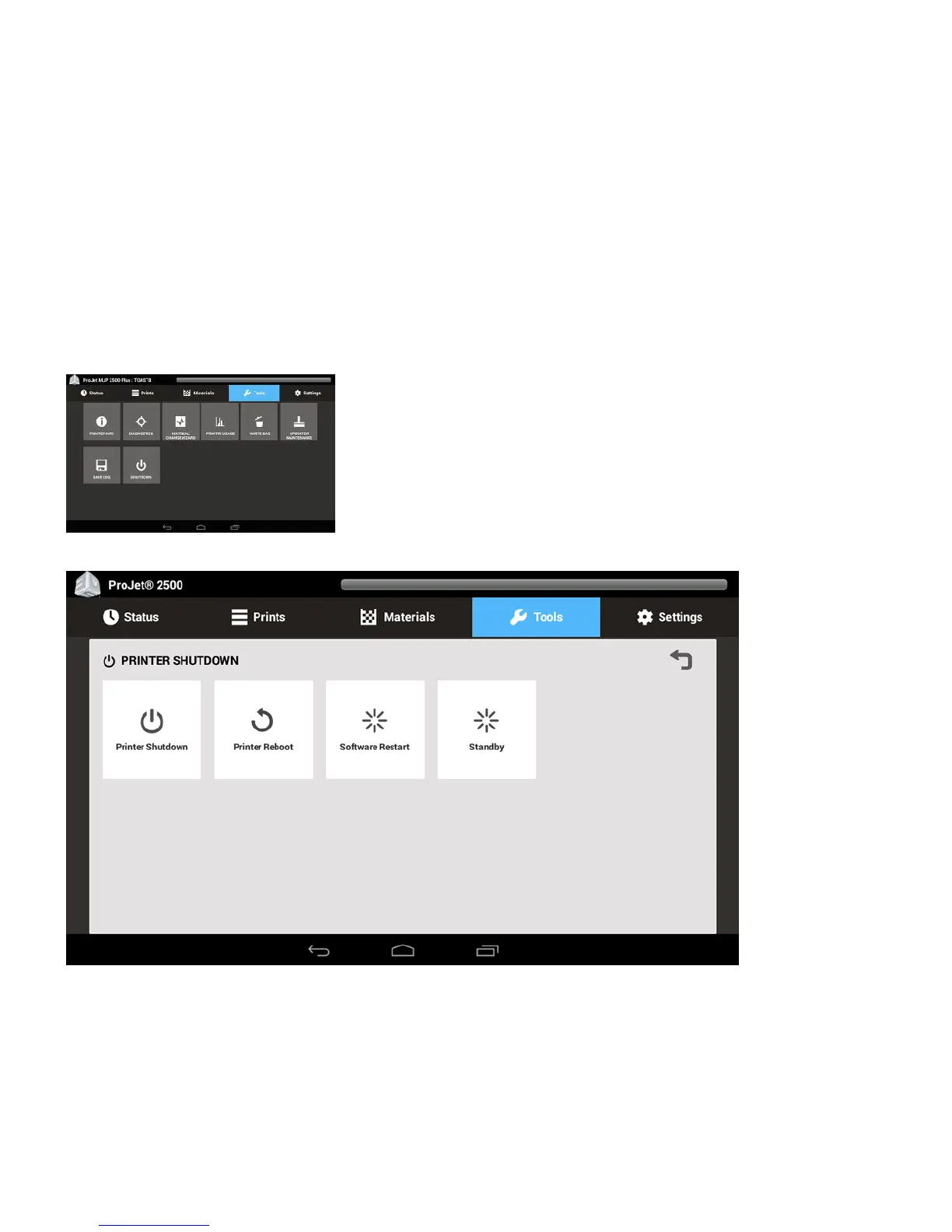
PRINTER SHUTDOWN
Storing Printer for Extended Time Frame
When the printer is going to be stored for an extended period of time (>60 days) you will need to call a Certified Partner to set up a service call for a Dry Out
procedure to be performed. This will clear out any residual material out of printer lines for extended storing.
Printer Shutdown
If you do not plan on operating the 3D printer system on a regular basis and want to shut it down for an extended period of time, follow these steps:
Verify that the printer is not building.1.
Select Tools from the top tool bar.2.
Select Shutdown on the Tools menu screen. This will launch the shutdown process.3.
Next, select Printer Shutdown and click.4.
The next message that pops up is asking if you are sure you want to shutdown the printer. Select OK.6.










 To Next Page