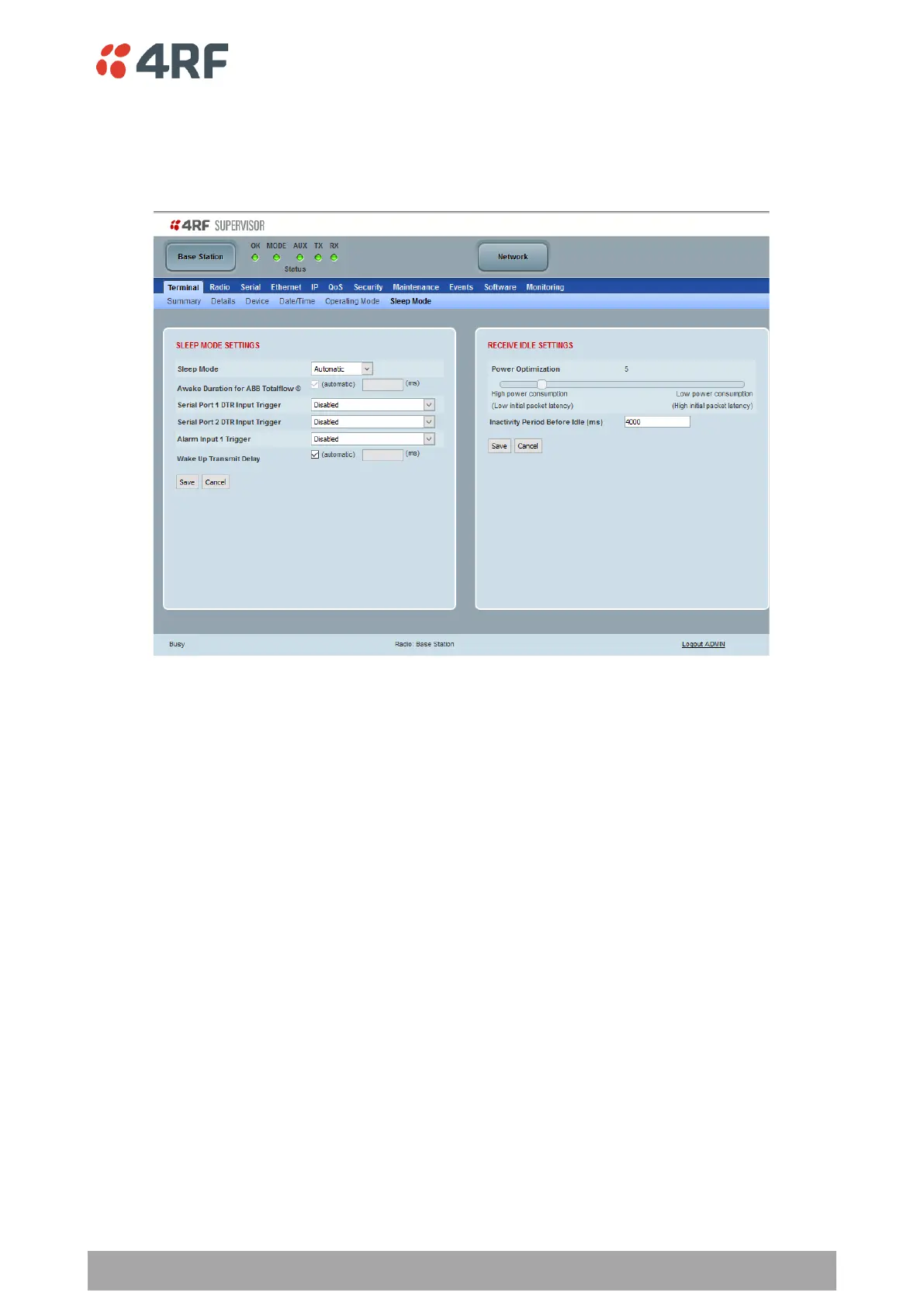
Terminal > Sleep Mode
Sleep Mode is a feature of Type B Aprisa SR+ radios. This page is only visible when the radio is of Type B
hardware see ‘Radio Hardware Types’ on page 400.
SLEEP MODE SETTINGS
Sleep mode allows the radio to be put to sleep where it consumes very little power (< 0.5 watts with all
Ethernet ports disabled) but allows rapid wake up.
The sleep and wake up is controlled from the serial port DTR inputs or the Alarm Input 1. If sleep mode is
enabled for serial port DTR trigger and the customer serial interface is not connected, the radio will sleep.
When radio is in sleep mode, the OK LED pulses once per second at a colour depending on the current state
of the OK LED before sleep mode was entered and the other LEDs will be OFF.
Sleep mode will be disabled and sleeping radio will be woken up while a management user is logged into
the radio or when a USB CLI cable is inserted in the management port.
Sleep mode will be disabled and sleeping radio will be woken up when an Ethernet cable is inserted into an
enabled Ethernet port configured for ‘management and user data’, however 60 seconds after insertion, the
radio will be allowed to enter sleep unless the user has logged into SuperVisor.
Pressing the radio ‘test’ button will also wake up a sleeping radio for 5 minutes.



 To Next Page