Security
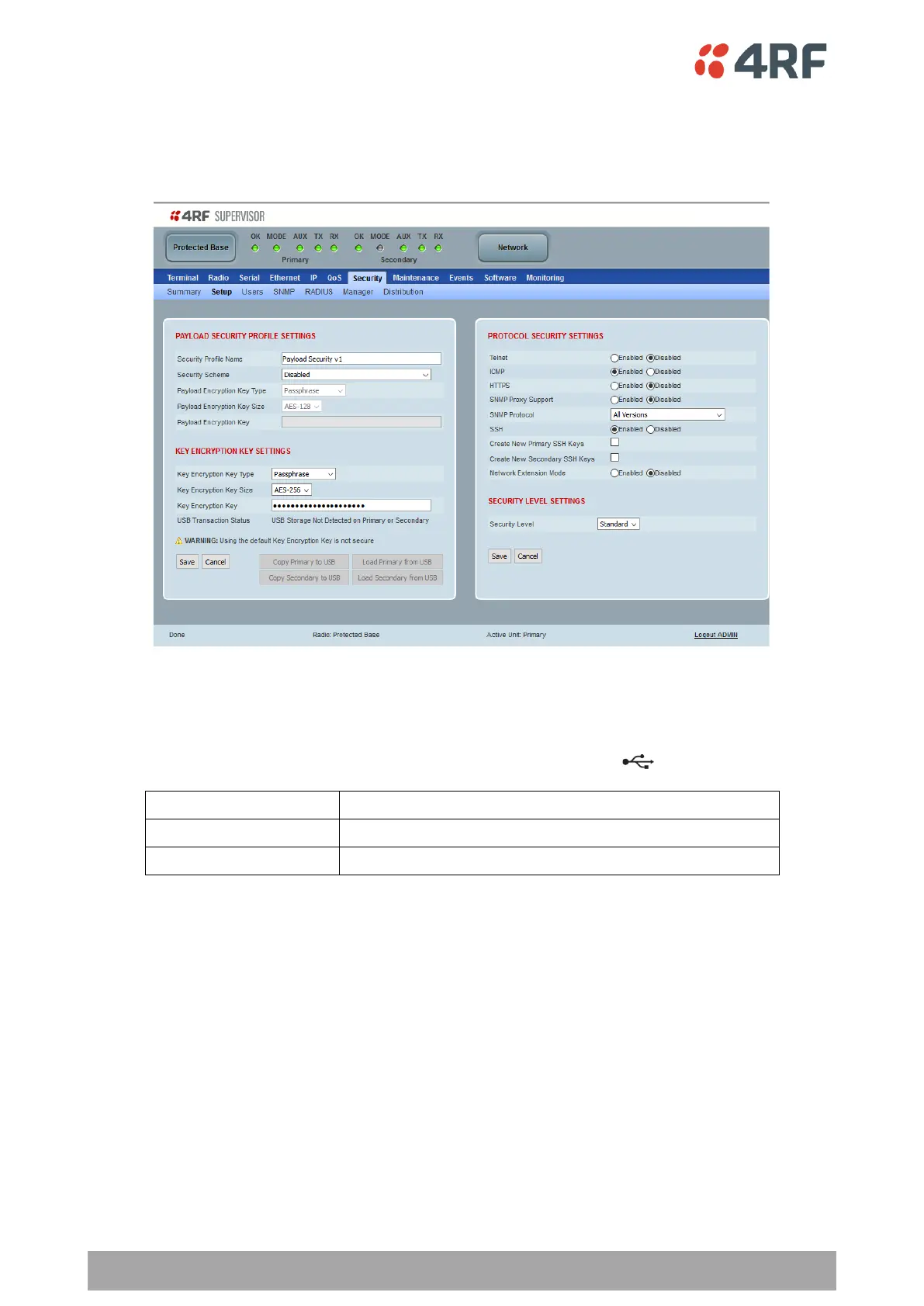
Protected Station: Security > Setup
This page displays the current settings for the Security parameters.
KEY ENCRYPTION KEY SETTINGS
USB Transaction Status
This parameter shows if a USB flash drive is plugged into the radio host port .
Controls
These buttons are grayed out if a USB flash drive is not plugged into the radio host port.
The ‘Load Primary From USB’ button loads the Key Encryption Key settings from the primary radio USB flash
drive into the primary radio.
The ‘Copy To Primary USB’ button copies the Key Encryption Key settings from the primary radio to the
primary radio USB flash drive.
The ‘Load Secondary From USB’ button loads the Key Encryption Key settings from the secondary radio USB
flash drive into the secondary radio.
The ‘Copy To Secondary USB’ button copies the Key Encryption Key settings from the secondary radio to the
secondary radio USB flash drive.



 To Next Page