Test Mode
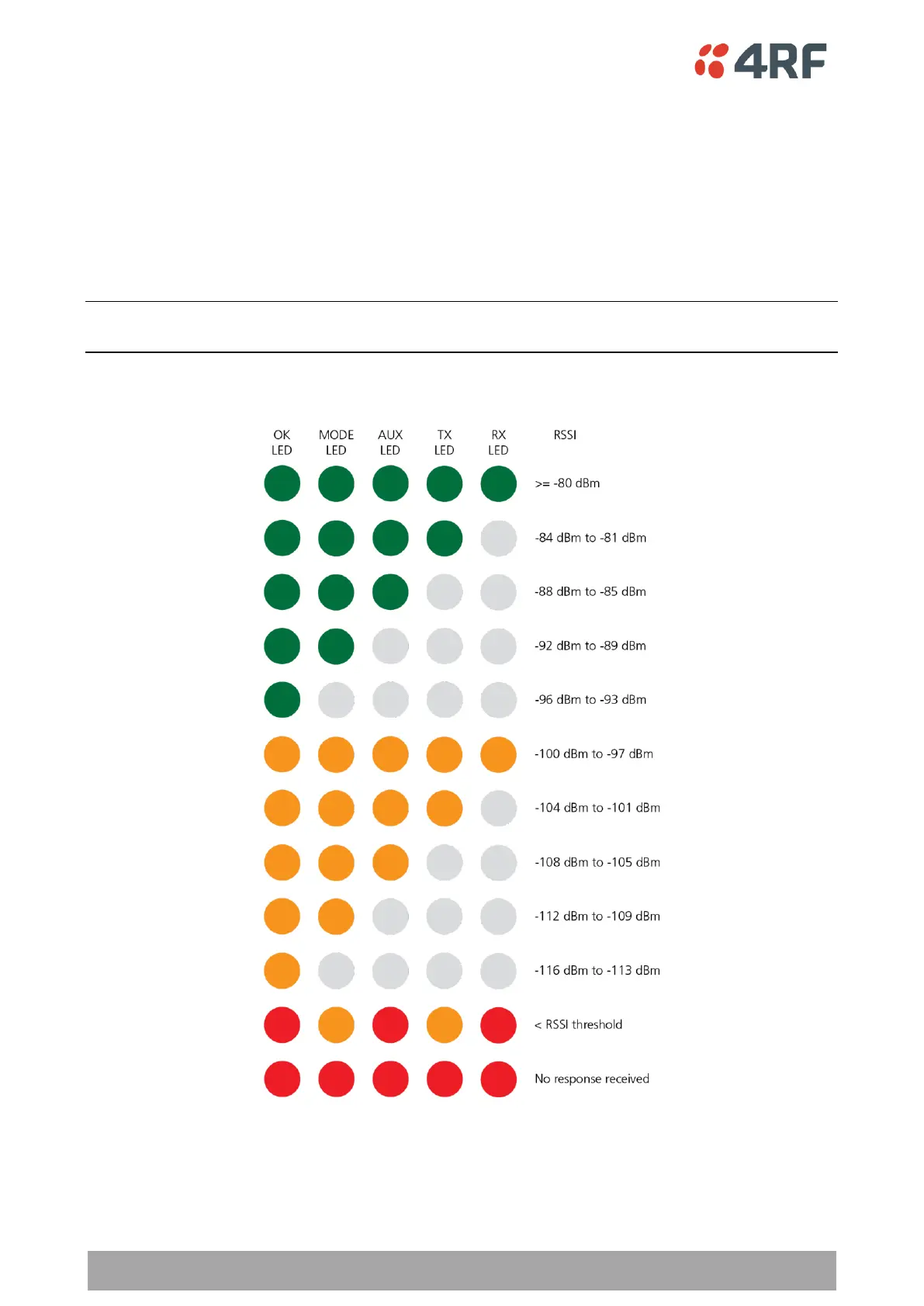
Remote radio and repeater station radios have a Test Mode which presents a real time visual display of the
RSSI on the LED Display panel. This can be used to adjust the antenna for optimum signal strength (see
‘Maintenance > Test Mode’ on page 263 for Test Mode options).
To enter Test Mode, press and hold the TEST button on the radio LED panel until all the LEDs flash green
(about 3 - 5 seconds). The response time is variable and can be up to 5 seconds.
To exit Test Mode, press and hold the TEST button until all the LEDs flash red (about 3 – 5 seconds).
Note: Test Mode traffic has a low priority but could affect customer traffic depending on the relative
priorities setup.
The RSSI result is displayed on the LED Display panel as a combination of LED states:



 To Next Page