EasyManua.ls Logo

4RF Aprisa SR+ - Page 151

4RF Aprisa SR+
492 pages
Print Icon
To Next Page IconTo Next Page
To Previous Page IconTo Previous Page
Loading...
Managing the Radio | 151
Aprisa SR+ User Manual 1.11.1
Serial > Port Setup
RS-232 Hardware Ports
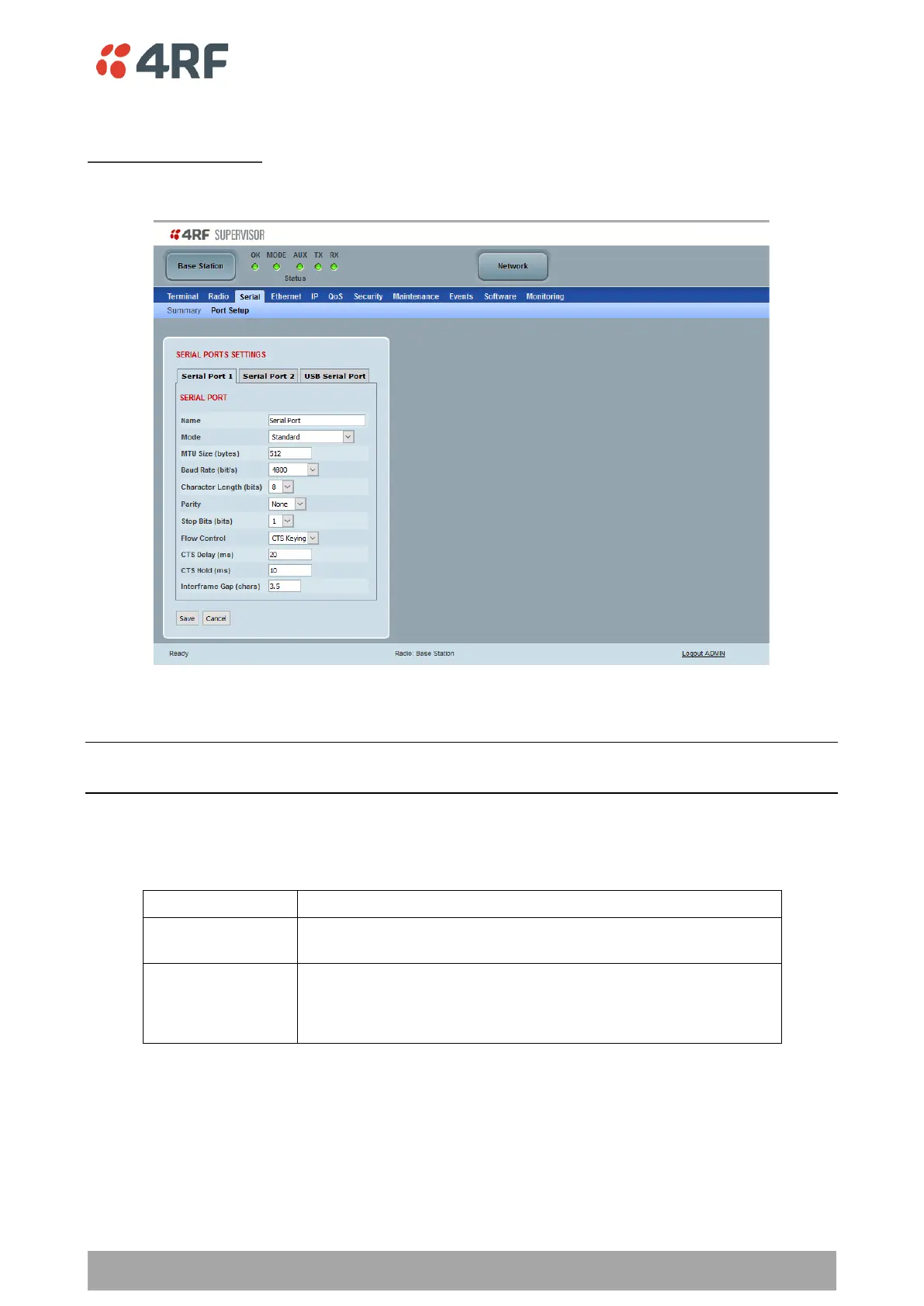
This page provides the setup for the serial port settings.
SERIAL PORTS SETTINGS
Note: This screen is dependent on the Data Port product option purchased (see Data Interface Portson
page 401). The Data Port product option shown is a 2E2S two Ethernet ports and two Serial ports
Name
This parameter sets the port name which can be up to 32 characters.
Option
Function
Serial Port
This is the normal RS-232 serial ports provided with the RJ45
connector.
USB Serial Port
This is the optional RS-232 / RS-485 serial port provided with the USB
host port connector with a USB to RS-232 / RS-485 RJ45 converter
cable (see ‘USB RS-232 / RS-485 Serial Port’ on page 434).

Table of Contents

Other manuals for 4RF Aprisa SR+

Related product manuals