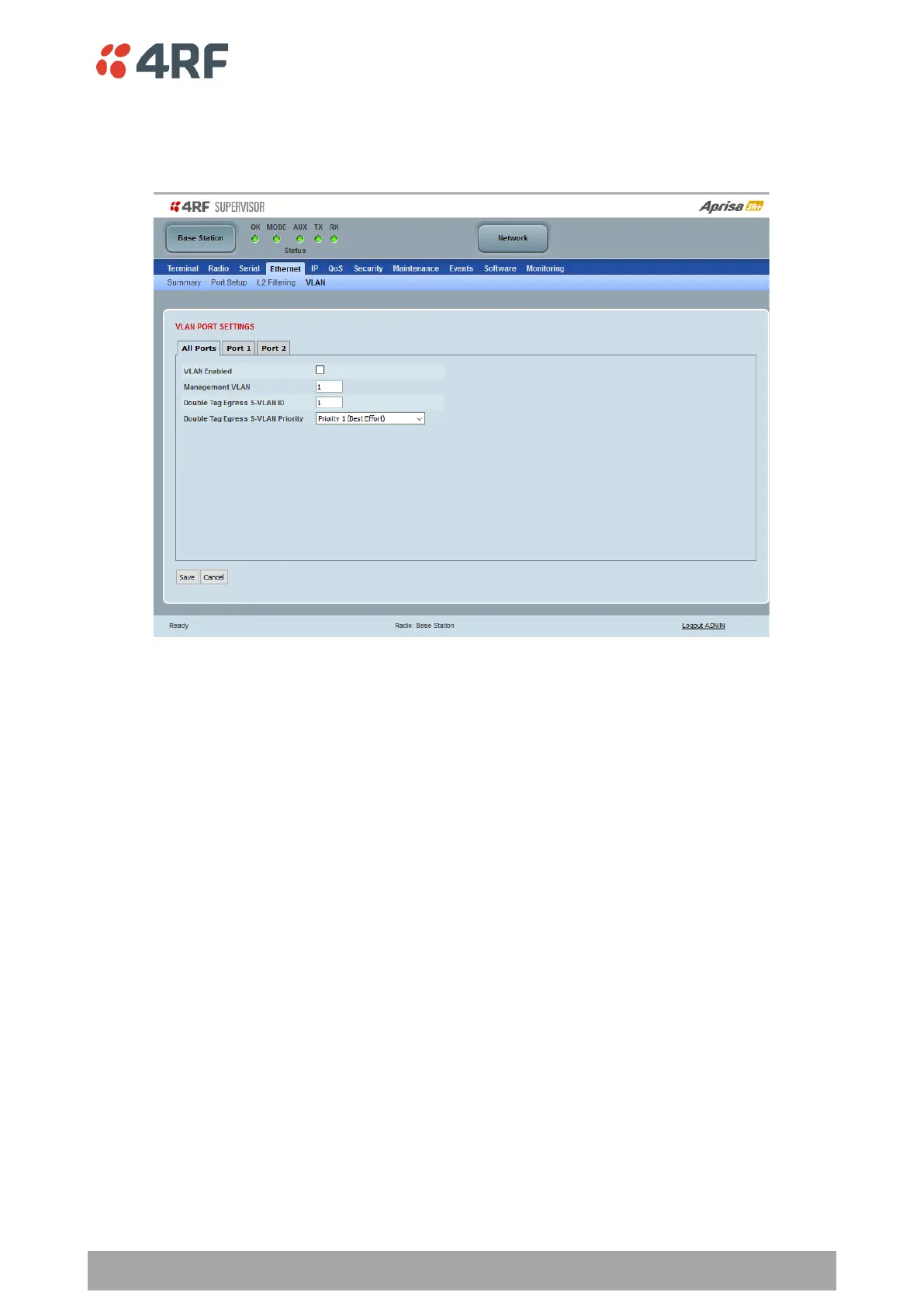
Ethernet > VLAN
This page is only available if the Ethernet traffic option has been licensed (see ‘Maintenance > Licence’ on
page 270).
VLAN PORT SETTINGS – All Ports
This page specifies the parameters that relate to all Ethernet ports when working in Bridge Mode. Three
parameters are global parameters for the Ethernet Bridge; enable / disable VLANs, Management VLAN ID
and the Double VLAN ID(S-VLAN) and the priority bit. These parameters can't be defined per port and are
globally defined for the Ethernet Bridge.
VLAN Enabled
This parameter sets if VLAN operation is required on the network. If it is enabled on the base station, it
must also be enabled on the remote / repeater stations. The default is disabled.
Management VLAN
This parameter sets the VLAN ID for management traffic only. The value can be between 1 and 4094. The
default is 1.
Double Tag Egress S-VLAN ID
This parameter sets the S-VLAN ID (outer tag) in the egress direction. The value can be between 1 and 4094.
The default is 1.



 To Next Page