EasyManua.ls Logo

4RF Aprisa SR+ - Page 360

4RF Aprisa SR+
492 pages
Print Icon
To Next Page IconTo Next Page
To Previous Page IconTo Previous Page
Loading...
360 | Managing the Radio
Aprisa SR+ User Manual 1.11.1
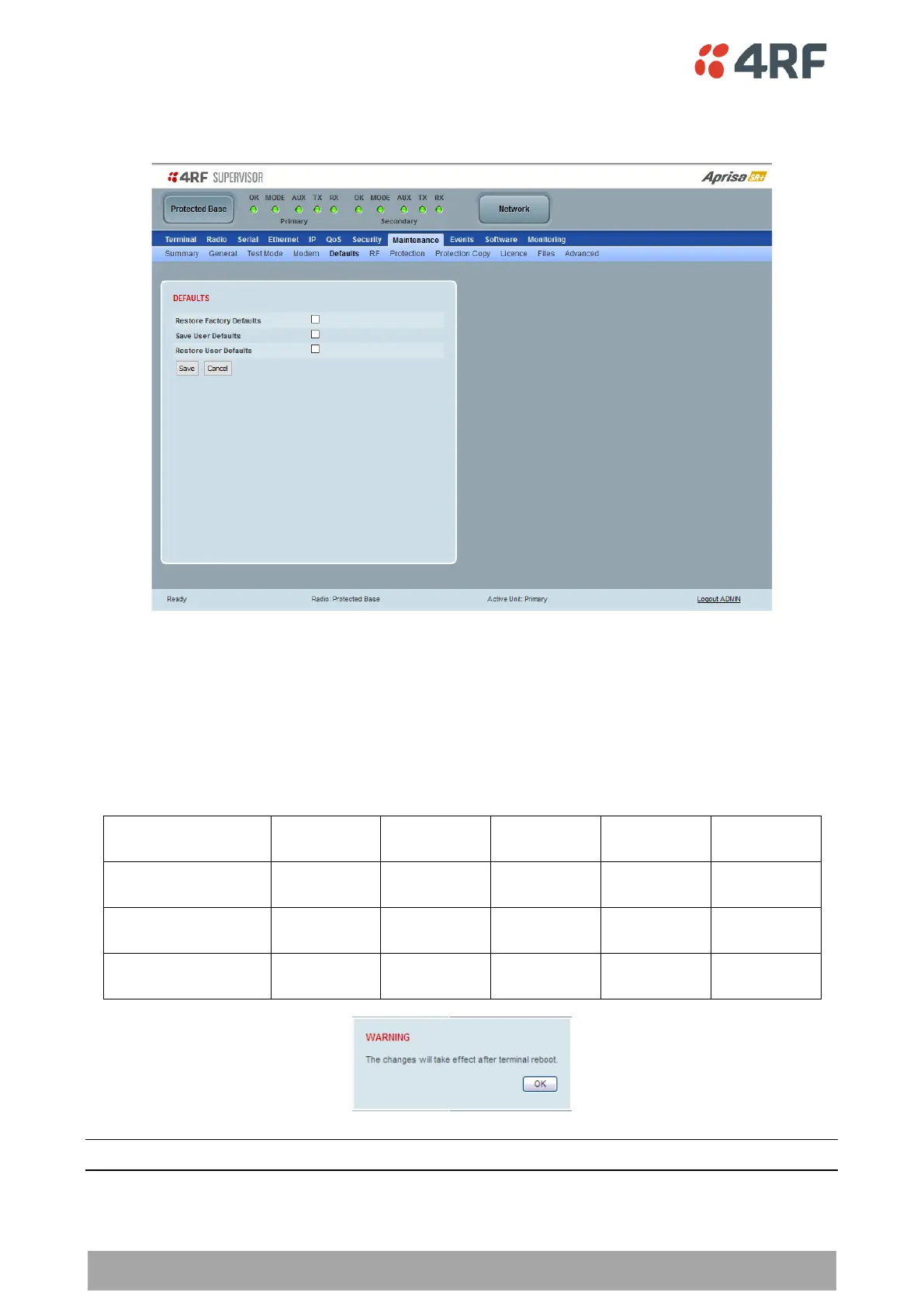
Protected Station: Maintenance > Defaults
This page provides the management and control of the Protected Station Maintenance Protection settings
DEFAULTS
The Maintenance Defaults page is only available for the local terminal.
Restore Factory Defaults
When a radio is restored to factory defaults while installed in a protected station, the radio will default to
its preconfigured protection configuration. This includes resetting the radio IP address to the default value
depending on the location of the radio.

Radio Location
Protection
Type
Protection
Unit
Primary IP
Address
Secondary IP
Address
Virtual IP
Address
Not in a protected
station
None
Primary
169.254.50.10
0.0.0.0
0.0.0.0
Protected station
radio A
Redundant
Primary
169.254.50.10
169.254.50.20
169.254.50.30
Protected station
radio B
Redundant
Secondary
169.254.50.20
169.254.50.10
169.254.50.30
Note: Take care using this command.

Table of Contents

Other manuals for 4RF Aprisa SR+

Related product manuals