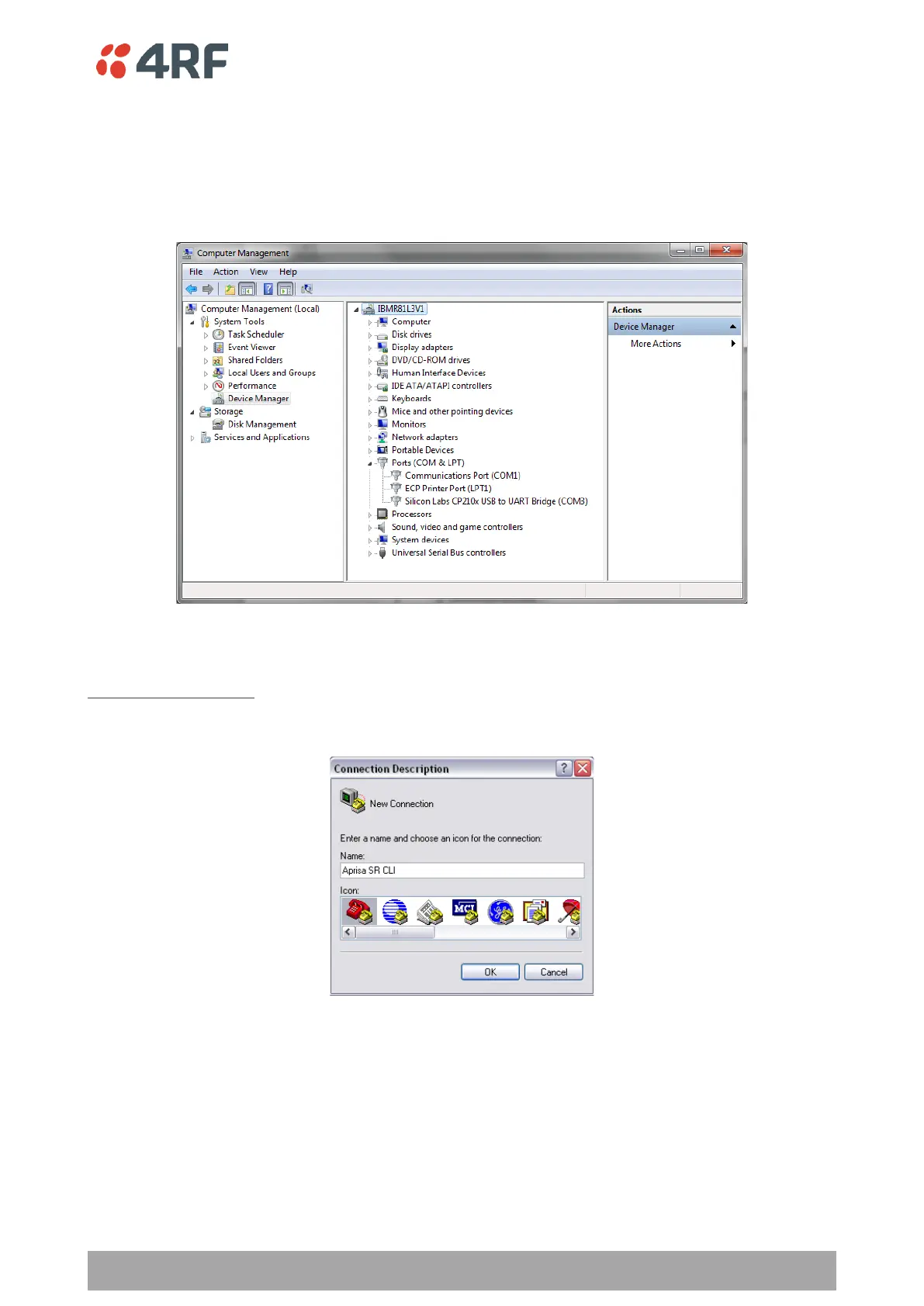
3. Go to your computer device manager (Win 7: Control Panel > Administrative Tools > Computer
Management > Device Manager)
4. Click on ‘Ports (COM & LPT)’
5. Make a note of the COM port which has been allocated to the ‘Silicon Labs CP210x USB to UART Bridge’
(COM3 in the example below)
6. Open HyperTerminal or an alternative type of terminal Emulator program e.g. TeraTerm or Putty.
HyperTerminal Example
7. Enter a name for the connection (Aprisa SR+ CLI for example) and click OK.



 To Next Page