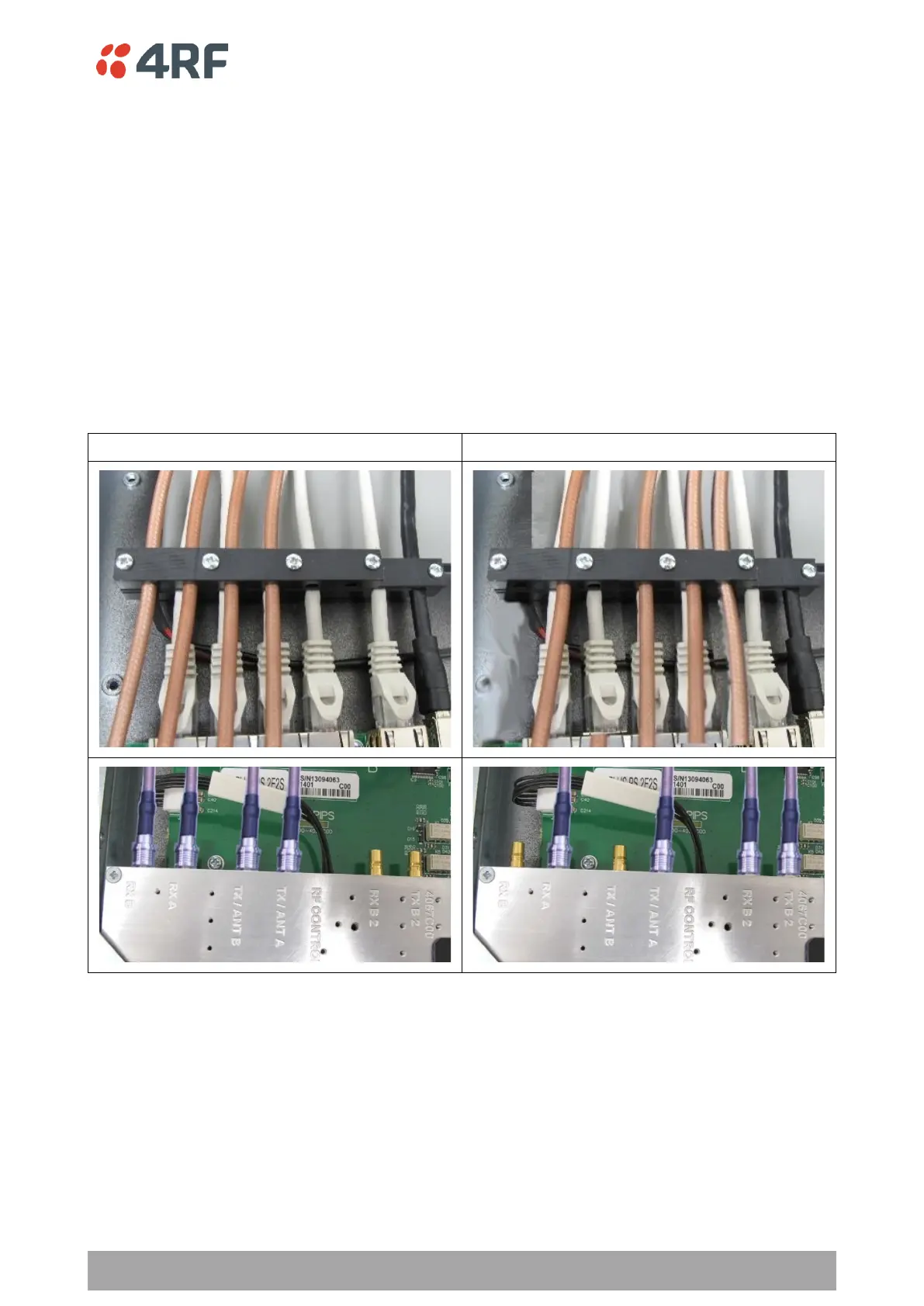
Users can change an existing Protected Station from one option to the other option by following the
procedure:
To change a pre-cabled Protected Station from one option to the other option:
1. Disconnect the power supply, antenna/s, interface cables and any other connections
2. Remove the Protected Station shelf from the rack
3. Turn the Protected Station shelf upside down
4. Remove the securing screws and remove the bottom panel
5. Unscrew the four coaxial cable clamp screws
6. Swap the two cables and position them in the appropriate connector ports
7. Refit the coaxial cable clamp and tighten the four clamp screws
8. Refit the bottom panel and tighten the two screws
9. Replace the shelf in the rack



 To Next Page