Aprisa SR+ User Manual 1.11.1
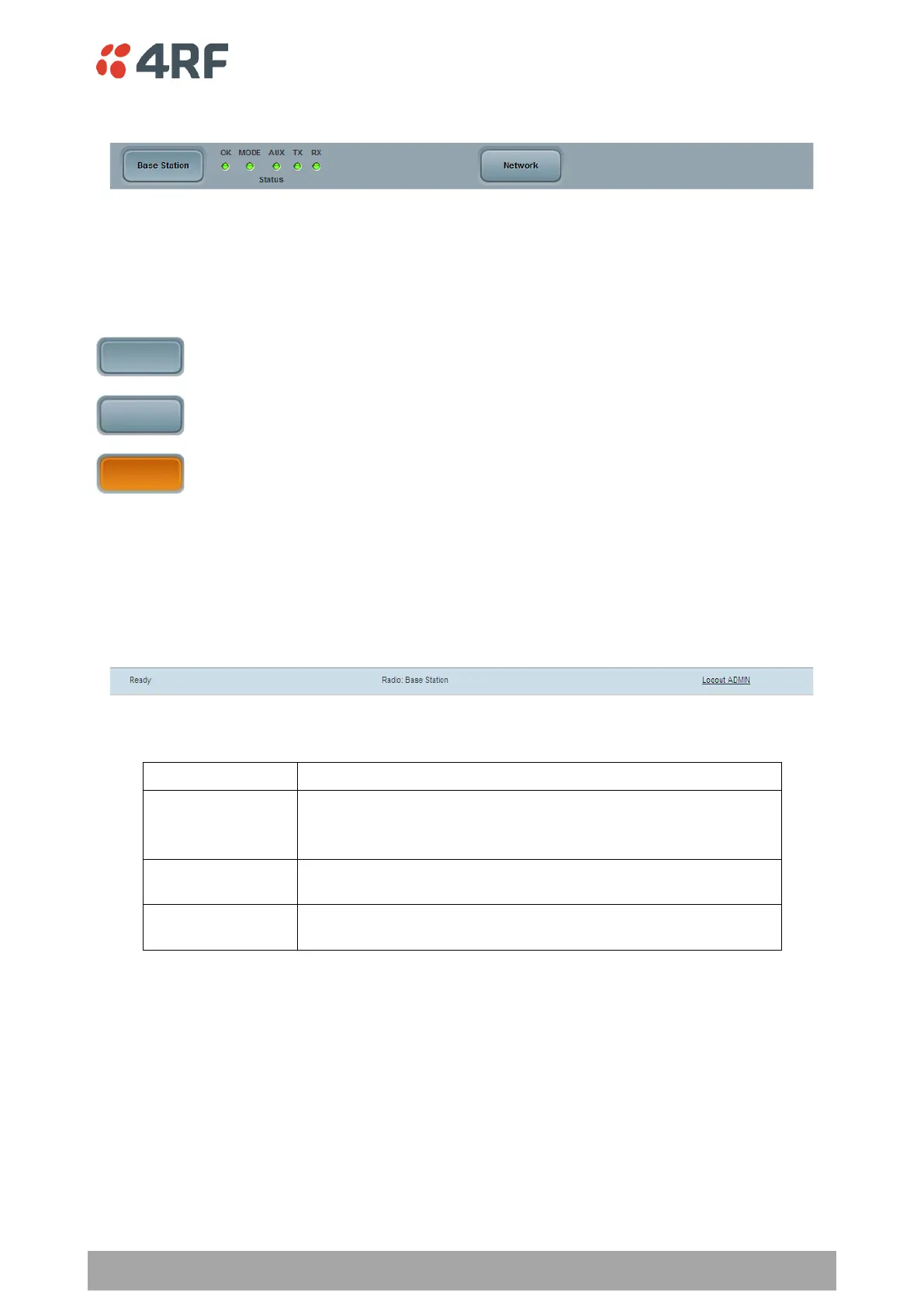
SuperVisor Alarm Bar
The alarm bar shows the name of the radio terminal that SuperVisor is logged into (the local radio) on the
left.
If the local radio is a base station, the page shows the name of the current remote / repeater station (the
remote radio) on the right. SuperVisor will manage all the repeater stations and remote radios in the
network.
Active button; indicating the radio SuperVisor is managing a radio in this network
Inactive button; indicating a radio or network SuperVisor could manage
Active button; indicating the radio SuperVisor is managing a radio in the extended
network radio list.
If the local radio is a remote radio or repeater station, the page shows the name of the remote / repeater
station on the left. The right side of the Alarm Bar will be blank.
The LED alarm indicators reflect the status of the front panel LEDs on the radio.
SuperVisor Summary Bar
The summary bar at the bottom of the page shows:
Busy - SuperVisor is busy retrieving data from the radio that
SuperVisor is logged into.
Ready - SuperVisor is ready to manage the radio.
Displays the name of the radio terminal that SuperVisor is currently
managing.
The access level logged into SuperVisor. This label also doubles as
the SuperVisor logout button.



 To Next Page