MULTIMEDIA
192
their performance on the smartphone
thanks to the
Uconnect™ LIVEApp
and, if they wish togive their consent,
to share their performance with the
Uconnect™ LIVEcommunity on the
www.driveuconnect.eu website.
151AB0A0400
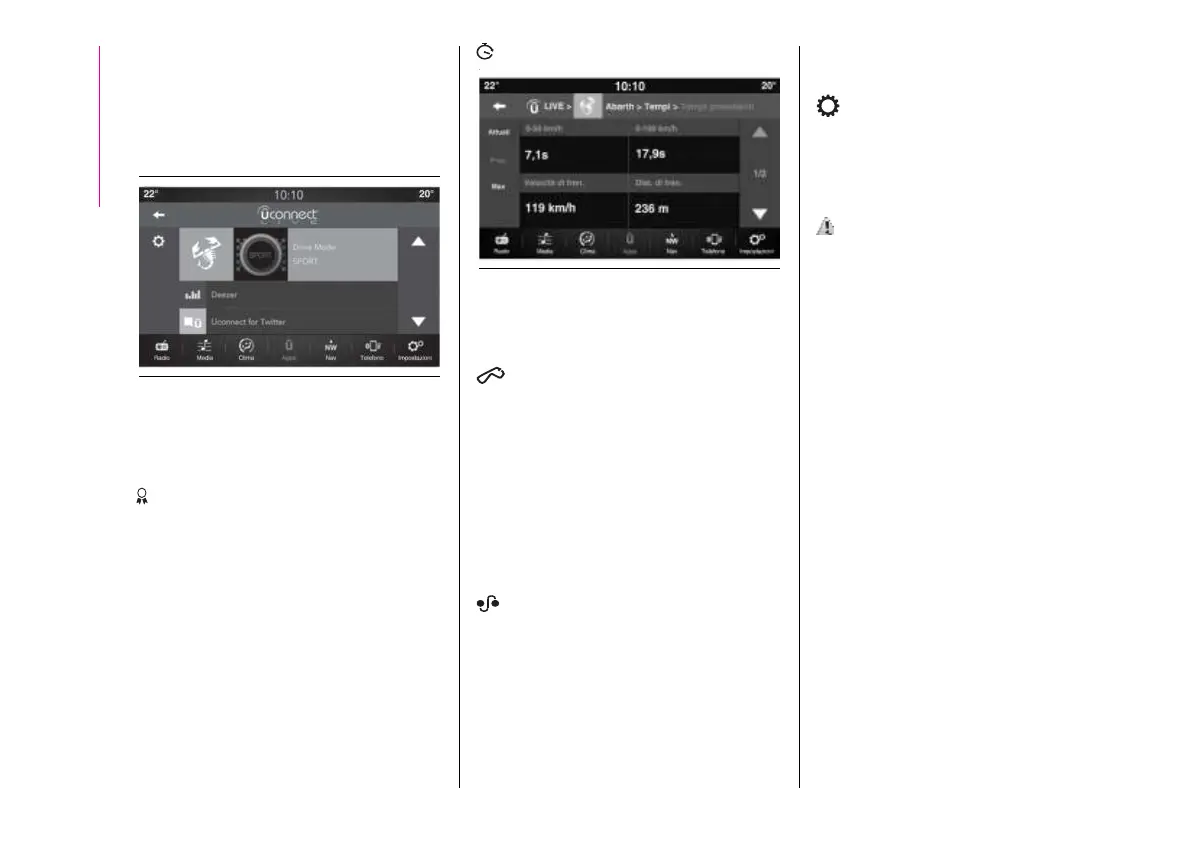
By pressing the
Uconnect™ keys,
users will be able to access the
following sections.
Badge
The Badge sectioncollects the users’
successes. Eachbronze, silver or
gold badge may be locked/unlocked,
depending on theperformance of the
user.
Timer
152AB0A0402
Displays trip times,average km times,
distances etc.
Routes
Users can selectone of various
itineraries, and to start the driving
experience, view the itinerary map and
access all the performances obtained.
Moreover, after selecting the
route, users can access their best
performances andtheir sessions. Tips
and useful information are available
while driving.
My itineraries
Users can createcustomised itineraries
or select an itinerary from those that
they have createdpreviously. They can
also record the GPS tracking from the
starting point “ A ” to the destination “
B “. After recordingthe A-B tracking,
the GPS coordinates will be used to
create a customised itinerary that may
be reused by theuser in the future.
Settings
Through the settings, users can select
the measurementunits and do a
backup.
my:Car
171)
my:Car allows youto keep the
condition of your car always under
control.
my:Car can detect malfunction in real
time and inform theuser about the
expiry of the servicing interval. Press
the "my:Car" button to interact with the
application.
The display will show a screen with the
"care:Index" section, which provides
all the detailed information about the
status of the vehicle. Press the "Active
warnings" button (ifpresent) to show
the details of the faults of the car which
caused a warninglight to switch on.
AppleCarPlayand
AndroidAuto
(for versions/markets, where provided)
The Apple CarPlayand Android Auto
applications allow you to use your
smartphone in thecar safely and
intuitively.
To enable them, just connect a
compatible smartphone to the USB


 To Next Page