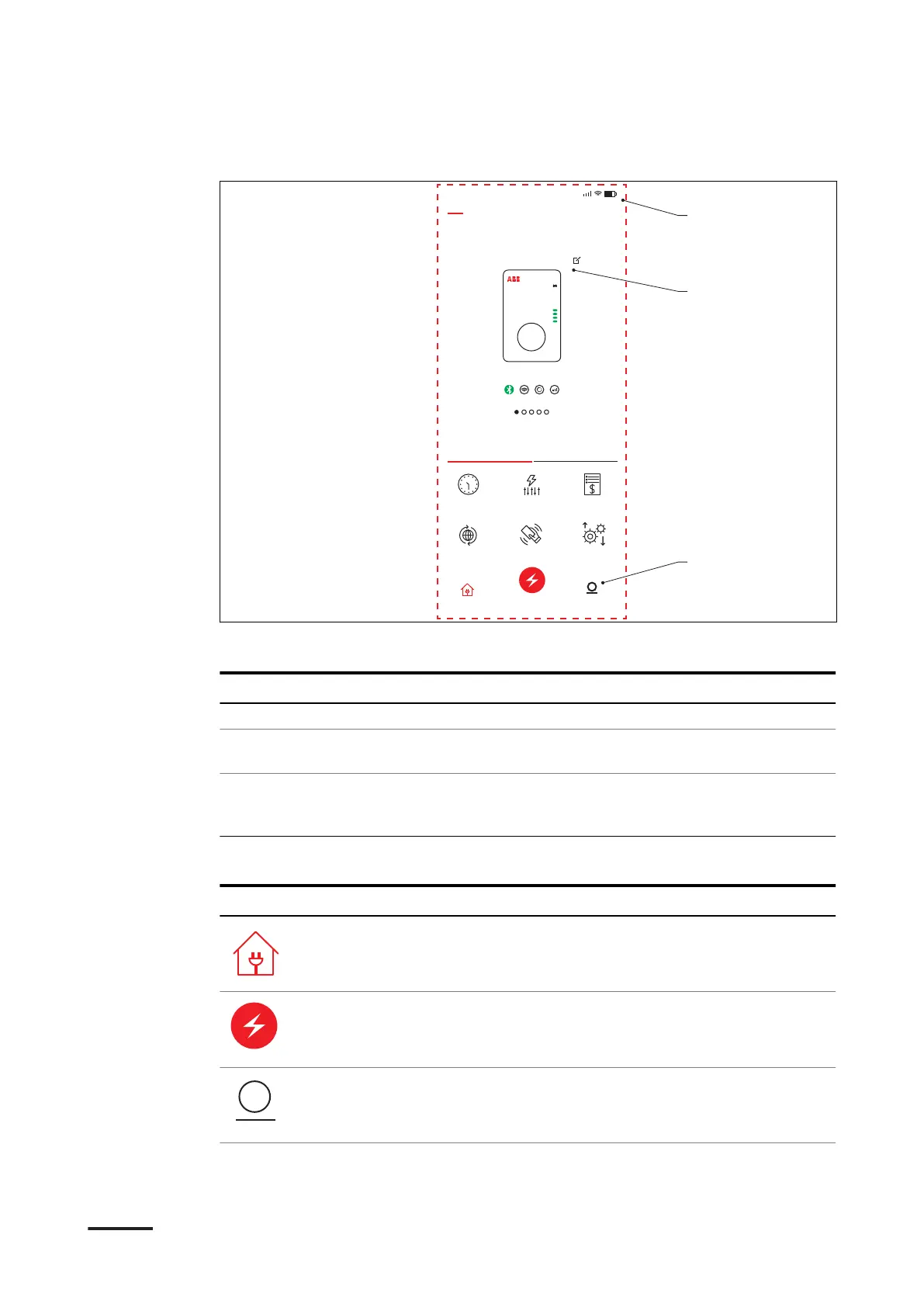
2.8.1 General description of the lay-out of the ChargerSync app
9:41
My Chargers Bluetooth Connecting
TACW224179G4567
Unavailable
Functions Statistics
Schedule Load Balance Energy Plan
Carger Link Card Firmware update
Home Start charge Me
B
A
C
A Menu title
B Main screen area
C Navigation bars
Screen part Description
Menu title This area shows the current menu.
Main screen area This area shows information about the status of the
EVSE, the charge sessions and the available menus.
Navigation bars To navigate through the menus of the app and to use
the functions. For a description of the buttons, refer to
section 2.8.2.
2.8.2 General description of the buttons and colors
Button
Name / color Description
Home To go to the main menu
Start button To start the charge session
Account button To go to the account menu, that has the
personal preferences and settings
Description
BCM.V3Y00.0-EN | 002 23









 To Next Page