EasyManua.ls Logo

Abbott FreeStyle InsuLinx - Set up and Use Weekly Messages; Configuring Weekly Glucose Messages

Abbott FreeStyle InsuLinx
58 pages
Print Icon
To Next Page IconTo Next Page
To Previous Page IconTo Previous Page
Loading...
26
Set up and Use Weekly Messages
Turn on and use weekly messages. This feature will help you identify patterns in your blood glucose
results.
IMPORTANT: Ask your health care professional for your blood glucose target range.
Set up Weekly Messages
Step Action
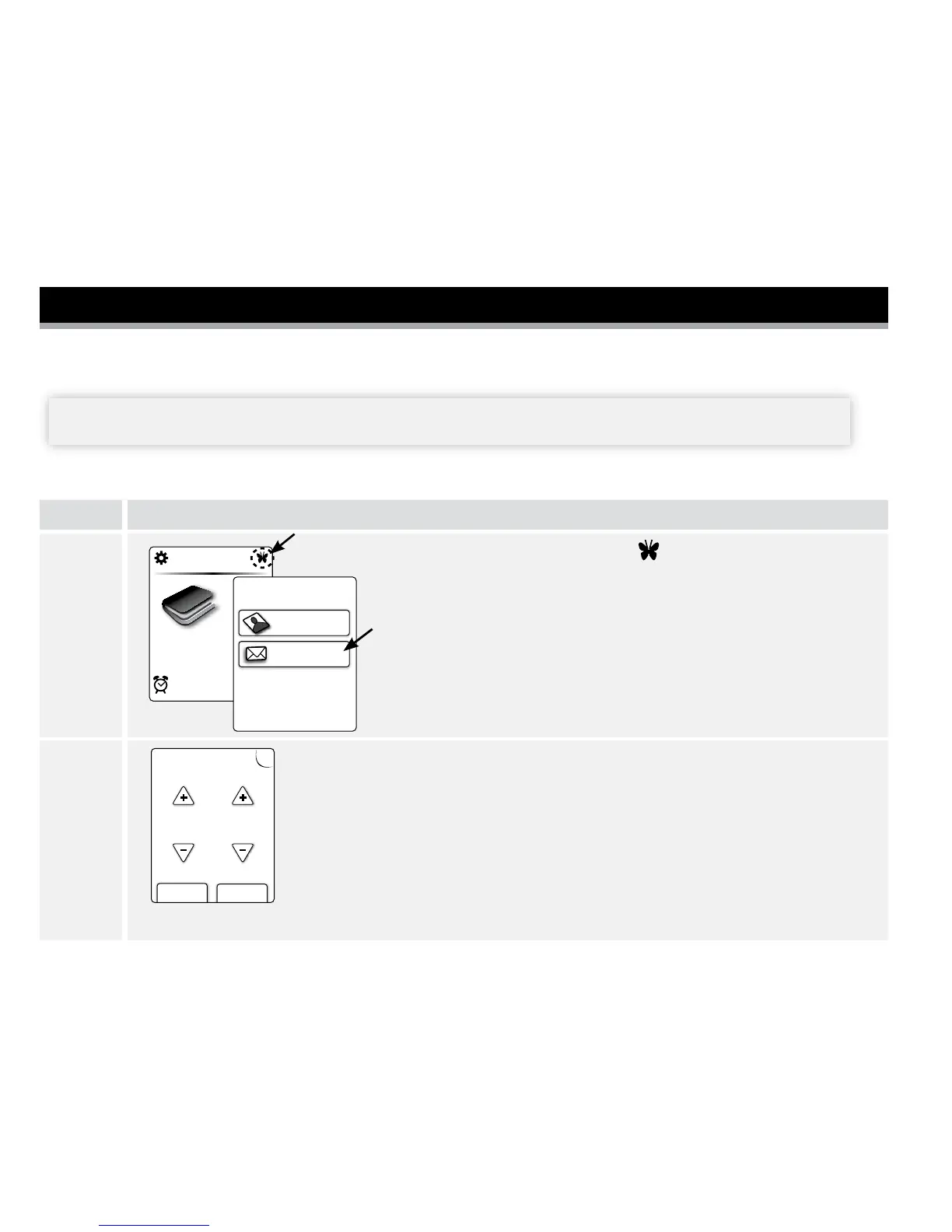
1
12:43pm
Logbook
Personalization
Weekly Messages
Extras:
I want to set up...
At the Home screen, tap Extras .
Then tap Weekly Messages.
2
?
?
nextback
Enter target
range in mg/dL
70 130
to
Enter your target range. This is the desired target range for blood
glucose values. This target range will only be used to determine
Weekly Messages. Tap next to save.
Notes:
Target values cannot be set below 70 mg/dL
or above 180 mg/dL.
Tap the ? Help button for more information.

Table of Contents

Related product manuals