EasyManua.ls Logo

Abus NVR10030P - Camera Settings; Camera Management

Abus NVR10030P
58 pages
Print Icon
To Next Page IconTo Next Page
To Previous Page IconTo Previous Page
Loading...
17
7) Camera settings
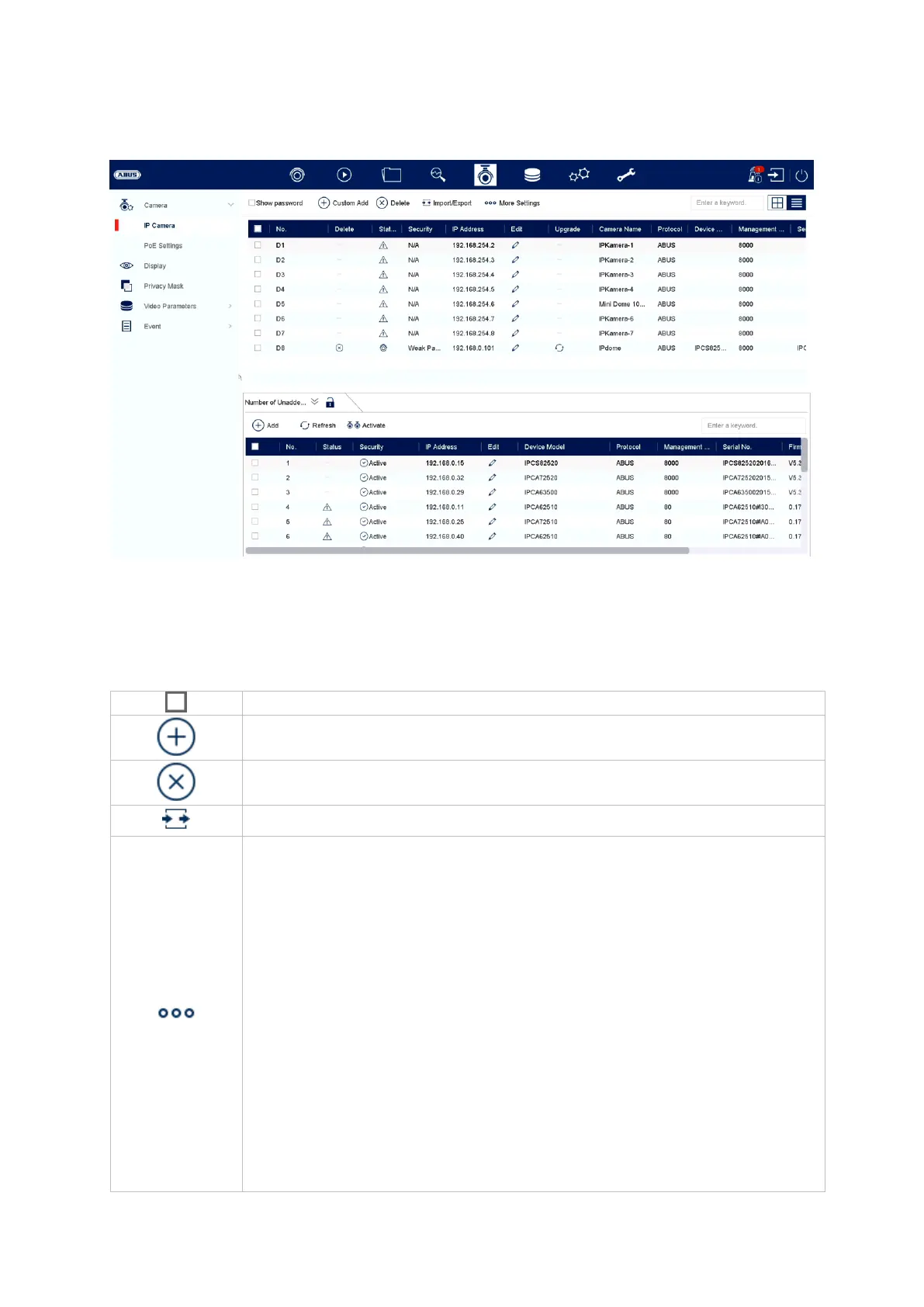
You will find camera management in this menu. You will also find the basic camera
settings here.
Camera
Select all cameras
Add camera
Delete camera
Import/export camera list
More settings:
Protocol
Here you can create a user-specific RTSP profile. This profile
can then be selected when adding a camera.
Protocol: select profile to be defined
Name: select any name
Stream:
o All values below “Stream 1” will be used for stream 1
(live+recording).
o All values below “Stream 2” will be used for stream 2
(multi-view live).
Stream 2: Activates stream 2


Other manuals for Abus NVR10030P

Related product manuals