37
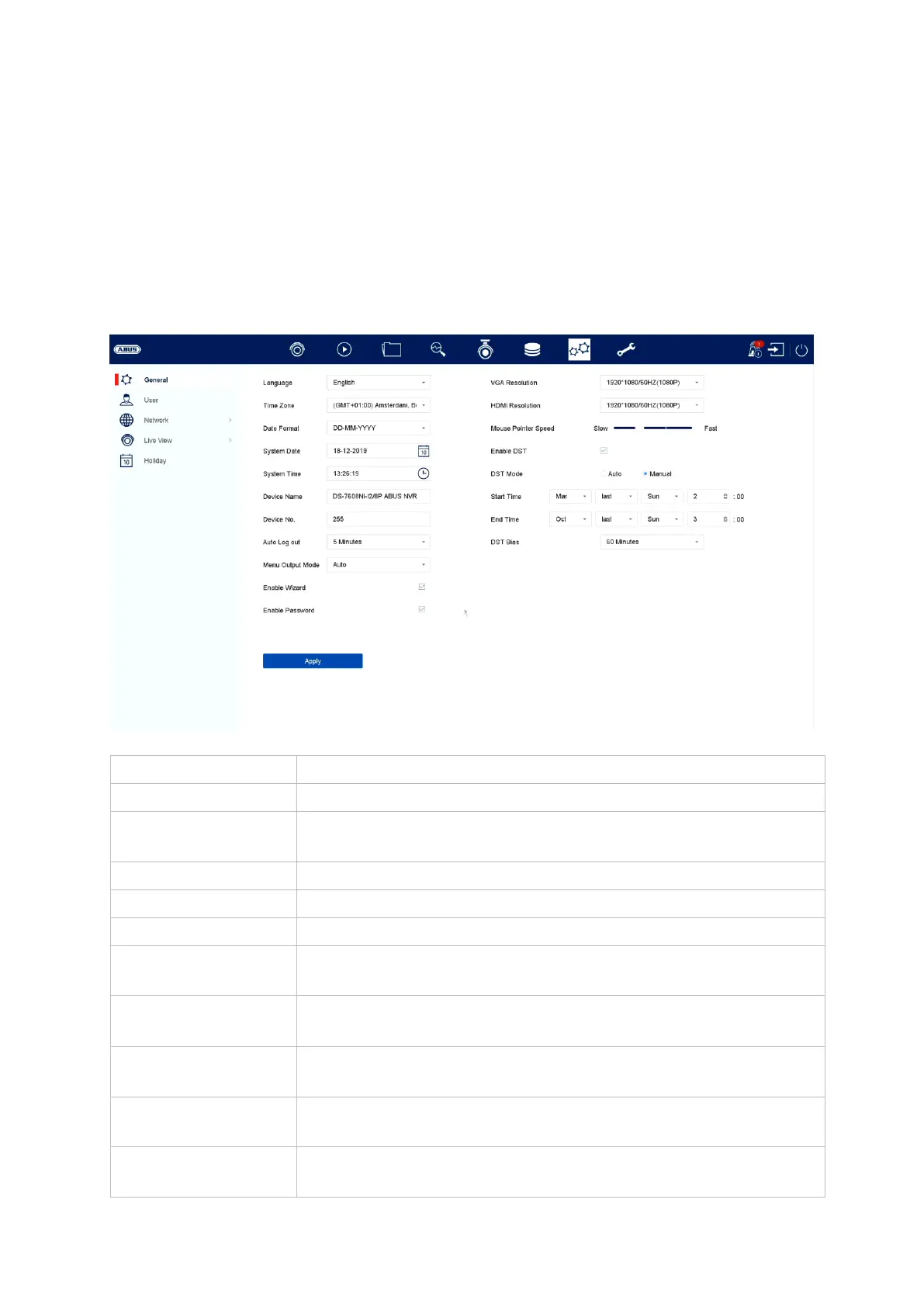
9) System settings
All basic device settings are managed in the “System” menu.
Important: Ensure that the date and time are set correctly.
Subsequent alterations may lead to loss of data. Ensure data is backed up
beforehand.
General
Choose the menu language to be displayed
Select how the date should be displayed:
MM-DD-YYYY, DD-MM-YYYY, YYYY-MM-DD
Here you can assign a name to the recorder
Used for the unique identification of the recorder when using
a control panel
Slider: left = low speed, right = high speed
Select how long it should take before the menu closes
automatically: Never / 1–30 minutes
Select the monitor output for displaying the menu. If set to
auto, the recorder will detect the output.
Select whether the wizard should appear when the system
starts up



 To Next Page