Configuration
31
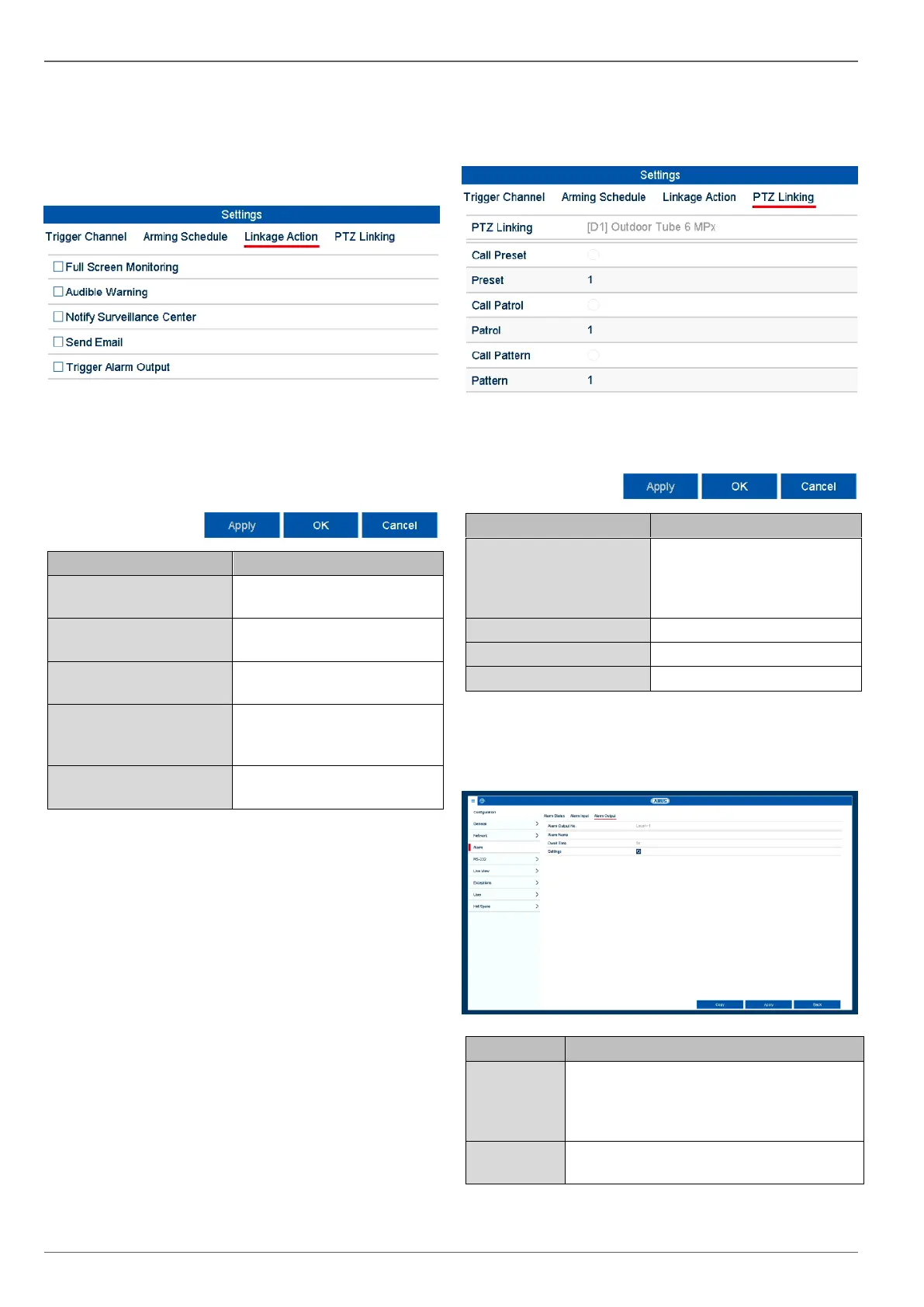
Linkage Action tab
Select the Linkage Action tab. Here you can configure
the response of the recorder in the event of an alarm by
ticking the corresponding box.
The camera is displayed in
full screen in live view.
The device emits a repeated
signal tone.
Notify Surveillance Cen-
tre
The CMS emits an audible
warning tone.
An email is sent to a speci-
fied email address. See
page 29.
The alarm output is triggered
in the event of an alarm.
PTZ Linking tab
Here you can control specific PTZ presets, patrols or pat-
terns for a taught-in camera.
Select the camera to be con-
trolled using a PTZ com-
mand in the event of an
alarm.
Select the preset number.
Select the patrol number.
Select the pattern number.
Confirm the settings by clicking on Apply and exit
the menu by clicking on OK.
Alarm Output tab
Select the alarm output to adjust the set-
tings. You can select the alarm output for
an IP camera using the network address
data.
Enter a clear description, e.g. warehouse
door contact.



 To Next Page