Video Export
55
Video Export
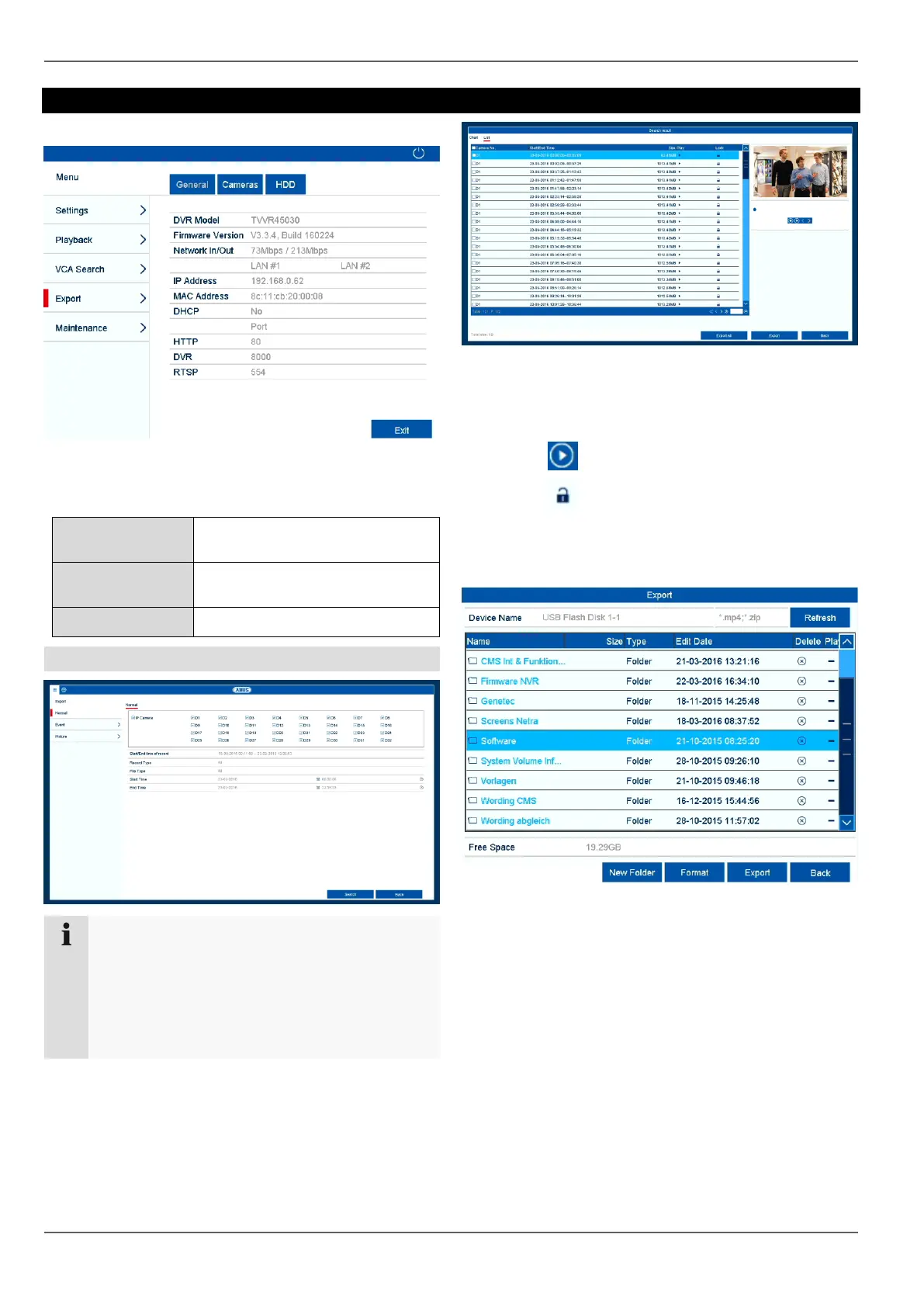
In the menu, go to Video Export to export recorded
video data and images from the recorder. The following
options are available:
Export video data which was rec-
orded with continuous record.
Export video data which was rec-
orded with event record.
Duration
Note
The export function is used to store important re-
cordings on connected external media, such as:
USB media
USB hard disk drives
DVD writers
Enter the parameters.
Click on Search to start the search and the events
screen will appear.
Select the view using the available tabs "Table" or
"List"
The file size of each of the recordings and the total
size of all recordings found are displayed.
Click on to view the corresponding recording.
Click on to lock and unlock a file. Locked files
can no longer be overwritten by the system.
Click on Export to go to the Export screen.
Select the connected medium to be used for storage
from the drop-down menu.
If the medium is not displayed in the list, click on Re-
fresh.
If the medium is still not displayed in the list, discon-
nect it from the device and then reconnect it. See
also the manufacturer's specifications.
Click on Export to start exporting. The progress of
the storage process will then be displayed.



 To Next Page