QUALITY CONTROLS - 5
VerifyNow System User Manual Page 33 14340.J
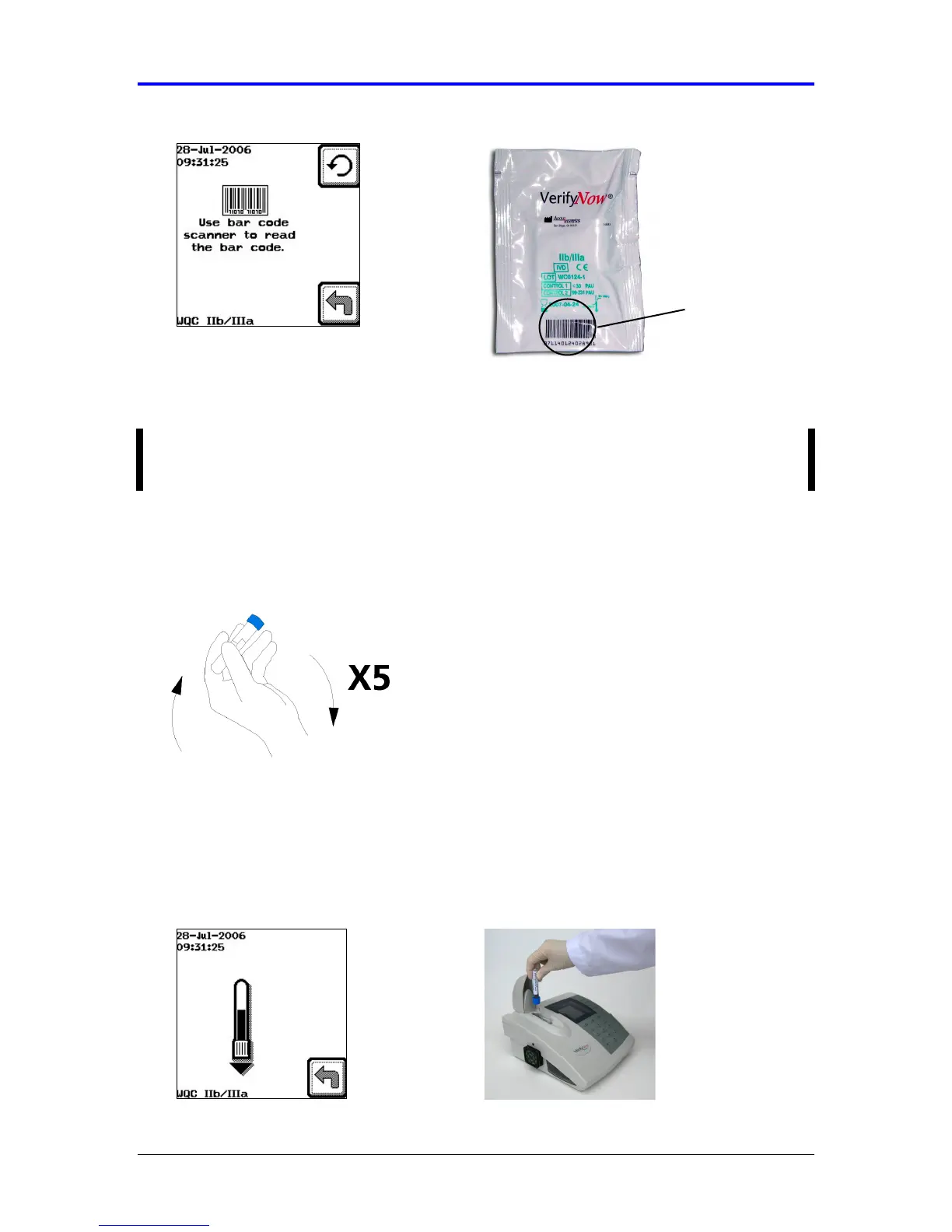
Figure 5-11 Scan Bar Code
After the bar code has been scanned once, the instrument will accept all
remaining assay devices from that lot without displaying the bar code screen.
NOTE: If you are experiencing difficulty with the bar code scanner scanning the
label, try adjusting the angle of the scan by raising the corner of the instrument.
14.
Gently invert the diluent tube five times to mix the reagents immediately before
use (Figure 5-12).
Figure 5-12 Invert Tube
15.
Wait for the image of the tube to display, then insert the WQC sample into the
sample well of the assay device with the rubber stopper facing downward, so that
the needle fully pierces the stopper. The instrument will produce two audible
beeps when the tube has been fully inserted (Figure 5-13).
Figure 5-13 Insert Tube
Bar Code



 To Next Page