Machine Maintenance Procedures 3-21
Bluetooth Module Removal 0
Prerequisite:
Upper Case Removal
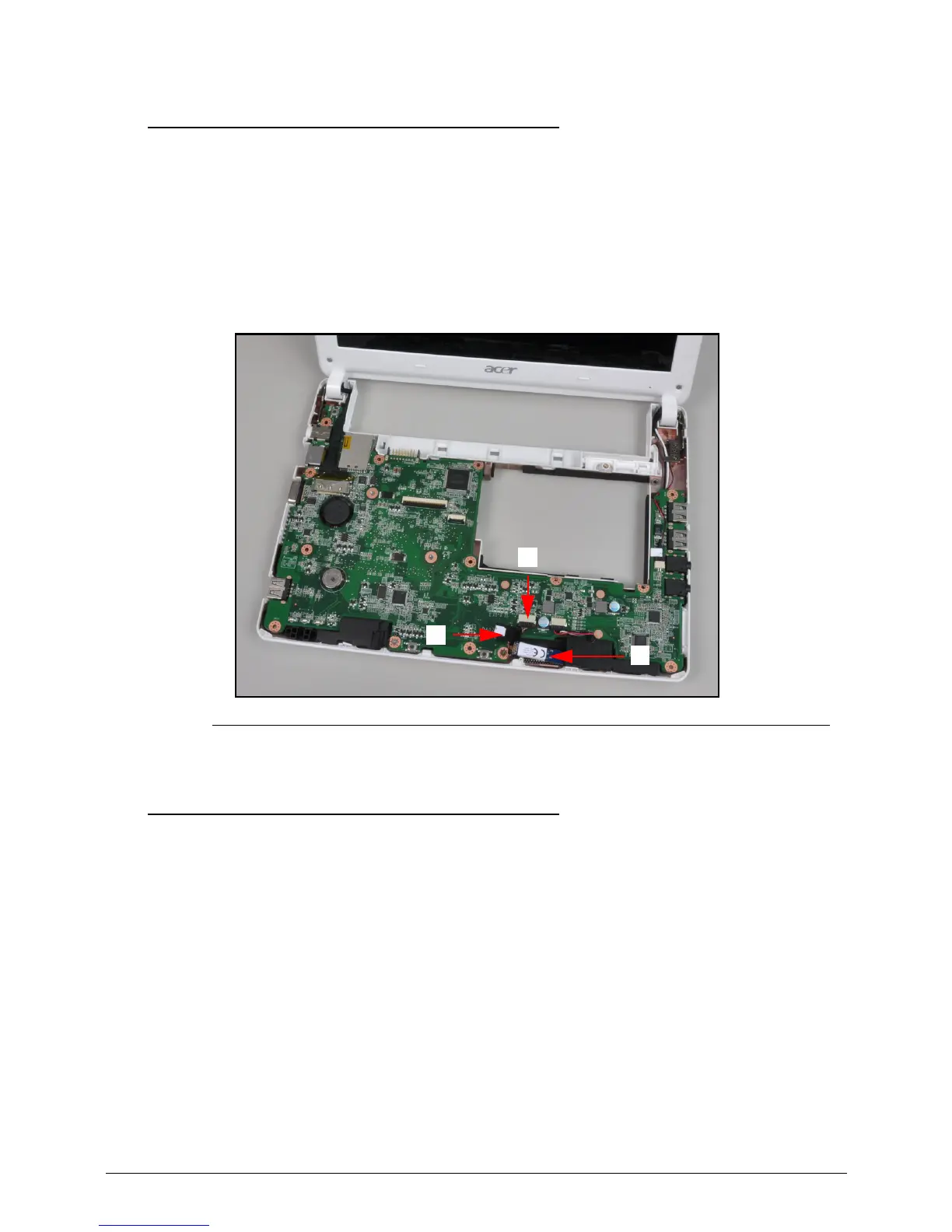
1. Find the Bluetooth Module on the lower case (A) (Figure 3-17).
2. Disconnect the Bluetooth cable (B) from the mainboard connector (C).
3. Remove the Bluetooth Module from the lower case.
Figure 3-17. Bluetooth Module
Bluetooth Module Installation 0
1. Connect the Bluetooth cable (A) to the mainboard connector (B) (Figure 3-17).
2. Install the upper case.



 To Next Page