X1161/X1261/X1161A/X1161N/X110/H5360 Condential 2-16
4. Re-write Lamp Hours (Full power mode)
- Select "Lamp Hours Adjust" and use
"Left" or "Right" buttons to re-write the
"Lamp Hours (full)".
5. Re-write Lamp Hours (ECO mode)
- Select "Lamp Hours" and use
"Left" or "Right" buttons to re-write the
"Lamp Hours (low)".
6. Exit Service Mode
- Use "Up" or "Down" buttons to select
"Exit", press "Menu" button to exit the
Service Mode.
Note: left key = decrease System/Lamp hour
right key =increase System/Lamp hour
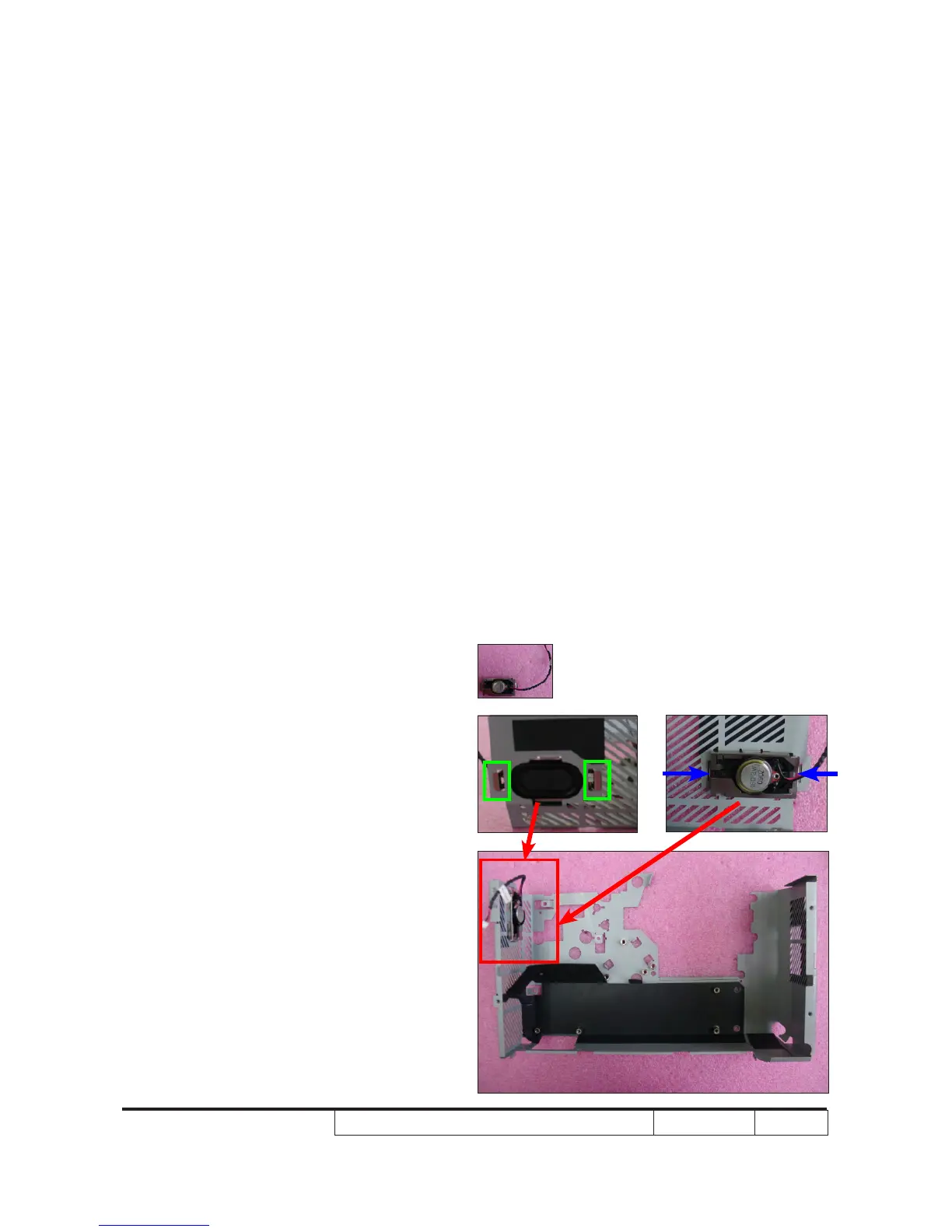
2-22 Assemble Speaker
(for X1261/H5360)
1. Fasten 2 tenons (as green square) as
blue arrows point to assemble the
Speaker.



 To Next Page