EasyManua.ls Logo

ACN IRIS 3000 - User Manual

ACN IRIS 3000
34 pages
Print Icon
To Next Page IconTo Next Page
Loading...
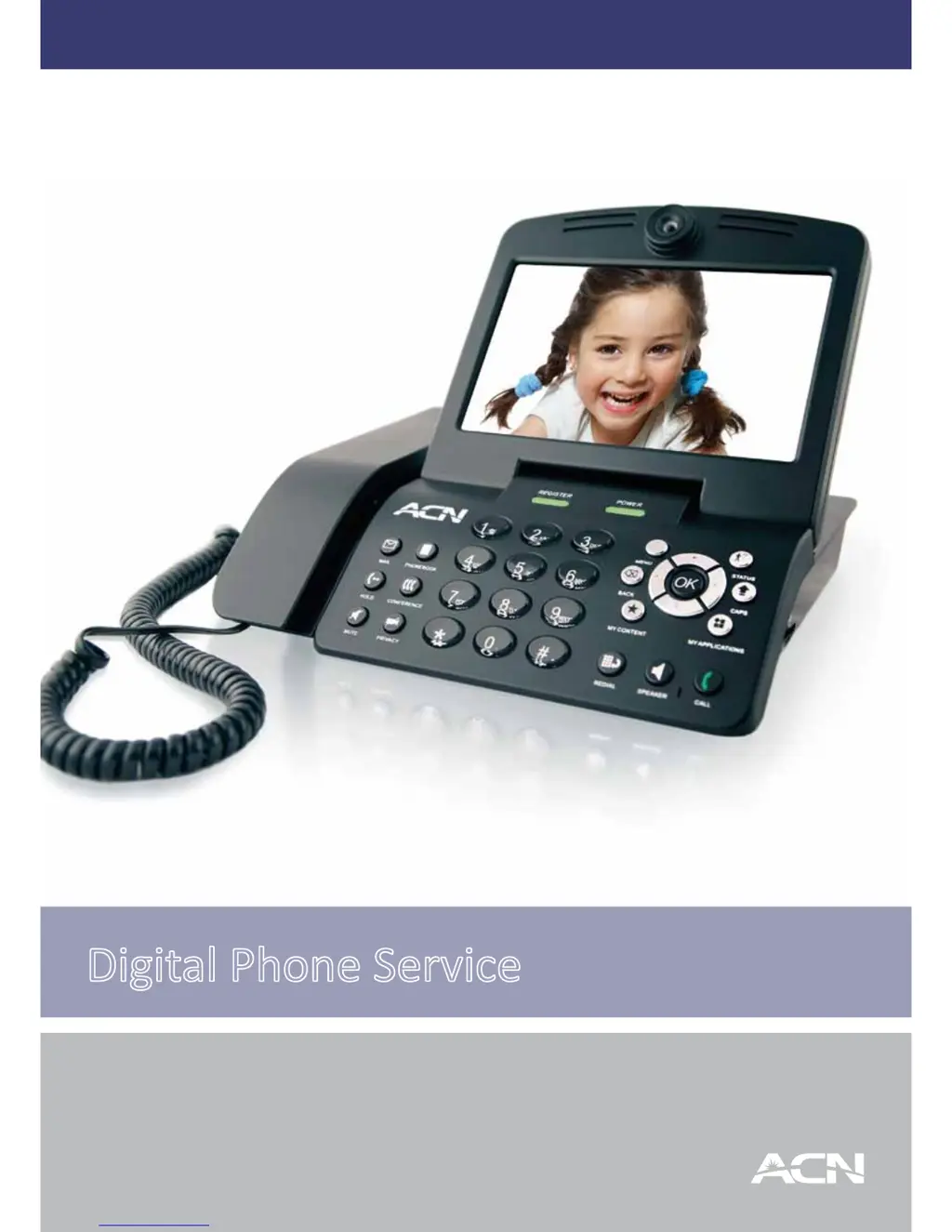
Digital Phone Service
IRIS 3000
Videophone
User Manual

Other manuals for ACN IRIS 3000

Questions and Answers

  • R
    Rose AnthonyAug 30, 2025
    Why can't the other party see or hear me on my ACN Telephone?
    • J
      jefferyrichardsonAug 30, 2025
      If the call is connected, both audio and video are present, but the called party cannot see or hear you on your ACN Telephone, check if their video phone is installed on a private network or a firewall system. Verify that the audio/video input path is correctly configured in the “Set-up” menu during a call, and check if the other party’s audio/video device works properly.
  • P
    Paul WaltersAug 29, 2025
    Why is there no sound when the screen is visible on my ACN Telephone?
    • J
      James ChristensenAug 29, 2025
      If the call is connected, the screen is visible, but there is no sound on your ACN Telephone, check if the called party’s microphone is working and increase the volume levels. If the video phone is installed on a private network or behind a firewall, you may not be receiving the other party’s audio.
  • N
    Nicole CoffeyAug 28, 2025
    Why is the screen dark and sound quality poor on my ACN Telephone?
    • S
      Stephanie JenningsAug 28, 2025
      If the call is connected, but the other party’s screen is dark and the sound quality is poor on your ACN Telephone, this may be because the video phone is installed on a private network or behind a firewall. Also, check if a camera is connected to the called party’s video phone.
  • J
    Julie SmithAug 27, 2025
    What to do if I cannot receive incoming calls on ACN Telephone?
    • K
      Karl GrantAug 27, 2025
      If you cannot receive incoming calls on your ACN Telephone, it could be due to a private network or firewall system. Check that the registration light is on, as you cannot receive calls if the phone isn't registered. Try power cycling the phone by turning it off and then on again.
  • J
    Jose CollinsAug 27, 2025
    How to fix ACN Telephone if I cannot make a call?
    • B
      Brian SpencerAug 27, 2025
      If you cannot make a call with your ACN Telephone, check that the Internet cable is connected to the WAN or LAN port and that the handset is connected to the video phone. If the phone is connected properly, verify the registration lamp turns on. The called party may not be registered with the same network. Try power cycling the phone. If using speed dial, verify the number is correct in the Phonebook. Calls may not connect if the called party uses a video phone on a private network or firewall. Family Plan customers cannot call phones off the ACN network (numbers start with 100 or 101). Ensure the called number is correct, including 1+ area code for long distance and toll-free calls.
  • L
    Linda JarvisAug 25, 2025
    Why won't my ACN Telephone register?
    • A
      Alexis BartlettAug 26, 2025
      If your ACN Telephone will not register, first ensure it's getting an IP address from your modem/router. Try power cycling your modem, router, and the telephone. Also, firewalls can block ports needed for registration, so try bypassing any device with a firewall.
  • G
    Glenn WeaverAug 25, 2025
    What to do if unable to answer call from phone connected to FXS port on ACN Telephone?
    • B
      butlerbethanyAug 25, 2025
      If you are unable to answer calls from a phone connected to the FXS port, first verify that the IRIS 3000 is functioning properly without the phone connected to the FXS port. Ensure the phone cable from the IRIS 3000 to the auxiliary phone is securely connected. Connect the phone directly to the FXS port, avoiding house wiring or external CID or answering machines. If possible, test with a different phone, as some phones may require more power than the IRIS 3000 can supply and may not be compatible.

Summary

Your ACN Videophone

Videophone Components

Lists the physical components included with the ACN Videophone such as the main unit and handset.

Safety Instructions

Provides essential user safety guidelines and precautions for operating the Videophone.

Installing Your Videophone

Guides on connecting the Videophone's main components for initial setup.

Using the Basic Functions of Your Videophone

Placing a Call

Explains how to initiate a phone call using the keypad, standby mode, or call log.

Placing a Call from Call Log

Details how to place a call using the Videophone's call history.

Placing a Call from Phonebook

Details how to make calls using saved contacts in the phonebook.

Set Up

Phonebook

Introduces the phonebook feature for managing contacts.

Add New Entry

Step-by-step instructions for adding a new contact to the phonebook.

Call Log Overview

Introduces the call history feature for reviewing calls.

Settings

Accesses device settings for System, Time, Upgrade, and Administrator.

System Settings

Accesses settings related to sound, display, and network.

Factory Reset

Procedure to restore the device to its original factory settings.

Troubleshooting Guide

Cannot Turn On Power

Steps to resolve issues with powering on the device.

LCD Screen Not Turned On

Steps to resolve issues with the display screen.

Cannot Hear Call Connection Signal

Steps to resolve issues with hearing call connection signals.

Cannot Make a Call

Steps to resolve issues when unable to make calls.

Cannot Receive Incoming Calls

Steps to resolve issues with receiving incoming calls.

No Ringing Sound on Incoming Call

Steps to resolve no ringing sound issues on incoming calls.

Other Party Cannot See Me; Poor Sound Quality

Steps to resolve video or audio quality issues.

No Sound During Call

Steps to resolve no sound issues during a call.

Called Party Cannot See or Hear

Steps to resolve issues where both parties cannot see or hear.

Called Party Can Hear But Not See

Steps to resolve issues where audio transmit is faulty.

Other Party Screen Frozen; No Audio

Steps to resolve frozen screen and no audio issues.

Videophone Not Registering

Steps to resolve issues with device registration.

ACN IRIS 3000 Specifications

General IconGeneral
BrandACN
ModelIRIS 3000
CategoryTelephone
LanguageEnglish