5.2. Menu AMP SERVICE
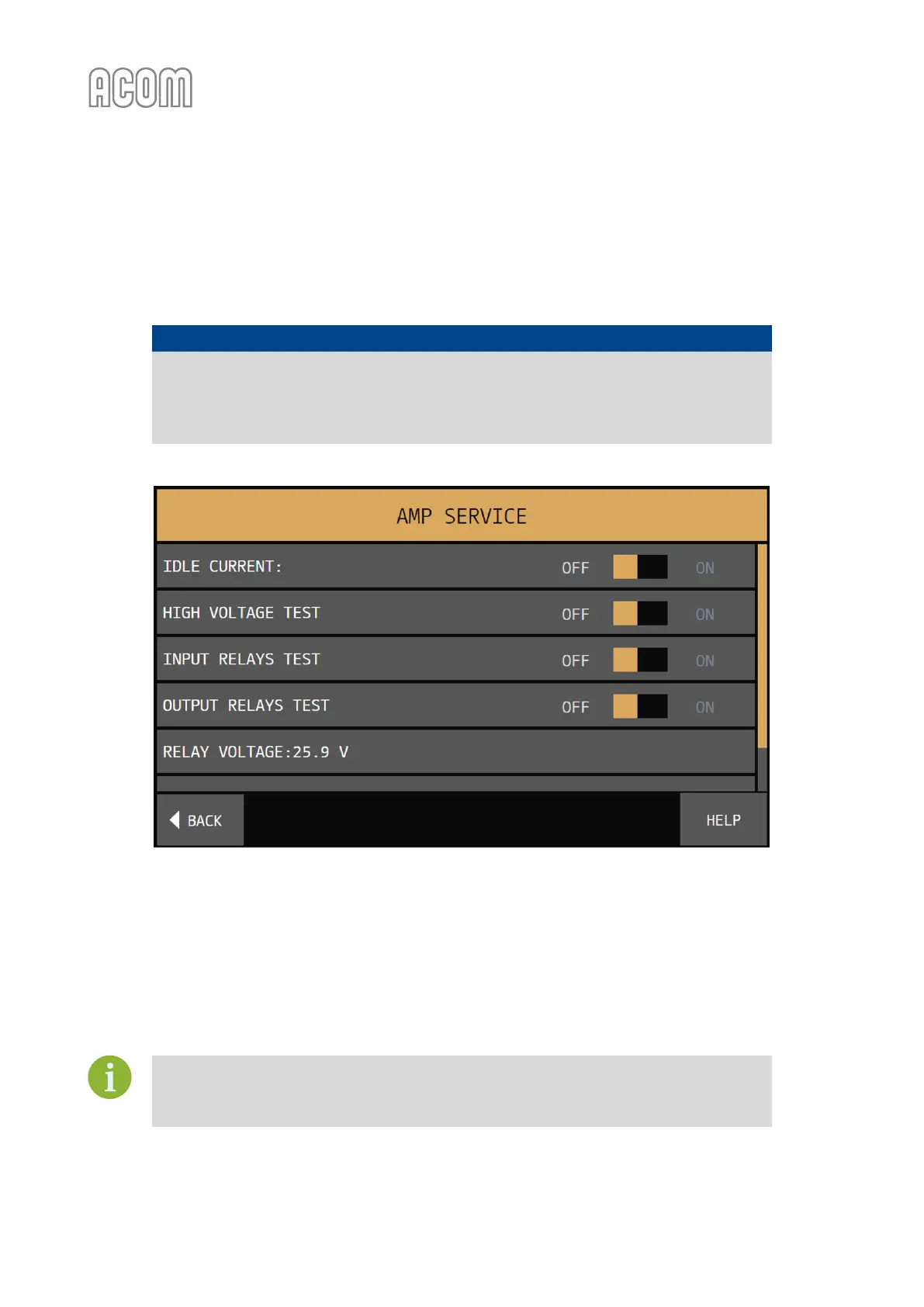
The menu AMP SERVICE (see Figure 5-6 | Menu AMP SERVICE) is accessible from the MENU SELECTION screen
(see Figure 5-1 | MENU SELECTION).
NOTICE
The AMP SERVICE menu is used for checking and adjustment of the zero-signal (idle)
drain current of the final transistors and for testing some functions and circuits of the
amplifier when serviced. We recommend these procedures are carried out only by a
trained service technician!
Figure 5-6 | Menu AMP SERVICE
Figure 5-6 | Menu AMP SERVICE
The inactive functions are greyed out and the active are red. When leaving a function submenu, it is turned
off and deactivated automatically. At pressing the BACK button all service functions are turned off, and the
MENU SELECTION screen comes back (see Figure 5-1 | MENU SELECTION). At consecutive pushing of the
BACK button, the basic screen returns (see Figure 3-2 | Basic screen).
If, the device does not operate normally and you need an amplifier servicing, we
recommend repair, performed only by a trained service technician.
Contact your ACOM dealer for assistance (see Section 1.3 Owner Assistance).



 To Next Page