5.3. Menu CAT SETTINGS
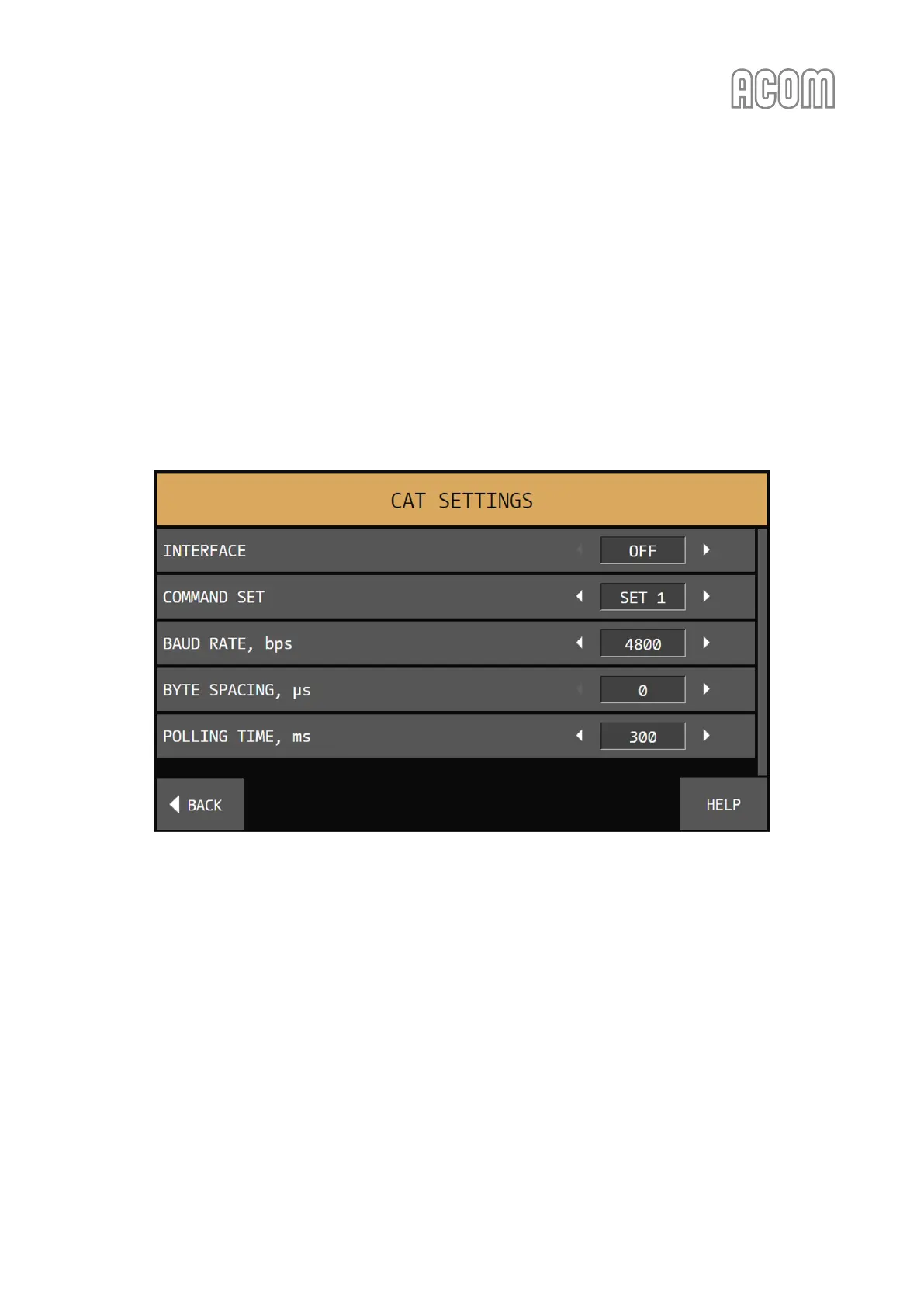
The menu CAT SETTINGS (see Figure 5-7 | Menu CAT SETTINGS) is accessible from the MENU SELECTION
screen (see Figure 5-1 | MENU SELECTION).
After a CAT cable is connected between the transceiver and amplifier (see 2.5 Connecting to External Devices
(transceiver, computer, etc.), the correct settings for the transceiver have to be set via this menu. If there is
no CAT connection, OFF has to be selected as INTERFACE type.
The CAT settings are accessible only in RX mode. The amplifier will automatically switch to SERVICE mode
when entering the CAT SETTINGS menu and switch to STANDBY mode upon exiting.
Figure 5-7 | Menu CAT SETTINGS
Figure 5-7 | Menu CAT SETTINGS
To setup the CAT interface, first the type of INTERFACE needs to be selected (see Figure 5-7 | Menu CAT
SETTINGS):
• RS-232 (serial band data, RS-232 levels);
• TTL (serial band data, TTL levels);
• BCD (parallel band data);
• VOLTAGE (analog band data).
If the amplifier CAT port is connected to the transceiver via either BCD or VOLTAGE output, select the
respective interface type and push the BACK button. The other items and values will be ignored with such a
selection.



 To Next Page