7.5.3. Firmware update of amplifier ACOM 2020S (unit only)
For uploading a firmware to ACOM 2020S (unit only) you have three possibilities:
- Use the ACOM Terminal S software, distributed by ACOM free of charge. You can download
ACOM Terminal S from www.acom-bg.com;
- Use the USB memory stick connected to RCU USB port;
- Automatic firmware update through Internet.
To use the ACOM Terminal S, you have to install the software on a PC equipped with RS-232 port. The
ACOM Terminal S communicates with amplifier via RS-232 interface. For cable connection, please see
Section 2.5.c) Amplifier's RS-232 interface connector and Table 2-4 | Signals and pin out of the amplifier's RS-232
connector.
The ACOM Terminal S is available for MS Windows, Apple Mac, and Linux operation systems.
Firmware update from USB memory or through Internet is a functionality under
development and will be available in a future firmware versions.
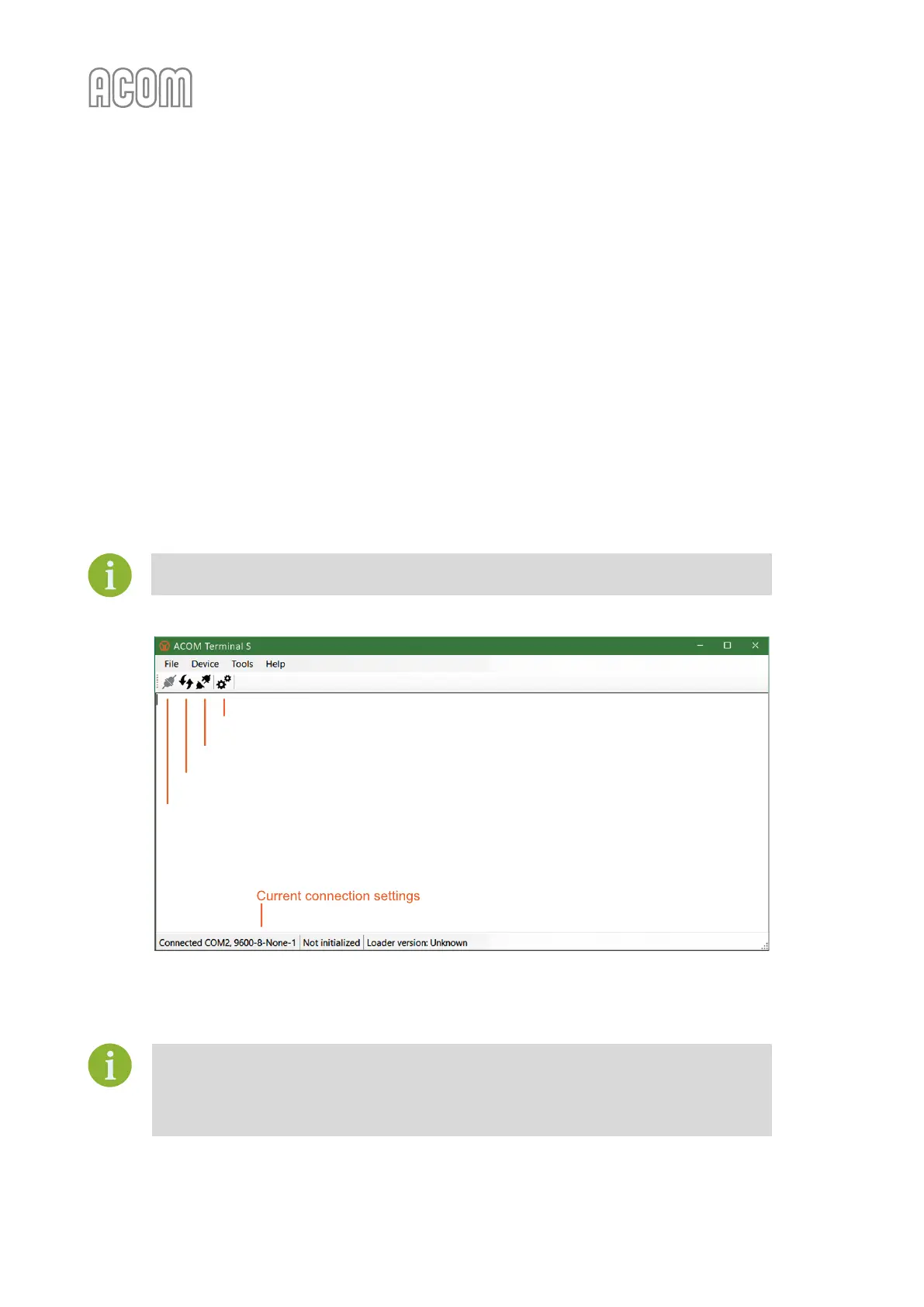
Figure 7-1 | ACOM Terminal S screenshot
Figure 7-1 | ACOM Terminal S screenshot
For detailed instructions how to upload a firmware, please, read Help information in
ACOM Terminal S software.
We strongly recommend that you backup your current amplifier firmware before
performing an update procedure!



 To Next Page